Purchase
WordPress Toolkit is a ServerAvatar add-on that gives you complete WordPress control from the panel. It includes Toolkit Management (plugins, themes, updates, security, performance, and more on each WordPress application) and WordPress Blueprints (reusable presets applied when deploying new sites).
What's Included
- Toolkit Management: Manage plugins, themes, core updates, debug settings, cron scheduling, security hardening, performance tools, search & replace, and site settings without leaving ServerAvatar.
- WordPress Blueprints: Save themes, plugins, permalinks, and site preferences as reusable presets and apply them when creating new WordPress applications.
WordPress Toolkit is available as a lifetime add-on purchase. After purchase, open any WordPress application and use WP Toolkit from the application panel sidebar.
How to Purchase
Step 1: Log in to your ServerAvatar account.
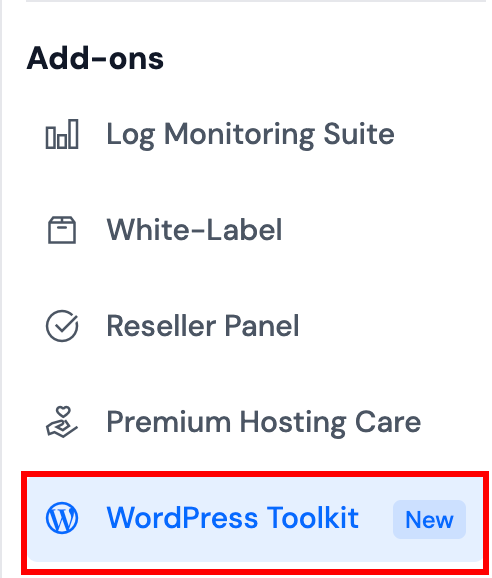
Step 2: Navigate to WordPress Toolkit under the Add-ons section in the left-hand sidebar menu.
Step 3: On the WordPress Toolkit page, review the features under What's Inside: WordPress Blueprints and Toolkit Management.
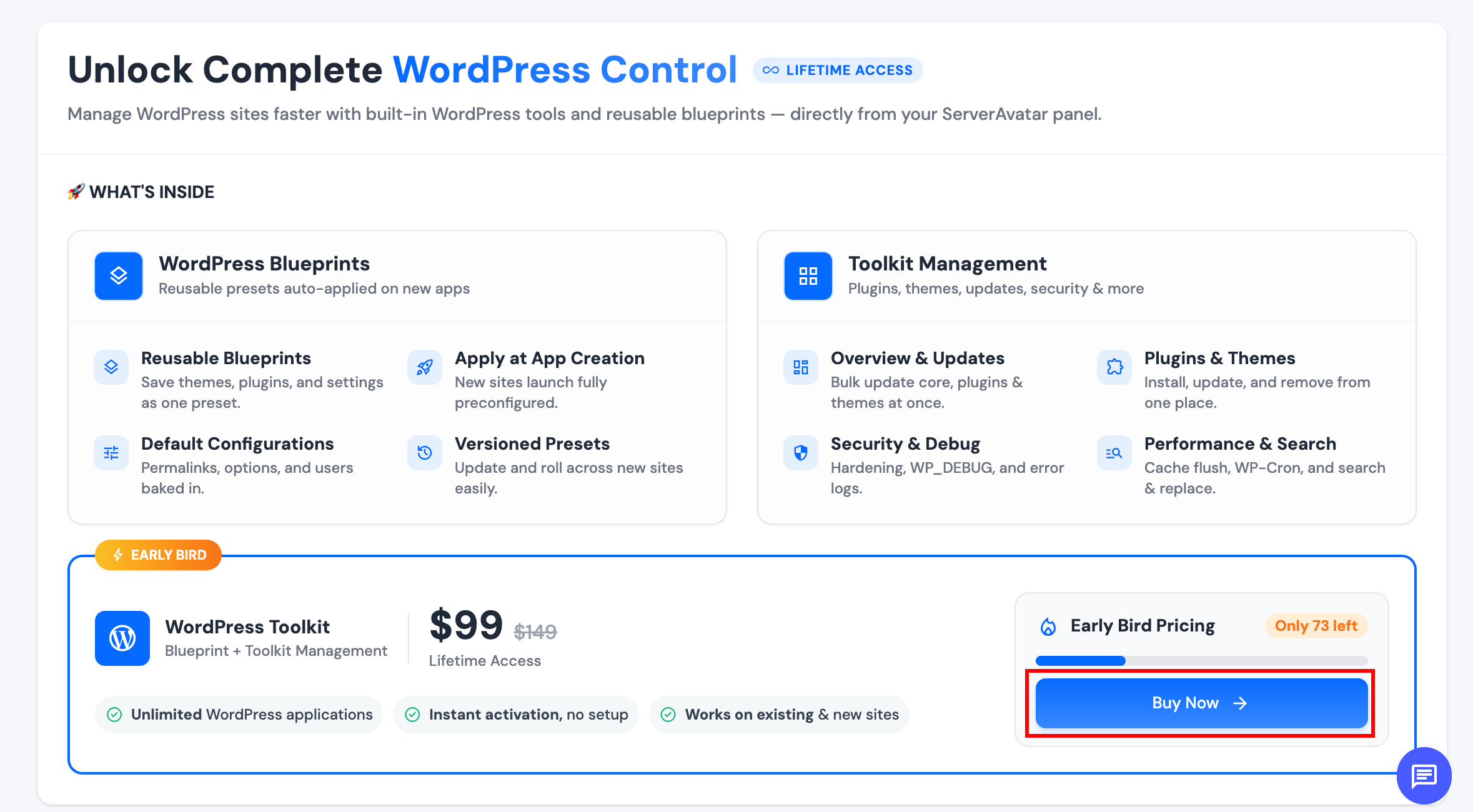
Step 4: Click Buy Now to proceed to payment.
Step 5: After a successful payment, you will be redirected back to the WordPress Toolkit add-on page. The page will show your add-on as Active, along with purchase details such as price and cycle.
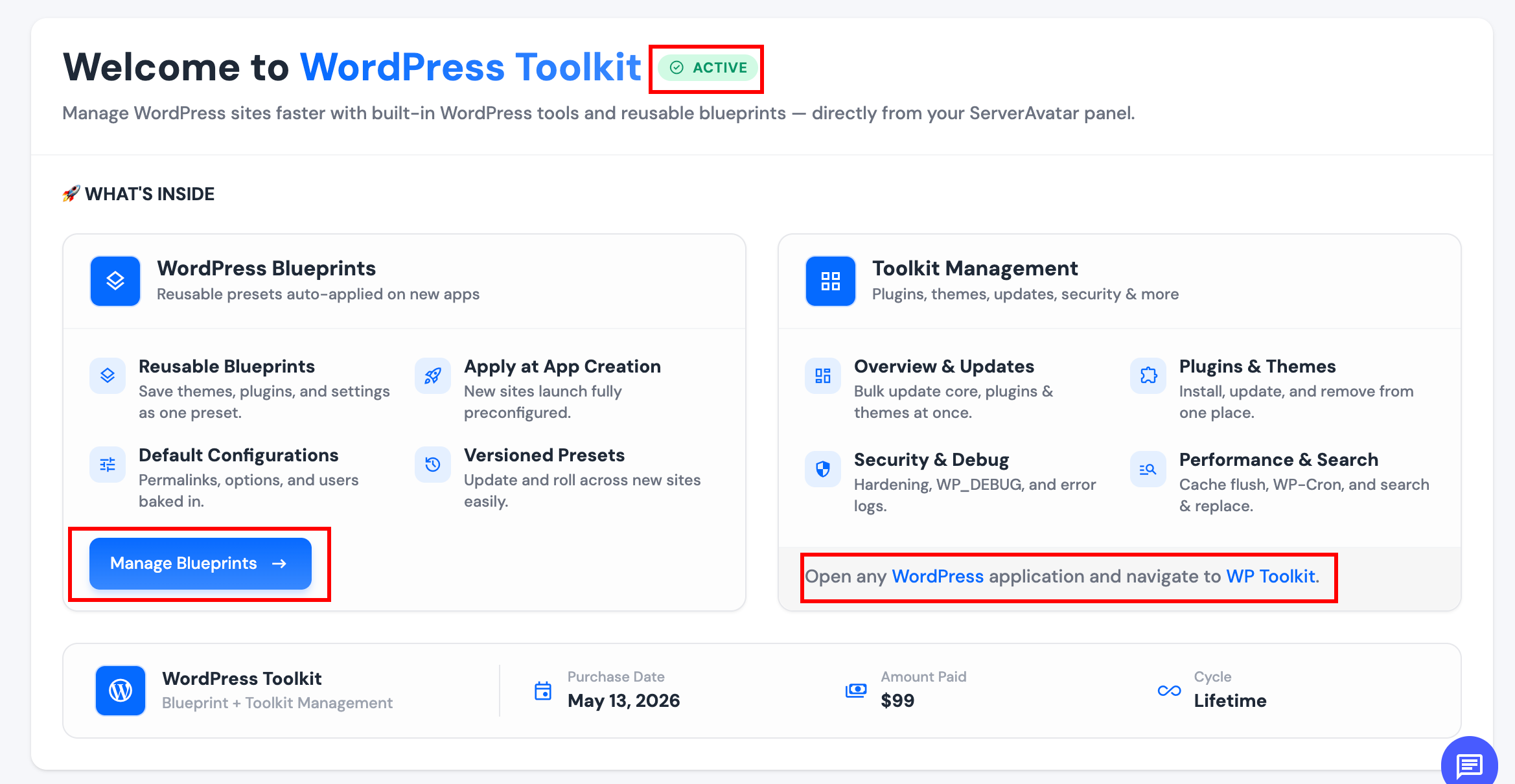
Step 6: After purchase, you can:
- Open WordPress Blueprints from the main sidebar under Tools to create and manage blueprints.
- Open any WordPress application on your server and select WP Toolkit from the application panel sidebar to use Toolkit Management.
You can also click Manage Blueprints on the WordPress Toolkit add-on page, but WordPress Blueprints in the main sidebar is the quickest way to access blueprints day to day.
- WordPress Toolkit features are available only for WordPress applications.
- On shared servers, the server owner must purchase the add-on; team members need the appropriate application permissions to use WP Toolkit.