

Imagine meeting someone for the first time and instead of introducing themselves professionally, they hand you a scribbled note with no name, no identity, just random words. That’s exactly how your business feels when you use a generic email like Gmail or Yahoo for professional communication. This is where professional domain email benefits become clear, helping you present your business in a more credible and trustworthy way right from the start.
Nowadays, in the digital era, email address is the very first impression you can make. So, why risk looking unprofessional when you can stand out with something as simple as a domain-based email?
Let’s explore why switching to a professional domain email isn’t just a good idea, it’s essential.
What is a Professional Domain Email Address?
A professional domain email address is an email that uses your business domain name instead of a generic provider.
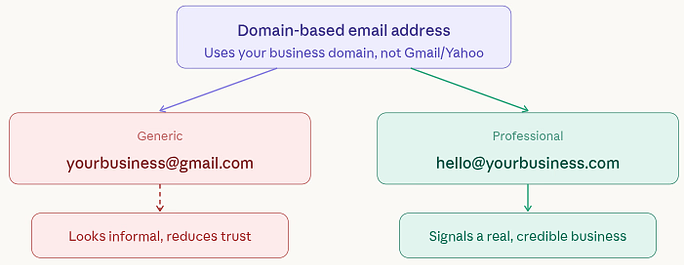
Example:
- Generic: yourbusiness@gmail.com
- Professional: hello@yourbusiness.com
It may seem like a small change, but it carries a big impact. It tells people: “This is a real business.”
Why do you need a Professional Domain Email Address?
If you’re serious about your business, a professional domain email is no longer optional, it’s essential. Here’s why it matters:
- It makes your business look legitimate
Customers are more likely to trust a branded email than a generic one. - It keeps your communication organized
You can create different email addresses for different purposes, making your workflow smoother. - It gives you ownership and control
Unlike free services, your email system belongs to your business. - It supports long-term growth
As your business expands, your email setup can easily grow with it.
In simple terms, a domain email aligns your communication with your business goals. It helps you present yourself the way you want to be seen, professional, reliable, and ready to grow.
Professional Domain Email vs Free Email Services
At first glance, free email services like Gmail or Yahoo may seem convenient. They’re quick to set up and cost nothing. But when it comes to running a business, the difference between a free email and a professional domain email becomes very clear.
| Feature | Professional Domain Email | Free Email Services |
| Email Address Format | Uses your business name (e.g., info@yourcompany.com) | Uses provider’s domain (e.g., yourname@gmail.com) |
| Professional Appearance | Looks credible and business-focused | Feels casual and personal |
| Brand Visibility | Promotes your brand with every email sent | Promotes the email provider instead of your brand |
| Customer Trust | Builds strong trust and confidence | May raise doubts, especially for new customers |
| Ownership & Control | Fully controlled by your business | Limited control; provider manages accounts |
| Security Features | Advanced security options and customization | Basic security with limited control |
| Spam & Deliverability | Better chances of reaching inbox | Higher risk of emails going to spam |
| Team Collaboration | Easy to create multiple team emails (support, sales, etc.) | Not suitable for structured team communication |
| Scalability | Easily expands as your business grows | Not designed for business scaling |
| Integration with Tools | Works smoothly with business tools (CRM, marketing, etc.) | Limited compatibility with professional tools |
| Brand Consistency | Maintains consistent identity across platforms | Can create inconsistency with your branding |
| Data Control | Business retains access and communication history | Individual users control their accounts |
| Cost | Paid, but affordable and valuable | Free to use |
| Long-Term Reliability | Stable and suitable for long-term business use | May not support long-term business needs effectively |
A free email address often looks casual and personal. It’s great for everyday use, but in a business setting, it can feel unpolished or even unreliable. On the other hand, a domain-based email reflects professionalism, structure, and brand identity.
Reasons Why Your Business Should Use a Professional Domain Email Address
1. Creates a Strong First Impression
Your email address is often the very first interaction someone has with your business. A professional domain email immediately signals that you are serious and established. It shows that you’ve invested in your brand, even before a conversation begins. In many cases, this small detail can influence whether someone chooses to respond or move on.
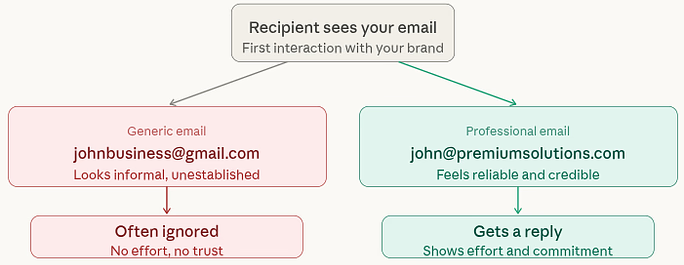
Compare these two:
- johnbusiness@gmail.com
- john@premiumsolutions.com
The second one instantly feels more reliable and professional. It shows effort, seriousness, and commitment. In business, that first impression can decide whether someone replies, or ignores you.
2. Builds Instant Trust with Customers
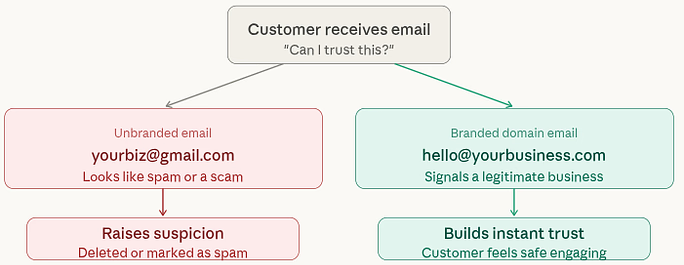
People today are cautious, and for good reason. With so many scams and fake emails around, users are more likely to trust messages that come from a proper business domain. A branded email reassures them that your business is legitimate.
3. Gives You Better Control Over Your Emails
Using a domain email means your business stays in control of all communication. You can manage accounts, assign access, and ensure important data remains within your organization. This becomes especially useful when team members change or leave. It keeps your operations smooth and secure.
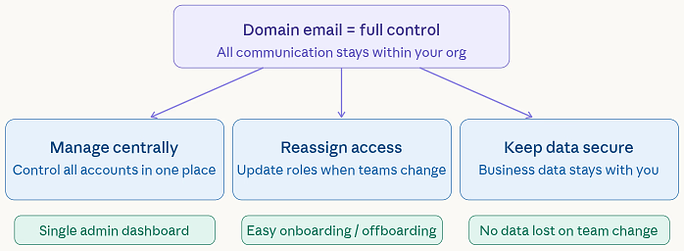
With a domain email, you can:
- Manage all accounts centrally: Control every email account from one place.
- Remove or reassign access when needed: Easily update access when roles change.
- Keep business data within your control: Ensure all communication stays with your company.
This becomes especially important when team members join or leave your company.
4. Keeps Your Brand Consistent Everywhere
Your business identity should feel the same across all platforms, your website, social media, and email. When everything matches, people remember you more easily. A domain email reinforces your brand every time you send a message. It keeps things aligned and avoids confusion.
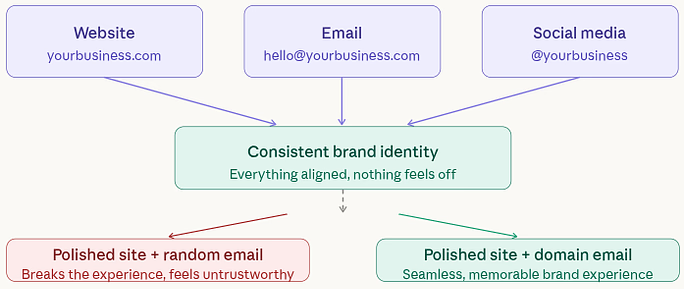
Imagine having a polished website but using a random email address. It breaks the experience, right?
5. Turns Every Email Into a Branding Opportunity
Every email you send is a chance to remind people about your business. With a domain email, your brand name is always visible. Over time, this builds familiarity and recognition.
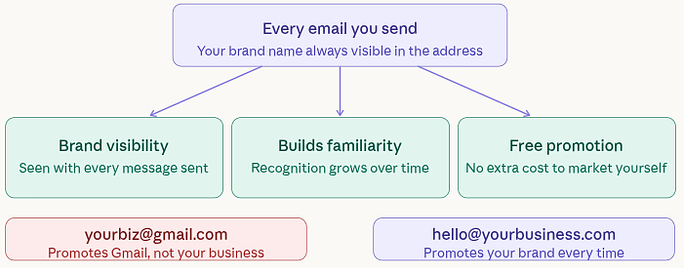
Instead of promoting Gmail or Yahoo, you’re promoting your own business, without spending extra money.
6. Improves Email Delivery Rates
Ever this happened, you sent an email but never got reply? Sometimes, it’s not the content, it’s where the email ends up.
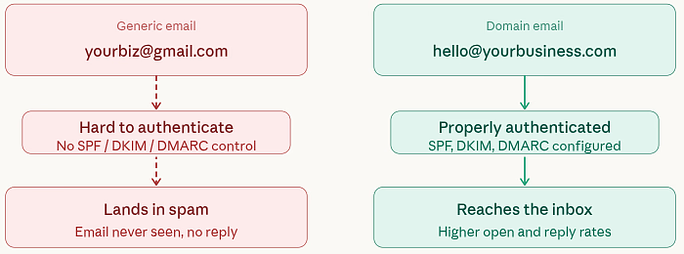
Domain emails are less likely to land in spam because they can be authenticated properly. This increases the chances that your emails actually reach the inbox. And if your emails don’t get delivered, nothing else really matters.
7. Helps You Meet Security and Compliance Needs
Security is essential, especially when handling sensitive information. A domain email allows you to apply stronger protections and maintain proper records. It helps safeguard both your business and your customers. This is particularly important for industries that require strict data handling standards.
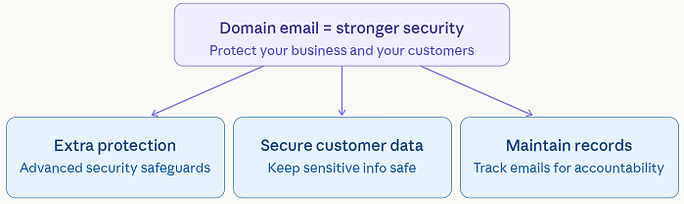
A domain email allows you to:
- Add extra layers of protection: Strengthen security with advanced safeguards.
- Secure customer data: Keep sensitive information safe from threats.
- Maintain proper communication records: Store and track emails for accountability.
This is important not just for safety, but also for meeting industry standards and regulations.
8. Grows Along With Your Business
When your business expand, communication need will be more complex. A domain email allows you to create dedicated addresses for different roles or departments. This makes your business look structured and professional. It also helps customers connect with the right team quickly.
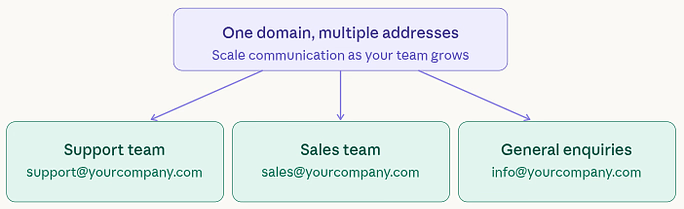
A domain email allows you to create multiple addresses like:
- support@yourcompany.com
- sales@yourcompany.com
- info@yourcompany.com
This makes your business look organized and helps customers reach the right person quickly.
9. Works Smoothly with Business Tools
Modern businesses rely on tools like CRM systems, marketing platforms, and collaboration software.
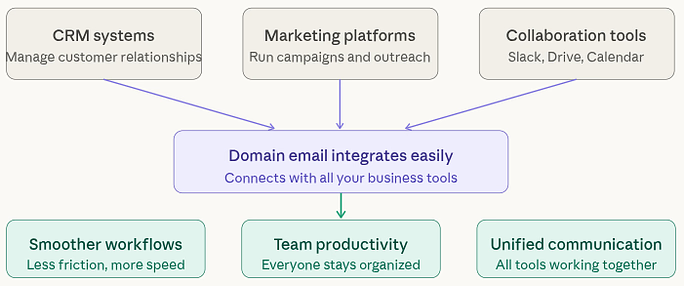
Domain emails integrate easily with these tools, making workflows smoother and more efficient. It helps your team stay productive and organized.
10. Helps You Stand Out from Competitors
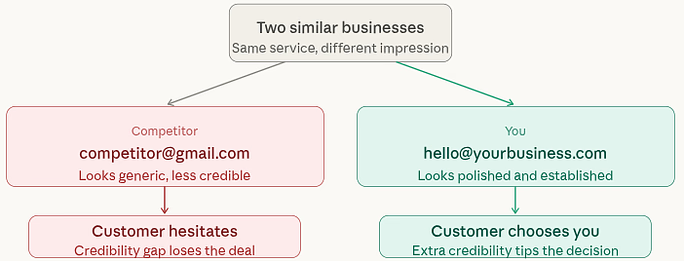
In a crowded market, even small details can make a big difference. If two businesses offer similar services, people often choose the one that looks more professional. A domain email adds that extra layer of credibility that can tip the decision in your favor.
11. Gives You Full Ownership of Your Communication
Free email services are convenient, but they come with limits. Accounts can be restricted, policies can change, and you don’t fully own the platform.
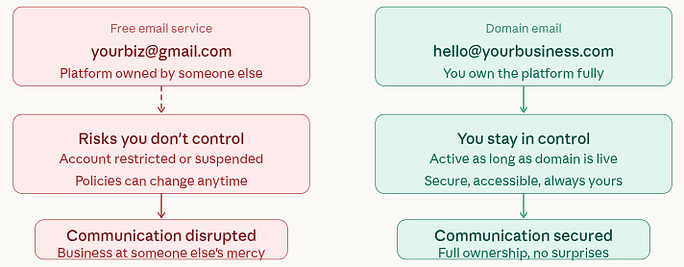
With a domain email, you’re in charge. As long as your domain is active, your communication stays secure and accessible.
12. Keeps Employee Communication Organized
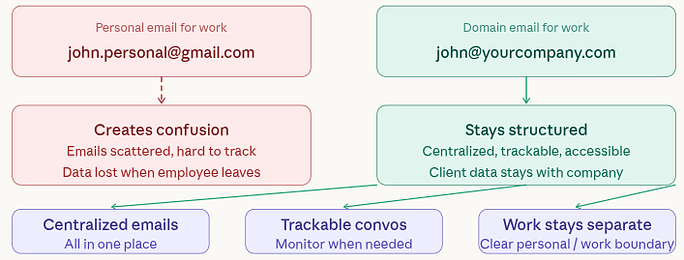
Using personal emails for work can quickly create confusion. A domain email system keeps all communication structured and easy to manage. It also ensures that important conversations remain accessible within the company. This protects both your workflow and your client relationships.
With domain emails:
- All communication stays within the company: Keep all business emails centralized.
- Conversations can be tracked if needed: Monitor communication when required.
- Work and personal life remain separate: Maintain clear boundaries between personal and business use.
It also ensures that important client conversations don’t disappear when someone leaves the team. At the end of the day, a professional domain email isn’t just about sending messages, it’s about how your business is perceived.
It’s like upgrading from a casual introduction to a confident handshake. Simple, but powerful.
13. Supports Team Collaboration
As your team grows, communication needs to stay organized. Domain emails allow you to create role-based addresses for different functions. This helps teams work together more efficiently. It also ensures that tasks and responsibilities are clearly defined.
With a domain email, you can create:
- support@yourbusiness.com
- sales@yourbusiness.com
- info@yourbusiness.com
This helps:
- Organize communication: Structure emails based on roles or departments.
- Improve response time: Direct queries to the right team quickly.
- Assign roles easily: Create email accounts based on responsibilities.
14. Scales With Your Business
A professional email system is designed to grow with you. Whether your team is small or large, you can easily expand your setup. There’s no need to switch systems as you grow. It provides long-term flexibility and stability.
Whether you have:
- 1 employee
- 10 employees
- 100 employees
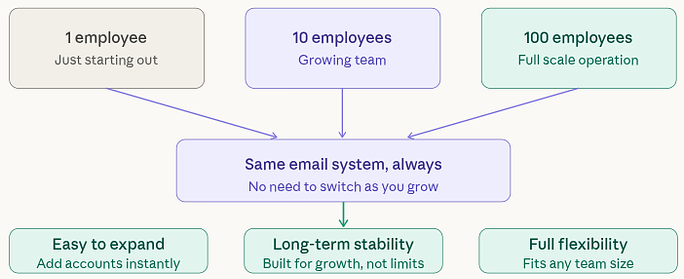
You can easily manage and expand your email system. It’s built for growth, not limitations.
Cost vs Value: Is It Worth It?
While cost is always a consideration, the value of a domain email goes far beyond its price. It helps build trust, attract customers, and protect your reputation. Compared to the benefits, the investment is minimal. In reality, it’s a smart business decision, not just an expense.
A professional email costs very little compared to:
- The trust it builds: Creates confidence in your business.
- The clients it helps you win: Increases chances of conversions.
- The reputation it protects: Maintains a strong professional image.
It’s not an expense, it’s an investment.
Competitive Advantage in the Market
Standing out in a crowded market is not easy. A professional email gives you a subtle but important advantage. It makes your business appear more reliable and up-to-date. This small detail can influence customer decisions in your favor.
If you’re still using a generic email, you risk:
- Looking outdated: Generic emails can make your business seem less modern.
- Losing credibility: Lack of branding can reduce trust.
- Missing opportunities: Unprofessional emails may cost you potential clients.
A professional email gives you that extra edge.
Easy to Set Up and Manage
Many assume setting up a domain email is difficult, but it’s actually quite simple. With modern tools, the process is quick and user-friendly. Even beginners can get started without technical expertise. Within a short time, your business can have a fully functional email system.
Today, setting up a domain email is:
- Quick: Setup can be completed in minutes.
- Affordable: Costs are low and manageable.
- Beginner-friendly: No advanced skills required.
With the right tools, you can have everything running in minutes.
Professional Communication Culture
Using a domain email encourages clear, respectful, and structured communication. It sets a professional standard across your team. Over time, this improves both internal and external interactions.
Using a domain email encourages:
- Clear communication: Messages are more structured and easy to understand.
- Professional behavior: Encourages a formal and respectful tone.
- Better internal organization: Keeps communication well-managed.
It’s not just about emails, it’s about culture.
Turn Every Email Into a Growth Opportunity
Every message you send can help move your business forward. A domain email adds credibility and keeps your brand visible in every interaction. Over time, these small touchpoints build strong relationships. It’s a simple way to grow your presence without extra effort.
A professional domain email helps you:
- Build trust instantly with clients and partners: Create confidence from the first interaction.
- Strengthen your credibility in every interaction: Reinforce professionalism in communication.
- Promote your brand naturally without extra effort: Increase visibility with every email sent.
When your email carries your business name, it leaves a lasting impression. Over time, this consistency builds familiarity, and familiarity leads to trust.
It’s like planting seeds. Each email may seem small, but together, they help your business grow stronger and more recognizable.
Best Practices for Using Professional Domain Email
Using a professional email effectively requires a few simple habits. These practices ensure your communication remains clear, secure, and consistent. They also help you maintain a strong brand image. Following them can make a noticeable difference in how your business is perceived.
Here are some simple best practices to follow:
1. Keep Email Names Clear and Simple
Simple email names are easier to remember and look more professional. Avoid unnecessary words or numbers that may confuse recipients. A clean format improves clarity and communication.
Use formats like:
- name@yourbusiness.com
- support@yourbusiness.com
Clarity makes communication easier.
2. Maintain Consistent Branding
Using the same domain across all emails strengthens your brand identity. It creates a uniform experience for anyone interacting with your business. Consistency builds recognition over time.
3. Use Professional Email Signatures
A well-structured signature adds credibility to your emails. It provides essential information and makes it easier for recipients to contact you. It also reinforces your brand presence.
Always include:
- Your name: Clearly identify who is sending the email.
- Company name: Reinforce your business identity.
- Contact details: Provide easy ways to connect.
- Website link: Direct users to your online presence.
It adds credibility and makes it easier for people to reach you.
4. Enable Security Features
Security should always be a priority when handling business communication. Strong protection helps prevent unauthorized access and data breaches. It ensures your email system remains safe.
Protect your email accounts with:
- Strong passwords: Prevent easy access by unauthorized users.
- Two-factor authentication: Add an extra layer of security.
- Spam filters: Block unwanted or harmful emails.
Security should never be ignored.
5. Avoid Using Personal Emails for Business
Mixing personal and business emails can lead to confusion and a lack of professionalism. Keeping them separate ensures better organization. It also protects your business identity.
6. Respond Promptly and Professionally
Timely responses show that you value communication. A clear and polite tone reflects positively on your business. It helps build strong relationships with clients.
7. Regularly Review and Manage Accounts
Keeping your email system updated is essential for security and efficiency. Removing unused accounts reduces risk. It also ensures your communication remains organized.
A professional domain email is powerful, but only when used correctly. By following these simple practices, you can make sure every email you send strengthens your brand and builds lasting relationships.

Common Mistakes to Avoid
Even with a professional email, small mistakes can affect your image. Avoiding these common errors helps maintain a strong and consistent presence. Paying attention to details makes a big difference.
Even when using a professional email, avoid these:
- Using complicated email names: Keep addresses simple and easy to understand.
- Inconsistent branding: Use the same domain across all communication.
- Ignoring security settings: Always enable proper protection measures.
- Not setting up proper signatures: Include essential details for credibility.
Conclusion
A professional domain email may seem like a small upgrade, but its impact on your business is anything but small. It shapes how people perceive you, builds trust from the very first interaction, and keeps your communication structured as you grow. In a world where credibility matters more than ever, using a branded email is a simple step that sets you apart from the crowd. If you want your business to look reliable, organized, and ready for growth, switching to a professional domain email is one of the smartest decisions you can make.
FAQs
1. What is a professional domain email address?
A professional domain email is an email that uses your business name as the domain (like name@yourcompany.com) instead of a free provider like Gmail or Yahoo.
2. Is a domain email really necessary for small businesses?
Even small businesses benefit from it because it builds trust, improves brand image, and makes your business look more established.
3. How much does a professional domain email cost?
The cost is usually low and depends on the provider, but it offers much greater value compared to free email services.
4. Can I use a domain email with my existing tools?
Most domain emails easily integrate with business tools like CRM systems, marketing platforms, and collaboration apps.
5. How do I get started with a professional domain email?
You need a domain name and an email hosting service. Once set up, you can create custom email addresses for your business in just a few steps.
Stop Wasting Time on Servers. Start Building Instead.
You didn’t start your project to babysit servers. Let ServerAvatar handle deployment, monitoring, and backups — so you can focus on growth.
Deploy WordPress, Laravel, N8N, and more in minutes. No DevOps required. No command line. No stress.
Trusted by 10,000+ developers and growing.