

If you’re planning to build a website, chances are you’ve come across two popular names: WordPress and Wix. When it comes to the WordPress vs Wix debate, many users find it difficult to decide which platform is the right fit. And now you’re probably wondering, which one is better for you?
Don’t worry, you’re not alone. Choosing between these two platforms is actually confusing. Both have their pros and cons, and the right choice depends on what you actually need. In this guide, we’ll break everything down in simple terms so you can confidently decide which platform fits your goals.
What is WordPress?
WordPress is an open-source content management system (CMS) that allows you to build and manage websites of almost any type, blogs, business sites, portfolios, and even large eCommerce stores.
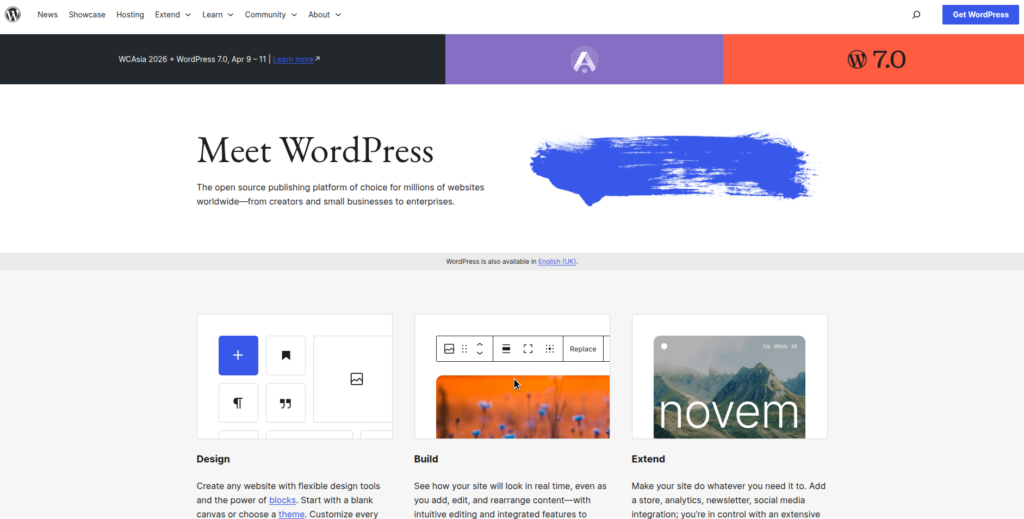
There are two versions:
- WordPress.com: A hosted platform (simpler, but limited)
- WordPress.org: Self-hosted (full control and flexibility)
When people compare WordPress with Wix, they usually mean WordPress.org. The biggest strength of WordPress lies in its flexibility. You are not locked into a specific design or structure. You can customize everything, from layout to functionality, based on your needs.
Key Features
Here are some of the most important features that make WordPress so popular:
- Open-source platform: Free to use with complete customization freedom
- Thousands of themes: Wide range of design options for any niche
- Extensive plugins: Easily add features like SEO, security, and forms
- Full data control: You own and manage all your website content
- SEO-friendly structure: Built to support better search engine rankings
- Versatile usage: Suitable for blogs, business sites, and online stores
- Media management: Easily upload and organize images and videos
- User roles system: Assign different access levels to team members
Advantages
Why do so many people prefer WordPress?
- Complete flexibility: Build and design your site exactly how you want
- Highly scalable: Works for small websites as well as large platforms
- Strong SEO support: Offers tools to improve search visibility
- Large community: Plenty of guides, forums, and tutorials available
- Full ownership: You have total control over your website data
- Easy integrations: Connect with multiple third-party services
Disadvantages
Of course, WordPress isn’t perfect. Here are some downsides:
- Learning curve: Takes time for beginners to understand
- Setup required: Needs hosting and domain configuration
- Manual updates: Plugins and themes must be updated regularly
- Security responsibility: You need to manage protection measures
- Variable costs: Expenses can increase with premium tools
What is Wix?
Wix is a cloud-based website builder designed for simplicity and ease of use. It allows users to create websites using a drag-and-drop editor without any technical knowledge.
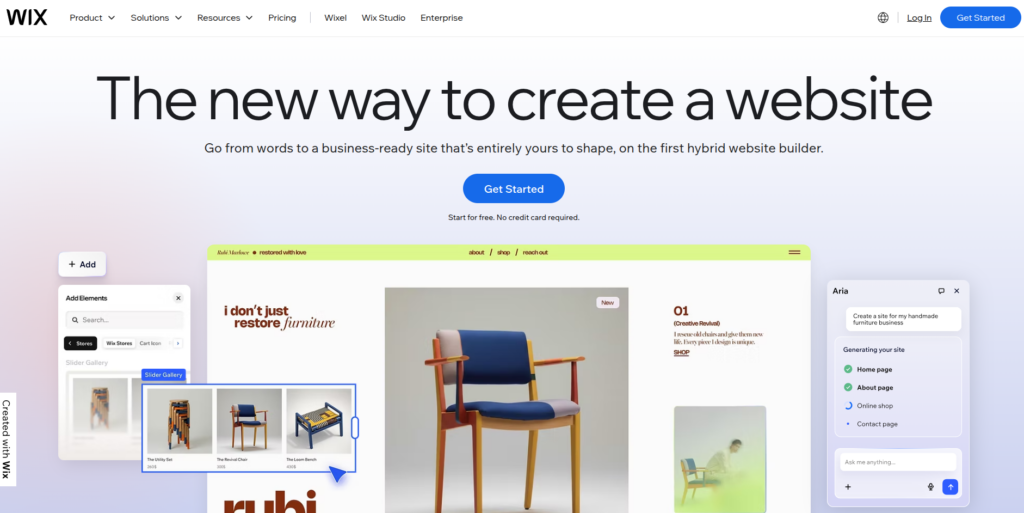
Everything is handled in one place, hosting, design, security, and updates, so you don’t have to worry about technical tasks. Wix is especially popular among beginners, small business owners, and freelancers who want a quick online presence.
Key Features
Wix comes with several built-in features that make website creation simple:
- Drag-and-drop builder: Create pages visually without coding
- Ready-made templates: Professionally designed layouts for quick use
- Built-in hosting: No need to buy separate hosting services
- App market: Add extra features through Wix apps
- Mobile-friendly designs: Websites adjust automatically to devices
- Basic SEO tools: Helps improve visibility on search engines
- Marketing tools: Includes analytics and promotional features
- Auto maintenance: Updates and security handled automatically
Advantages
Here’s why many users choose Wix:
- Beginner-friendly: Easy to use even with no technical skills
- Fast setup: Launch a website in a short time
- All-in-one solution: Everything is included in one platform
- No maintenance needed: Wix handles updates and security
- Modern templates: Attractive designs ready to use
- Customer support: Access to direct help when needed
Disadvantages
However, Wix also has some limitations:
- Limited customization: Less flexibility compared to WordPress
- Template restrictions: Difficult to switch designs later
- Feature limitations: Fewer advanced options available
- Not for complex sites: Struggles with large or advanced projects
- Scalability issues: Not ideal for long-term expansion
- Platform dependency: Your site depends entirely on Wix
WordPress vs Wix: Quick Comparison
Choosing between WordPress and Wix often comes down to one simple question: do you want full control or complete convenience? Both platforms help you build a website, but they take very different approaches.
| Feature | WordPress | Wix |
| Ease of Use | Moderate learning curve | Very beginner-friendly |
| Setup Process | Requires hosting & installation | Ready-to-use platform |
| Customization | Highly flexible, full control | Limited but simple |
| Design Options | Thousands of themes | Pre-designed templates |
| SEO Capabilities | Advanced and powerful | Basic to moderate |
| Pricing | Varies (hosting + extras) | Fixed monthly plans |
| Maintenance | Manual updates required | Fully managed |
| Performance | Depends on hosting | Optimized by default |
| Scalability | Excellent for growth | Limited for large sites |
| eCommerce | Powerful with plugins | Good for small stores |
| Ownership | Full control of data | Platform-dependent |
| Support | Community-based | Dedicated support |
If you are someone who likes flexibility and long-term growth, one option stands out. But if you prefer ease and speed, the other might be a better fit.
Ease of Use: Which is Beginner-Friendly?
When it comes to ease of use, the difference is quite clear. Wix focuses on simplicity, while WordPress offers more control but requires some learning.
Wix
- Beginner-friendly interface: Everything works with simple drag-and-drop
- No coding required: You can build a site without technical knowledge
- Quick setup: Just choose a template and publish
WordPress
- Moderate learning curve: Requires time to understand the dashboard
- Initial setup needed: Hosting, themes, and plugins must be configured
- More control: Once learned, you get full flexibility
Design & Customization Options
Design flexibility is where both platforms take very different approaches.
WordPress
- Unlimited design freedom: Customize every part of your website
- Thousands of themes: Huge collection of free and paid designs
- Advanced customization: Edit code for complete control
Wix
- Pre-designed templates: Ready-to-use professional layouts
- Easy editing: Customize visually without effort
- Limited flexibility: Changing structure or templates later is difficult
Features and Flexibility
Both platforms offer features, but the level of flexibility is quite different.
WordPress
- Plugin ecosystem: Add almost any feature you need
- Custom functionality: Build advanced tools and systems
- Highly versatile: Suitable for complex and dynamic websites
Wix
- Built-in tools: Includes essential features out of the box
- App marketplace: Add limited extra functionality
- Restricted flexibility: Features depend on Wix’s ecosystem
SEO Capabilities
SEO plays a major role in website growth, and both platforms handle it differently.
WordPress
- Advanced SEO control: Customize URLs, metadata, and structure
- SEO plugins: Tools like Yoast help optimize content
- Better flexibility: Ideal for long-term SEO strategies
Wix
- Basic SEO tools: Covers essential optimization needs
- Simple settings: Easy to manage meta titles and descriptions
- Limited control: Not as powerful as WordPress
Pricing Comparison
Pricing is always varies depend on about your choice to create a website.
Wix
- Free plan available: Includes Wix branding
- Fixed pricing: Clear monthly or yearly plans
- All-in-one cost: Hosting and features included
WordPress
- Core software Free: No cost for use of the platform
- Additional expenses: Hosting, themes, and plugins required
- Flexible pricing: Costs depend on your setup
Performance and Speed
Website speed can impact user experience and SEO.
WordPress
- Depends on hosting: Performance varies based on provider
- Requires optimization: Caching and tuning needed
- High potential: Can be extremely fast if optimized well
Wix
- Managed performance: Speed is handled automatically
- Built-in hosting: No need for manual optimization
- Consistent results: Reliable performance for most users
Security and Maintenance
Security and maintenance responsibilities differ significantly between the two.
Wix
- Automatic updates: No manual work required
- Built-in security: Platform handles protection
- Low maintenance: Fully managed environment
WordPress
- Manual updates: Themes and plugins need regular updates
- Security plugins: Additional tools required for protection
- User responsibility: You manage overall security
E-commerce Capabilities
When you are planning to sell anything online, e-commerce capabilities matters lot.
WordPress
- WooCommerce support: Powerful and customizable eCommerce solution
- Scalable platform: Suitable for growing online stores
- Advanced features: Full control over store functionality
Wix
- Simple eCommerce tools: Easy setup for small stores
- Beginner-friendly: No technical setup needed
- Scalability Limited: It is not ideal for complex or big stores
Blogging Experience
Content creating is smooth on some platforms.
WordPress
- Built for blogging: Strong content management system
- Advanced editor: More control over posts and layout
- Better organization: Categories, tags, and SEO structure
Wix
- Basic blogging tools: Suitable for simple content
- Easy to use: Simple editor for beginners
- Limited features: Less flexibility compared to WordPress
Scalability: Future Growth
Think long-term when choosing your platform.
WordPress
- Highly scalable: Grows with your website needs
- No major limits: Suitable for any size project
- Future-ready: Ideal for expanding businesses
Wix
- Limited scalability: Not designed for complex growth
- Restricted backend control: Less flexibility for expansion
- Best for small projects: Suitable for basic websites
Customer Support
Support is making a very big difference, such as for beginners.
Wix
- 24/7 customer support: Direct help available
- Help center: Guides and tutorials included
- Quick assistance: Faster issue resolution
WordPress
- Community support: Forums and online discussions
- Self-help resources: Tutorials and documentation
- No support: The support is depended on hosting or any third-party service

Definitive Verdict: Which One Should You Choose?
Choosing from WordPress and Wix is completely depend on what you value more, simplicity or control.
Choose Wix if:
- You want a quick and easy website setup
- You have no technical experience
- You prefer an all-in-one solution
Choose WordPress if:
- You want full control and customization
- You plan to grow your website long-term
- You need advanced SEO and flexibility
At the end, there is no one platform that fits all your needs. It’s about what works best for your goals.
How ServerAvatar Simplifies WordPress Deployment & Management
Hosting and managing a WordPress website gives you flexibility, but it is comes with responsibility like server setup, optimization, and ongoing support and maintenance. This is where ServerAvatar makes things much easier.
What is ServerAvatar?
ServerAvatar is a server hosting and management platform designed to simplify how you deploy and manage web applications. It helps you run PHP and Node.js applications, including WordPress, without dealing with complex server configurations.
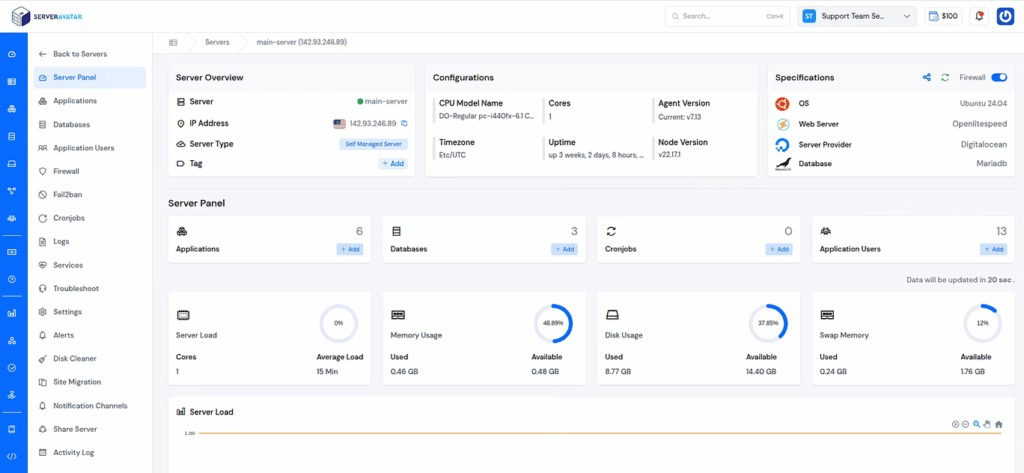
Instead of manually setting up the server and application environment, ServerAvatar gives you a clean and user-friendly dashboard where everything is organized in one place.
With its one-click application installer, you can launch a full configured WordPress website within minutes. You do not need to worry about configuring services, installing dependencies, or handling technical setup manually.
Beyond WordPress, ServerAvatar also supports popular applications like Moodle, Mautic, n8n, and Uptime Kuma, making it a flexible choice for developers, agencies, and business owners.
ServerAvatar supports multiple cloud providers and gives you full control over your infrastructure, without requiring deep technical expertise. If you need any advanced setup, the ServerAvatar technical team can assist you with the process.
Key Benefits of Using ServerAvatar for WordPress
Here’s how ServerAvatar improves your WordPress experience:
- One-click application installer: Launch WordPress and other applications instantly without manual setup
- Centralized dashboard: Manage servers, applications, databases, and PHP versions from one place
- Performance optimization: Easily manage services and improve website speed
- Redis caching support: Built-in Redis integration helps boost WordPress performance
- Enhanced security: Easily manage SSL, firewall, fail2ban, AI bot blocker, and secure access with ease
- Scalable infrastructure: Upgrade server resources as your website grows
ServerAvatar is great if you want the ability of server and application hosting and management without dealing with the complexity of server hosting and management. It allows users to focus on building and growing website instead of handling technical procedures.
Whether you’re a developer, agency, or business owner, ServerAvatar helps you deploy, manage, and scale WordPress websites more efficiently.
Explore ServerAvatar documentation to get started with WordPress deployment and management in just a few steps.
Conclusion
Deciding between WordPress and Wix isn’t about which platform is universally better, but which one fits your specific needs. Wix is ideal if you want a fast, simple, and hands-off way to launch a website without dealing with technical details. In contrast, WordPress is better suited for those who want full control, deeper customization, and the ability to scale over time. While WordPress may require more effort in the beginning, solutions like ServerAvatar can make managing servers and applications much easier. In the end, your choice should depend on how much flexibility, control, and long-term growth you expect from your website.
FAQs
1. Is Wix easier to use than WordPress?
Wix is easier for beginners because everything is built around a visual editor and managed environment. WordPress takes more time to learn but offers greater control once you get familiar with it.
2. Which platform is better for long-term website growth?
For long-term scalability and flexibility, WordPress is a stronger choice. It allows you to expand your website’s features and handle more complex requirements compared to Wix.
3. Can I build a professional website without coding?
Both WordPress and Wix allow you to create professional websites without coding. However, WordPress gives you the option to customize further if needed.
4. Does Wix limit customization options?
Wix offers easy design tools, but it has certain limitations when it comes to advanced customization and flexibility. WordPress provides far more freedom in this area.
5. What are the ongoing responsibilities with WordPress?
With WordPress, you need to handle updates, security, and performance optimization. These tasks can be simplified using tools like ServerAvatar.
6. Can I switch from Wix to WordPress later?
It is possible to move from Wix to WordPress, but the process can take time and may require manual adjustments, especially for design and content structure.