
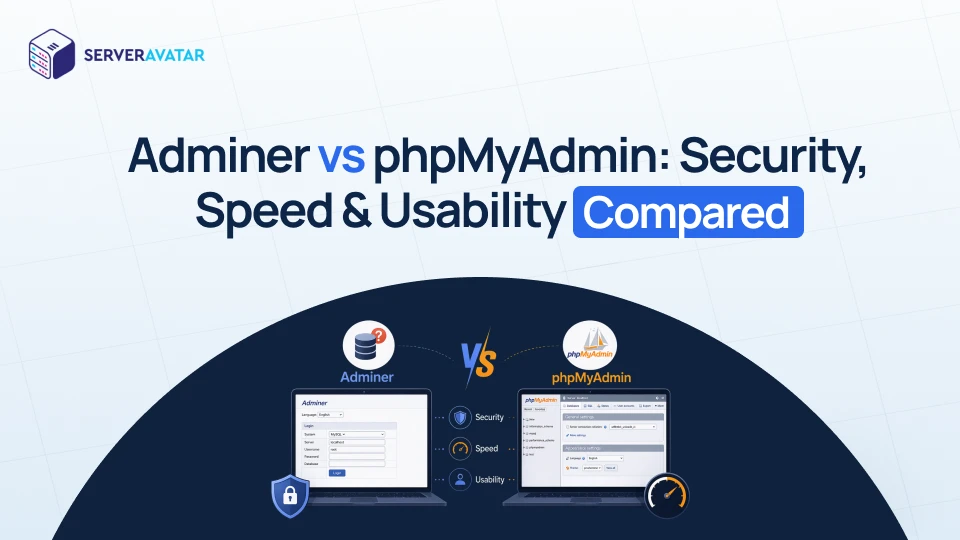

If you’ve ever worked with databases, chances are you’ve come across tools that make managing them easier. But here’s the big question in the Adminer vs phpMyAdmin debate: which one should you actually use? Think of it like choosing between a lightweight multitool and a fully equipped toolbox, both get the job done, but the experience can feel very different.
In this guide, we will break everything down in simple terms, no confusing jargon, no unnecessary complexity. Whether you’re a beginner or someone with a bit of experience, this comparison will help you decide what fits your workflow best.
What is Adminer?
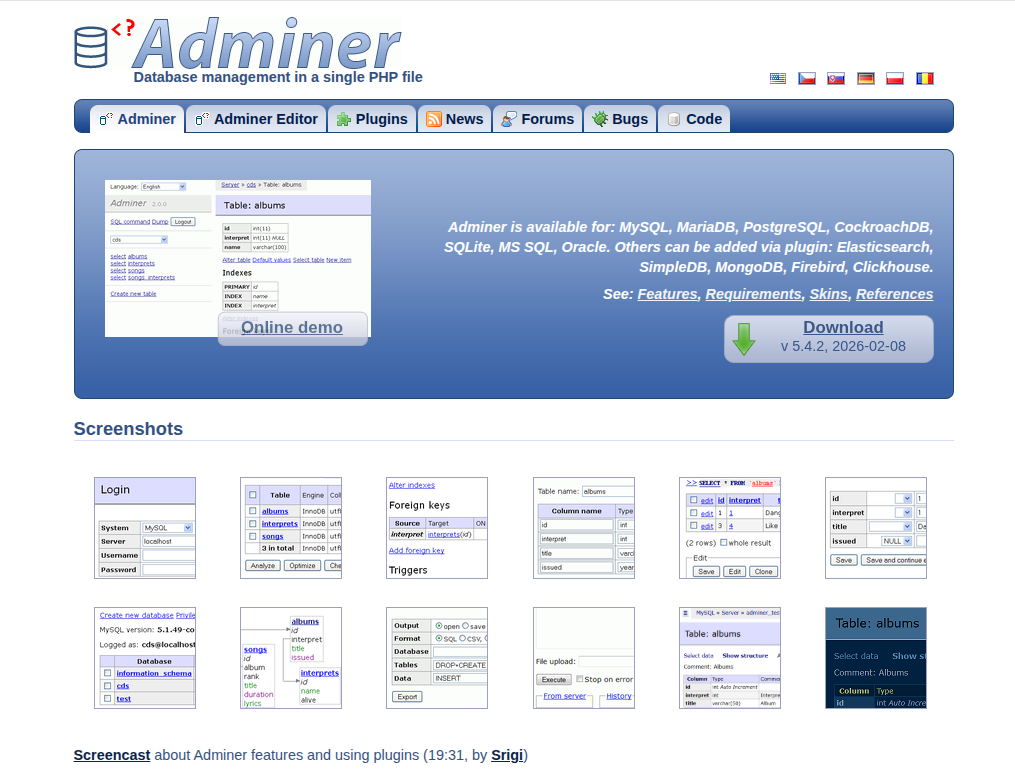
Adminer is a simple and lightweight database management tool that runs using a single PHP file. It allows you to manage databases quickly without complex installation or setup.
You just upload the file, open it in your browser, and start working, making it perfect for quick and efficient database tasks. Adminer focuses on speed and simplicity, offering essential database features without unnecessary complexity.
Key Features
- Single-file deployment (no installation needed)
- Supports multiple databases (MySQL, PostgreSQL, SQLite, etc.)
- Clean and minimal user interface
- Built-in import and export functionality
- Secure login system
- Plugin support for extended features
Advantages
- Extremely lightweight and fast
- Easy to set up and use
- Supports multiple database types
- Lower resource usage
- Portable and convenient for temporary access
Disadvantages
- Limited advanced GUI features
- Interface may feel too basic for beginners
- Fewer built-in visual tools compared to alternatives
Best For: Quick database access, developers, and users who prefer a lightweight tool.
Why Should Use Adminer?
Adminer is a great choice when you want a fast, no-fuss way to manage databases without dealing with heavy software. It saves time, reduces complexity, and works well for both quick fixes and everyday database tasks. If you value speed and simplicity, Adminer is definitely worth using.
What is phpMyAdmin?
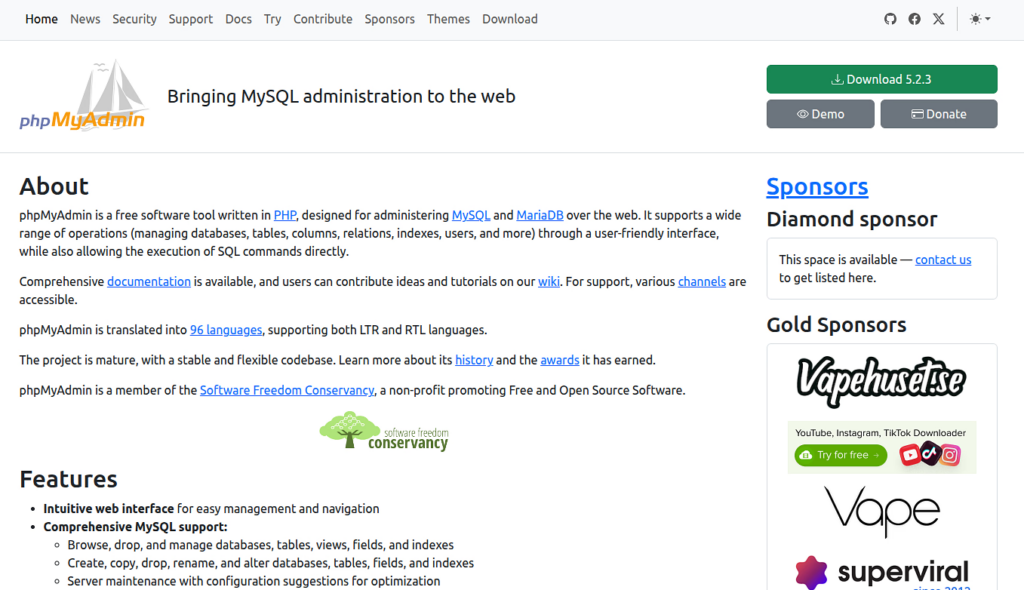
phpMyAdmin is a widely used web-based database management tool that provides a full set of features for managing MySQL and MariaDB databases. It is commonly included in hosting control panels and is trusted by millions of users. Its graphical interface makes database management easier, especially for beginners. phpMyAdmin offers a feature-rich interface designed for detailed database management and control.
Key Features
- Web-based graphical interface
- Advanced SQL query execution
- User and permission management
- Import and export in multiple formats
- Table editing and database optimization tools
- Integration with hosting control panels
Advantages
- Feature-rich and powerful
- Beginner-friendly interface
- Widely supported and documented
- Ideal for complex database operations
- Easily available in most hosting environments
Disadvantages
- Heavier and slower compared to lightweight tools
- Requires proper configuration for security
- Can feel overwhelming due to many options
Best For: Users who need advanced features and prefer a visual interface for database management.
Why Should Use phpMyAdmin?
phpMyAdmin is a solid choice if you want a complete database management solution with powerful features and a user-friendly interface. It simplifies complex tasks and gives you full control over your database, making it ideal for both beginners and advanced users working on larger projects.
Similarities Between Adminer and phpMyAdmin
Both Adminer and phpMyAdmin are designed to make database management easier through a web browser, eliminating the need for command-line work. While they differ in size and complexity, they share several core functionalities that help users handle databases efficiently. Whether you’re a beginner or an experienced developer, both tools provide reliable ways to interact with your data.
Key Similarities
- Both are web-based database management tools that run on a server and are accessed through a browser
- Allow users to execute SQL queries directly without needing terminal access
- Support database creation, deletion, and modification
- Provide options to import and export databases in multiple formats like SQL
- Enable users to manage tables, columns, and records easily
- Offer authentication systems to control database access
- Allow editing of data directly from the interface
- Help in backup and restore operations for databases
- Compatible with MySQL/MariaDB databases
- Designed to simplify database tasks for both developers and non-technical users
This shared foundation is why both tools remain popular choices, even though they cater to slightly different user preferences.
Adminer vs phpMyAdmin: Quick Comparison
When comparing Adminer and phpMyAdmin, it helps to see their differences side by side. Both tools serve the same purpose but vary in speed, features, and ease of use. This quick comparison gives you a clear snapshot to help you decide which one suits your workflow better. Let’s quickly compare both:
| Feature | Adminer | phpMyAdmin |
| File Size | Very small | Large |
| Setup | Simple | Complex |
| Speed | Fast | Moderate |
| Features | Basic to advanced | Very extensive |
| UI | Minimal | Feature-rich |
Key Differences Between PHP and JavaScript
PHP and JavaScript are both widely used in web development, but they serve different roles and work in different environments. While PHP mainly handles server-side operations, JavaScript is known for making websites interactive on the client side. Understanding how they differ can help you choose the right tool for your project. Below are the major differences explained in a simple and easy-to-understand way.
Security Comparison
Security is one of the most important factors when choosing a database tool. Even a small mistake can expose sensitive data, so it’s worth understanding how both tools handle safety.
Adminer Security
Adminer keeps things simple, which naturally reduces potential security risks when managed properly.
- Single file reduces attack surface
- Easy to remove after use
- Less commonly targeted by attackers
phpMyAdmin Security
phpMyAdmin offers strong security features, but it requires careful setup and regular maintenance.
- Widely used as more targeted by attackers
- Requires regular updates
- Needs proper configuration
Verdict: Adminer feels safer due to its simplicity and smaller footprint. However, phpMyAdmin can be equally secure if properly configured and regularly updated.
Speed & Performance
Speed plays a big role in productivity, especially when working with large databases. A faster tool can save you time and reduce frustration.
Adminer
Lightweight design ensures faster loading and smoother performance.
- Loads quickly
- Lightweight interface
- Faster execution
phpMyAdmin
A heavier interface can slow things down, especially with large databases.
- Slower due to heavy UI
- More features are equal to more load time
Verdict: Adminer clearly wins in terms of speed, while phpMyAdmin trades performance for additional features.
Ease of Use
A tool made your work easy, not difficult and complicated. Ease of use becomes especially important for beginners.
Adminer
Straightforward and minimal, making it easy for quick tasks.
- Clean and simple
- Less clutter
- Great for quick tasks
phpMyAdmin
Feature-rich but may feel complex for new users.
- More options = more confusion (especially for beginners)
- Takes time to learn
Verdict: Adminer is easier for quick and simple tasks, while phpMyAdmin is better suited for users who need more control and don’t mind a learning curve.
Installation & Setup
Getting started should be quick and hassle-free, especially if you just want to manage a database without wasting time on setup.
Adminer
Setup is quick and effortless with just a single file.
- Download one file
- Upload it
- Open in browser
phpMyAdmin
Requires installation and configuration before use.
- Requires installation
- Configuration needed
- Often pre-installed in hosting panels
Verdict: Adminer is incredibly easy to set up, making it perfect for instant use without technical hassle.
Features Comparison
Features determine how much control and flexibility you have while managing databases.
Adminer
Covers essential features needed for everyday database tasks.
- Database management
- Table editing
- Query execution
- Export/import
phpMyAdmin
Offers advanced tools for deeper database management.
- Advanced query builder
- User permissions
- Visual tools
- Extensive export options
Verdict: phpMyAdmin stands out with a wider range of advanced features and tools.
User Interface Experience
The interface affects how comfortable and efficient you feel while working with the tool.
Adminer
Clean and distraction-free interface for focused work.
- Minimal
- Clean
- No distractions
phpMyAdmin UI
Detailed interface with more tools but slightly crowded.
- Feature-rich
- Slightly overwhelming
- More visual tools
Verdict: Adminer offers a distraction-free experience, while phpMyAdmin provides a more detailed but slightly crowded interface.
Compatibility & Database Support
Not all tools support every database type, so compatibility can be a deciding factor.
Adminer
Supports multiple database systems beyond just MySQL.
- MySQL
- PostgreSQL
- SQLite
- Oracle (via plugins)
phpMyAdmin
Primarily designed for MySQL and MariaDB environments.
- Mainly focused on MySQL/MariaDB
Verdict: Adminer is more flexible with broader database support, while phpMyAdmin is more specialized.
Learning Curve
Every tool takes some time to learn, but some are easier to pick up than others.
Adminer
Easy to learn due to its simple and minimal design.
- Simple layout makes it easy to understand
- Minimal features reduce confusion
phpMyAdmin
Takes more time to learn because of its wide feature set.
- More features require more learning
- May feel complex at the beginning
Verdict: Adminer is easier to learn quickly, while phpMyAdmin requires more time but offers deeper control once mastered.
Use Cases: Who Should Use What?
Different users have different needs, so choosing the right tool depends on your workflow.
Use Adminer if:
- You want quick access
- You need a lightweight tool
- You manage multiple database types
Use phpMyAdmin if:
- You need advanced features
- You prefer visual tools
- You’re working in shared hosting

When to Choose Adminer
Choose Adminer when:
- You want speed and simplicity
- You need a temporary database tool
- You prefer minimal setup
When to Choose phpMyAdmin
Choose phpMyAdmin when:
- You need advanced database control
- You rely on GUI-based management
- You’re using shared hosting environments
So, Adminer vs phpMyAdmin, which one wins?
Honestly, there’s no one-size-fits-all answer.
- Adminer is perfect for speed, simplicity, and flexibility
- phpMyAdmin is ideal for advanced features and detailed control
If you’re someone who values efficiency and minimalism, Adminer will feel like a breath of fresh air. But if you want a complete toolkit, phpMyAdmin is still a solid choice.
Managing Databases Easily with ServerAvatar
If you’re looking for a simpler way to manage your databases without dealing with manual setup or complex configurations, ServerAvatar makes the process much smoother. Instead of installing and configuring database tools yourself, ServerAvatar provides a one-click installer and direct access button for phpMyAdmin, allowing you to start managing your databases in just a few seconds.
ServerAvatar is a platform to simplify the hosting and management of servers and applications. It simplifies the process of deploying and managing PHP and Node.js based web applications on servers.
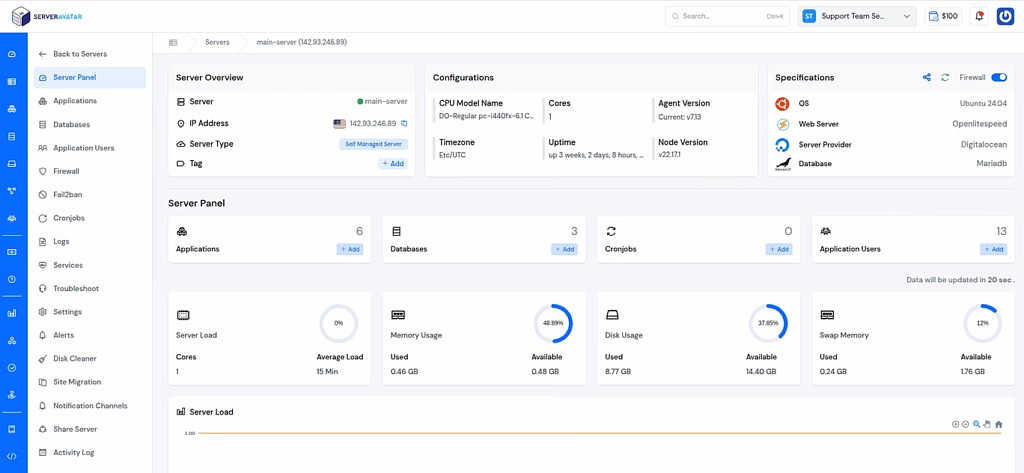
With built-in support for phpMyAdmin, ServerAvatar ensures that you get a secure, fully configured, and ready-to-use database management interface without the usual setup hassle. This is especially helpful for developers, agencies, and beginners who want a reliable tool without spending time on server-level configurations.
Why Use ServerAvatar for phpMyAdmin
- Pre-integrated and optimized for performance
- Easy one-click installation from the dashboard
- Secure configuration handled automatically
- Perfect for managing MySQL and MariaDB databases
- No need for manual deployment or maintenance
Unlike lightweight tools like Adminer, ServerAvatar focuses on providing a feature-rich and stable environment, which is why it supports phpMyAdmin as the default database management solution.
When Using ServerAvatar Makes More Sense
If you’re already managing servers or applications, using ServerAvatar with phpMyAdmin gives you:
- A centralized dashboard for server and database management
- Less manual work and fewer configuration errors
- A smoother workflow, especially for production environments
In short, if you want powerful database management without complexity, ServerAvatar combined with phpMyAdmin is a practical and efficient choice.
Conclusion
Choosing between Adminer and phpMyAdmin ultimately comes down to how you prefer to work with your databases. If your priority is speed, simplicity, and minimal setup, Adminer offers a clean and efficient experience for quick tasks. On the other hand, phpMyAdmin provides a more complete set of tools, making it better suited for users who need deeper control and advanced features. For those who want the power of phpMyAdmin without the hassle of manual setup, platforms like ServerAvatar simplify the process by offering a ready-to-use, secure environment with one-click access. In the end, the right choice isn’t about which tool is better overall, but which one fits your workflow and project requirements.
FAQs
1. Is phpMyAdmin suitable for beginners?
phpMyAdmin is beginner-friendly thanks to its graphical interface, although it may take some time to explore all its features.
2. Why do many platforms prefer phpMyAdmin over Adminer?
phpMyAdmin offers a wider range of features, better documentation, and strong community support, making it a reliable choice for production environments.
3. How does ServerAvatar simplify database management?
ServerAvatar provides a one-click installation and direct access to phpMyAdmin, eliminating the need for manual setup while ensuring a secure and optimized environment.
4. Is phpMyAdmin secure to use?
Yes, phpMyAdmin is secure when properly configured, regularly updated, and used with strong authentication practices.
5. When should I choose Adminer over phpMyAdmin?
You should choose Adminer when you need a fast, lightweight tool for quick database access without additional complexity.
6. When is phpMyAdmin the better choice?
phpMyAdmin is the better option when you require advanced features, visual tools, and detailed control over your databases.