
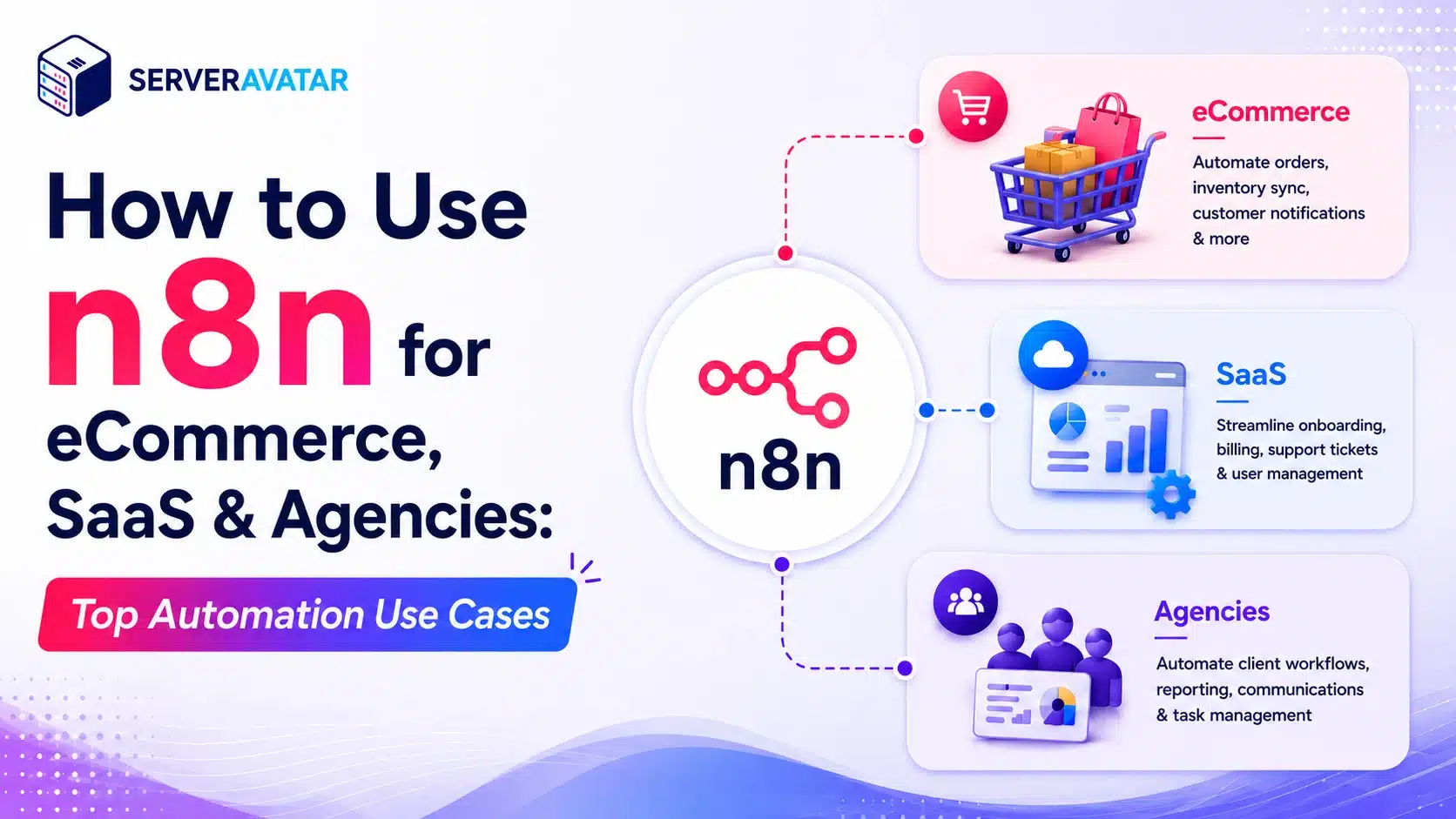

If you run an eCommerce store, a SaaS product, or a client services agency, you’ve likely felt how quickly repetitive work starts piling up. Tasks like syncing orders across platforms, sending onboarding emails, preparing monthly client reports, or following up with trial users can take up a lot of valuable time. This is where n8n helps by allowing you to automate these routine workflows, so you can focus more on growth instead of manual operations.
That’s where workflow automation tools come in. And among the options available today, n8n has carved out a loyal following because it’s open-source, flexible, and gives you control without locking you into a proprietary platform.
This guide walks through the most practical ways eCommerce businesses, SaaS companies, and agencies can put n8n to work. We’ll look at real automation patterns, not just theoretical possibilities, along with some notes on getting started.
TL;DR
| Key Takeaway | Summary |
|---|---|
| What is n8n? | A flexible workflow automation platform that connects apps and services with minimal or no coding. |
| For eCommerce | Automates order processing, inventory synchronization, and customer notifications. |
| For SaaS | Streamlines user onboarding, subscription management, and analytics alerts. |
| For Agencies | Simplifies client reporting, lead distribution, and project setup workflows. |
| Deployment | Get n8n running in minutes on your VPS. ServerAvatar’s one-click installer handles setup, Nginx configuration, and process management automatically. |
What is n8n?
n8n is a workflow automation platform that lets you connect different apps and services into automated sequences. You can think of it as a visual glue layer: it listens for events in one tool, processes the data, and triggers actions in another, without you having to write integration code from scratch.
Unlike some automation platforms that keep you on their infrastructure, n8n can be self-hosted. That means you run it on your own server, retain full control, and avoid per-task pricing that can balloon as your workflows scale.
The interface uses a node-based visual editor. Each node represents an app or an action, “when this happens, do this.” Connecting nodes builds a workflow that runs on triggers you define: a webhook, a schedule, a database change, an incoming email, and much more.
That flexibility is part of why n8n has built a solid following among developers and technical teams. You can start with something simple and grow into more complex logic as your needs expand.
Why eCommerce, SaaS, and Agencies Are a Natural Fit
These three verticals share a common characteristic: they all deal with high-volume, event-driven workflows. Every order placed, every user signed up, every client onboarded, these are triggers that demand a chain of follow-up actions. Automating those chains is where n8n shines.
The other reason is integration sprawl. eCommerce stores juggle payment processors, shipping providers, inventory systems, and email platforms. SaaS products need to sync user data across CRMs, billing tools, analytics dashboards, and support desks. Agencies coordinate clients, contractors, project management tools, and reporting pipelines. n8n’s 400+ native integrations make it a natural hub for all of these setups.
Top n8n Automation Use Cases for eCommerce
Running an online store means managing a constant flow of data between platforms that don’t always talk to each other natively. Here are the workflows that store owners and developers find themselves rebuilding (or wishing they had) most often.
1. Automate Order Processing and Fulfilment
Managing orders often involves multiple manual steps, including payment verification, inventory updates, shipping coordination, customer notifications, and record management. Handling these tasks across different platforms can be time-consuming and prone to errors.
With n8n, you can automate the entire order fulfilment workflow:
- Trigger workflows when a new order is placed.
- Verify payments automatically through payment gateways.
- Update inventory levels in real time.
- Notify fulfilment teams via Slack or other communication tools.
- Send order confirmation emails to customers.
- Synchronize order data across connected systems.
By standardizing every step, businesses can reduce manual effort, improve accuracy, and deliver a more reliable customer experience.
2. Automate Abandoned Cart Recovery
Cart abandonment can lead to significant revenue loss, but n8n helps you re-engage potential customers automatically.
- Detect abandoned carts using APIs or webhooks.
- Track customer inactivity and cart status.
- Send personalized recovery emails automatically.
- Offer targeted discounts or incentives to encourage purchases.
- Test different email timings, messaging, and promotions.
By automating follow-ups, businesses can recover lost sales while reducing manual marketing efforts.
3. Synchronize Inventory Across Sales Channels
Managing inventory across multiple platforms can quickly become complex and error-prone.
With n8n, you can:
- Sync inventory between your website, marketplaces, and social commerce channels.
- Update stock levels automatically across all connected platforms.
- Maintain accurate inventory data in real time.
- Reduce the risk of overselling products.
- Improve inventory visibility and operational efficiency.
This ensures customers always see accurate stock availability, regardless of where they shop.
4. Automate Product Review Requests
Customer reviews play a critical role in building trust and increasing conversions.
n8n can automate the entire review collection process:
- Send review requests automatically after product delivery.
- Include direct links to review pages for convenience.
- Record review requests in your CRM.
- Identify customers who have not responded.
- Route positive feedback to testimonial systems.
- Flag negative reviews for immediate follow-up.
This helps generate more reviews while minimizing manual outreach.
5. Refund and Return Processing
Handling returns and refunds manually can be time-consuming and prone to mistakes.
n8n can automate key steps, including:
- Verify return requests and eligibility.
- Process refunds through payment gateways.
- Restore returned inventory automatically.
- Notify customers about refund status updates.
- Route complex cases to support teams for review.
- Maintain accurate records across connected systems.
Automating refund workflows improves efficiency, reduces delays, and enhances customer trust.
Top n8n Automation Use Cases for SaaS
SaaS products live and die by user experience. The moments between sign-up and first “aha” are critical, and automating them well is what separates products that scale gracefully from those that collapse under their own support ticket load.
1. Automate User Onboarding
A smooth onboarding process helps new users quickly realize the value of your product.
With n8n, you can:
- Trigger workflows when a new user signs up.
- Create customer profiles in your CRM automatically.
- Send personalized welcome emails and onboarding guides.
- Assign onboarding tasks to internal teams.
- Notify customer success managers about high-value accounts.
- Deliver different onboarding journeys for free, trial, and paid users.
This improves user engagement while reducing manual onboarding work.
2. Subscription Renewal Alerts
Reduce preventable churn by keeping customers informed about upcoming renewals.
n8n can:
- Monitor subscription renewal and expiration dates.
- Send automated reminders at predefined intervals.
- Deliver notifications via email, in-app messages, or Slack.
- Alert account managers about important renewals.
- Encourage timely renewals and reduce missed payments.
3. Usage-Based Billing Automation
Managing usage-based pricing can be complex without automation.
n8n helps by:
- Collecting usage data from multiple sources.
- Calculating charges based on pricing plans.
- Generating invoices automatically.
- Syncing billing information with payment platforms.
- Reducing manual billing errors and delays.
4. Trial-to-Paid Conversion Workflows
Increase conversions by engaging trial users at the right time.
With n8n, you can:
- Track user activity throughout the trial period.
- Identify inactive or disengaged users.
- Trigger automated re-engagement campaigns.
- Send upgrade reminders and promotional offers.
- Notify sales teams about highly engaged prospects.
This helps convert more trial users into paying customers.
5. Customer Health Monitoring
Early detection of declining engagement can help prevent customer churn.
n8n can:
- Monitor user activity and product usage trends.
- Compare current engagement against historical patterns.
- Identify accounts showing signs of disengagement.
- Create CRM tasks for follow-up actions.
- Notify customer success teams through Slack or email.
This enables proactive customer retention efforts.
Top n8n Automation Use Cases for Agencies
Agencies juggle multiple client accounts, each with their own tool stack, reporting cadence, and communication preferences. Automation helps agencies deliver consistent quality without having to scale headcount at the same rate as client load.
1. Automate Client Reporting
Generating client reports manually can consume valuable agency time.
n8n can:
- Collect data from analytics, advertising, and CRM platforms.
- Consolidate metrics into predefined templates.
- Generate reports automatically on schedule.
- Ensure consistent reporting across all clients.
- Reduce repetitive reporting tasks.
2. Lead Routing and Follow-Up
Responding quickly to new leads can significantly improve conversion rates.
With n8n, you can:
- Capture leads from forms, social platforms, and CRM systems.
- Qualify leads based on predefined criteria.
- Assign leads to the appropriate team members.
- Send instant acknowledgement emails.
- Notify sales teams through Slack or other communication tools.
3. Client Onboarding Automation
Streamline project setup and deliver a professional onboarding experience.
n8n workflows can:
- Trigger when a contract is signed.
- Create folders and project workspaces automatically.
- Send welcome emails and onboarding materials.
- Assign internal team members to the project.
- Record client details in CRM systems.
This ensures a consistent and efficient onboarding process.
4. Social Media Content Scheduling
Managing content across multiple platforms becomes easier with automation.
n8n can:
- Pull content from Google Sheets, Notion, or other content hubs.
- Schedule posts across multiple social networks.
- Route content through approval workflows.
- Publish approved content automatically.
- Maintain a consistent posting schedule.
5. Invoice Generation and Payment Follow-Ups
Improve cash flow by reducing manual invoicing tasks.
With n8n, you can:
- Generate invoices automatically from project data.
- Track payment due dates.
- Send payment reminders before and after deadlines.
- Escalate overdue invoices for manual review.
- Sync financial records with accounting software.
This reduces administrative overhead and helps ensure timely payments.
n8n vs Zapier: Which One Should You Use?
The n8n vs Zapier comparison comes up often when teams start evaluating automation tools. Both platforms connect apps and run workflows, but they serve somewhat different audiences and use cases.
Zapier is easier to get started with and has a larger integration library, but n8n gives you more control, flexibility, and predictable costs as you scale.
| Feature | n8n | Zapier |
|---|---|---|
| Pricing | Self-hosted (free) or cloud plans | Per-task pricing (costs rise with volume) |
| Open source | Yes | No |
| Host it yourself | Yes | No |
| Custom code | Yes, JavaScript and Python | Limited |
| Integrations | 500+ | 6,000+ |
| Learning curve | Moderate | Low |
| Best suited for | Technical teams, growing businesses | Non-technical users, quick automations |
When to choose n8n: You want full control over your data and infrastructure. You’re comfortable with a bit of a learning curve. Your automation volume is significant enough that per-task pricing would get expensive. You need custom logic that goes beyond what pre-built connectors offer.
When to choose Zapier: You need to connect two popular apps quickly and don’t want to touch code. Your team has no server experience and prefers a fully managed SaaS experience. Your automation volumes are low and predictable.
The honest truth is that n8n has closed the integration gap significantly, and its open-source model makes it far more cost-effective at scale. If you’re a growing business or a technical team, n8n is the stronger long-term choice.
Self-Hosting n8n Made Simple, Without the Setup Headaches
One of n8n’s biggest advantages is the ability to self-host, giving you complete control over your data, infrastructure, and workflow execution without usage-based costs.
However, a traditional n8n installation typically requires:
- Server provisioning and configuration
- Installing Node.js and n8n
- Setting up Nginx as a reverse proxy
- Configuring SSL certificates
- Managing processes with tools like PM2.
- Handling updates and ongoing maintenance.
Simplify n8n Deployment with ServerAvatar
ServerAvatar removes all complexity by allowing you to deploy n8n on your own VPS using a one-click installer.
With ServerAvatar, you can:
- Deploy n8n with a one-click application installer
- Install n8n without manual server configuration
- Automatically configure Nginx and automatic free SSL
- Manage application processes without PM2 commands
- Update n8n directly from the dashboard
- Configure environment variables easily
- Monitor application logs from a single interface
- Manage deployments without switching between multiple tools
Why Choose This Approach?
This setup is ideal for users who want the benefits of self-hosting without spending hours configuring infrastructure.
Key benefits include:
- Full ownership of your data
- Faster deployment and setup
- Simplified maintenance and updates
- Centralized application management
- More time to focus on building workflows instead of managing servers.

Getting Started with n8n
When starting with n8n, begin with a simple workflow:
- Choose a trigger such as a webhook or form submission
- Connect it to a single action, such as sending an email
- Test the workflow and verify the results
- Expand it gradually with additional automation steps
You can also accelerate n8n implementation by using n8n’s extensive collection of pre-built workflow templates, allowing you to automate common business processes without starting from scratch.
Conclusion
n8n makes it easy to automate repetitive business processes without investing in complex enterprise automation tools. From eCommerce and SaaS operations to agency workflows, it helps teams save time, reduce manual work, and improve efficiency.
By automating routine tasks, businesses can focus more on growth and customer experience. With ServerAvatar’s one-click n8n installation, you can deploy and manage your own self-hosted instance quickly, without the hassle of manual server configuration.
Start with a single workflow, refine it over time, and gradually build an automation system that scales with your business.
FAQs
Do I need coding skills to use n8n?
Not necessarily, n8n’s visual node-based editor allows you to create automations without coding. Basic knowledge of APIs and JSON can be helpful for advanced workflows.
Is n8n free to use?
Yes, n8n is open-source and can be self-hosted for free. It also offers a cloud-hosted version with paid plans for users who prefer a managed service.
How does n8n differ from other automation tools like Zapier or Make?
n8n stands out by offering self-hosting, greater customization, and lower costs for large-scale automation. Unlike Zapier and Make, it gives you full control over your workflows and infrastructure. For a detailed comparison, check out our guide: n8n vs Make vs Zapier: Pick the Right Automation Tool
Can n8n handle high-volume workflows?
Yes, n8n can process thousands of workflow executions daily, provided your server has adequate resources and is properly configured.
What happens if n8n makes a mistake in a workflow?
n8n allows you to build error-handling and notification steps into your workflows, helping you detect, manage, and troubleshoot failures effectively.
Can n8n integrate with custom APIs or internal tools?
Absolutely, n8n supports REST and GraphQL APIs through its HTTP Request node and can be extended with custom integrations when needed.
Key Takeaways
- n8n is a flexible, open-source automation platform that connects your tools through visual workflows
- eCommerce businesses save the most time on order processing, abandoned cart recovery, and inventory sync
- SaaS companies benefit most from automating user onboarding, subscription alerts, and health score monitoring
- Agencies use n8n heavily for client reporting, lead routing, project setup, and invoice workflows
- n8n can be self-hosted, giving you full control and no per-task costs
- ServerAvatar’s one-click installer handles n8n setup, Nginx config, and process management, no terminal required for installation
- Start simple: build one workflow, test it thoroughly, then expand as you see results
About the Author
Meghna Meghwani is a technical writer focused on Linux, Ubuntu, VPS hosting, server management, WordPress, PHP, Node.js, cloud hosting, and DevOps. She creates beginner-friendly tutorials, practical hosting guides, troubleshooting articles, and server security content designed to help developers and businesses manage applications and servers more efficiently.