

Gaming on Linux in 2026 feels very different from what it used to be, and the best Linux distros for gaming in 2026 prove just how far the platform has come. Not long ago, Linux gaming was like trying to play football on a gravel road, possible, but uncomfortable. Today, it feels more like a freshly cut stadium pitch. Thanks to tools like Steam Proton, Wine, Lutris, and improved GPU driver support, Linux can now run thousands of Windows games smoothly and reliably.
But here’s the catch: not all Linux distributions are created equal, especially for gaming. Some distros are fast and friendly for beginners, others are powerful but demand patience. So which ones truly shine for gaming and running Windows games in 2026?
That’s exactly what this guide answers. Whether you’re a casual gamer, a streamer, or someone tired of Windows updates popping up mid-game, this article will help you pick the best Linux distro for gaming without a technical headache.
What Is a Linux Distro?
A Linux distro, short for Linux distribution, is a complete operating system built on top of the Linux kernel. A Linux distro adds everything else around it, like the body, steering wheel, seats, and dashboard, so you can actually drive.
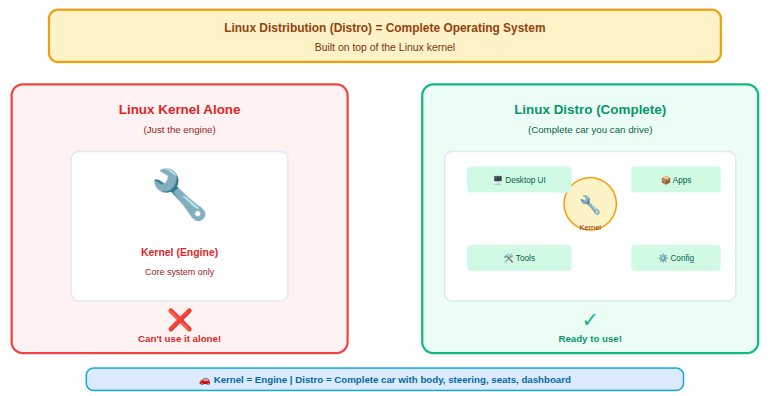
Each Linux distro bundles:
- Linux kernel: The core of the operating system that manages hardware, memory, and system processes.
- Desktop environment: The visual interface that controls how windows, menus, and settings look and feel.
- System tools and utilities: Built-in programs that help manage files, users, updates, and system settings.
- Package managers: Tools that allow you to install, update, and remove software easily from trusted sources.
- Pre-installed apps and drivers: Essential applications and hardware drivers included so the system works right after installation.
Popular examples include Ubuntu, Fedora, Linux Mint, and Pop!_OS. Even though they all use Linux at the core, they feel very different when you use them. Some focus on simplicity, others on speed, security, or customization.
That flexibility is what makes Linux unique. You’re not locked into one experience, you choose the distro that matches how you want to use your computer.
Steam, Proton, and Windows Games on Linux
Before diving into the distros, let’s clear a big doubt.
Can Linux really run Windows games?
Yes, surprisingly well. Thanks to Proton, a compatibility layer by Valve, many Windows-only games now run on Linux with little to no setup. Add Lutris for non-Steam games and Wine for legacy titles, and you’ve got a solid gaming ecosystem.
In simple terms, Proton acts like a translator, helping Windows games “speak” Linux fluently.
What Makes a Linux Distro Different for Gaming?
Not every Linux distro is built with gaming in mind. A gaming-friendly Linux distro is specially tuned to get the best performance from your hardware while making it easy to run modern games, especially Windows games.
Here’s what sets gaming-focused Linux distros apart:
Better Graphics Driver Support:
Gaming distros usually offer smoother support for NVIDIA, AMD, and Intel GPUs. Some even come with drivers preinstalled, so you don’t have to deal with manual setup. This means fewer crashes, better frame rates, and less frustration.
Optimized Performance:
Many gaming distros use newer kernels or performance tweaks that reduce background load. In simple words, your system spends more power running games instead of unnecessary services.
Built-In Gaming Tools:
Gaming-friendly Linux distros focus on reducing setup complexity for gamers. They include or support popular gaming tools that make installing and running games simple, even those designed for Windows.
- Steam with Proton: Lets you play many Windows-only games directly on Linux without extra setup.
- Wine for Windows apps: Runs Windows applications and older games inside a Linux environment.
- Lutris: A game launcher that manages games from multiple platforms in one place.
- GameMode: Temporarily boosts system performance while a game is running.
This saves time and removes the need for complex configuration.
Improved Windows Game Compatibility:
Running Windows games on Linux is no longer rare. Gaming distros are designed to work smoothly with compatibility layers like Proton, making many Windows-only titles playable with just a click.
Faster Updates for New Hardware:
Gaming distros usually update faster, which helps support:
- New GPUs: Ensures better compatibility and performance with the latest graphics cards.
- Latest game engines: Supports modern game technologies used in new releases.
- DirectX-to-Vulkan improvements: Helps Windows games run more efficiently on Linux.
This is especially useful if you’re playing modern AAA games.
How is a Linux Distro Good for Gaming
A gaming-focused Linux distro isn’t just about looks. It’s about how well everything works together when you launch a game.
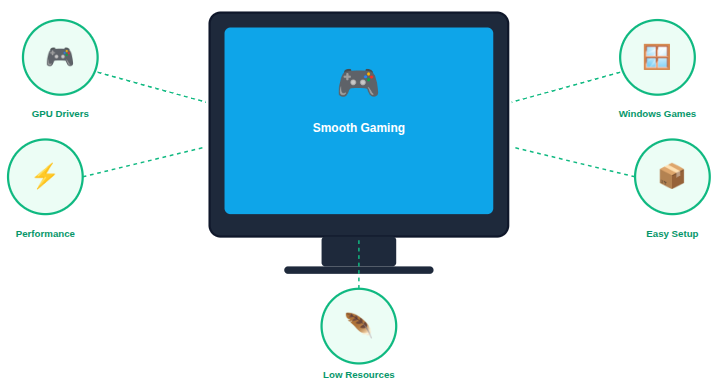
Key factors that matter
- Graphics driver support (NVIDIA, AMD, Intel): Determines how well your GPU performs in games.
- Compatibility with Windows games: Affects how many Windows-only titles you can play on Linux.
- System performance and stability: Ensures smooth gameplay without crashes or stutters.
- Ease of installing game launchers: Makes it simple to set up Steam, Epic Games, and other platforms.
- Low background resource usage: Leaves more system power available for games.
Think of your distro as the foundation of a gaming PC. A weak foundation means stutters, crashes, and frustration. A strong one lets your hardware shine.
7 Best Linux Distros for Gaming in 2026
Linux gaming in 2026 is no longer a niche experience reserved for enthusiasts. With modern graphics drivers, powerful compatibility tools, and distros built specifically for performance, Linux has become a serious platform for gaming.
The following seven Linux distributions stand out for their ability to run games smoothly, handle modern hardware, and keep setup simple.
1. Pop!_OS – Best Overall Gaming Distro
Pop!_OS continues to be one of the most reliable Linux distros for gaming in 2026. Designed with performance and ease of use in mind, it removes many of the usual Linux setup frustrations, especially for gamers using modern hardware.
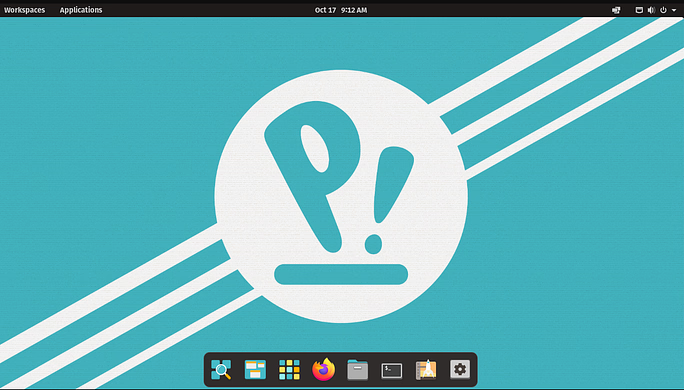
Key Features
- Custom desktop environment: Provides a clean, distraction-free interface optimized for productivity and gaming.
- System76 hardware integration: Works seamlessly with System76 systems and general PC hardware.
- Separate NVIDIA ISO: Allows instant access to proprietary NVIDIA drivers without manual installation.
- Automatic driver management: Keeps graphics and system drivers updated with minimal effort.
Advantages
- Excellent out-of-the-box performance: Delivers smooth gaming without requiring system tweaks.
- Beginner-friendly setup: Makes Linux gaming accessible even for first-time users.
- Stable release cycle: Reduces the risk of sudden breakages after updates.
- Good Steam and Proton compatibility: Supports most popular Windows games easily.
Disadvantages
- Limited customization options: Offers fewer desktop tweaks compared to some advanced distros.
- Slightly heavier than minimal distros: Uses more resources than ultra-light Linux systems.
- Smaller community than Ubuntu: Has fewer third-party guides and tutorials.
Why Gamers Love Pop!_OS
- Built by System76: Created by a hardware-focused company that understands performance needs.
- NVIDIA drivers preinstalled: Eliminates one of the biggest hurdles for Linux gamers.
- Strong gaming performance: Uses system resources efficiently during gameplay.
- Clean and modern interface: Keeps focus on games rather than system management.
Best for: All the beginner, gamers, and NVIDIA users that wants zero hassle.
2. Ubuntu – Stable and Beginner-Friendly
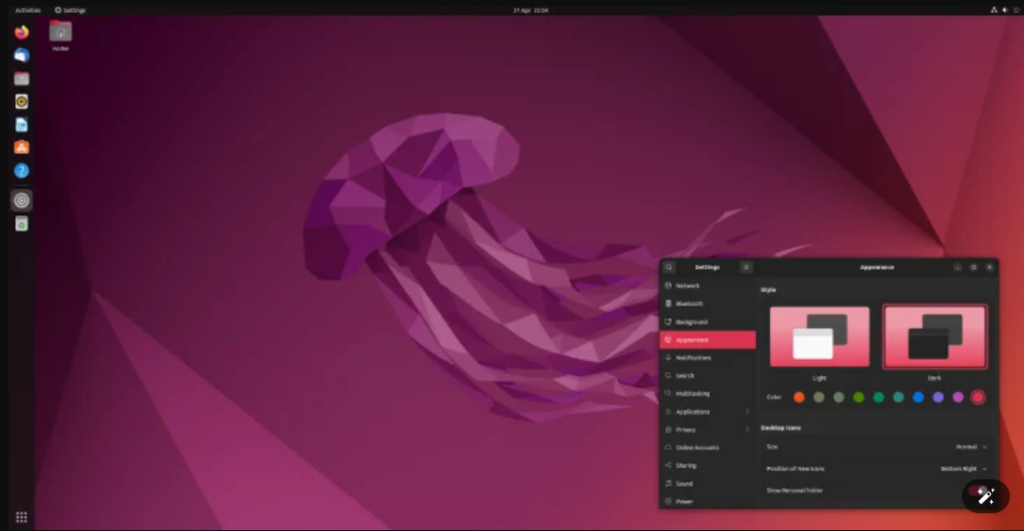
Ubuntu remains one of the most trusted Linux distros and continues to be a solid choice for gaming in 2026. Its balance of stability, ease of use, and community support makes it ideal for newcomers.
Key Features
- Long-Term Support (LTS) releases: Provides years of updates and security patches.
- GNOME desktop environment: Offers a modern and polished user experience.
- Wide software repository: Includes access to thousands of applications and tools.
- Official Steam support: Makes game installation straightforward.
Advantages
- Massive community support – Makes troubleshooting easier with plenty of guides available.
- Stable system performance – Minimizes crashes and unexpected issues.
- Easy access to gaming tools – Supports Steam, Lutris, Wine, and Proton.
- Excellent documentation – Helps users learn Linux step by step.
Disadvantages
- Older software versions in LTS: May not include the newest gaming features.
- Manual driver setup: It requires extra steps compared to Pop!_OS.
- Slightly higher resource usage: Uses more system resources than lightweight distros.
Strengths of Ubuntu for Gaming
- Large user base: Ensures faster fixes and updates for common issues.
- Simple game launcher installation: Reduces setup time for new gamers.
- Reliable updates: Keeps the system stable during long gaming sessions.
- Strong compatibility: Works well across a wide range of hardware.
Best for: First-time Linux gamers and casual players.
3. Linux Mint – Smooth Gaming for New Users
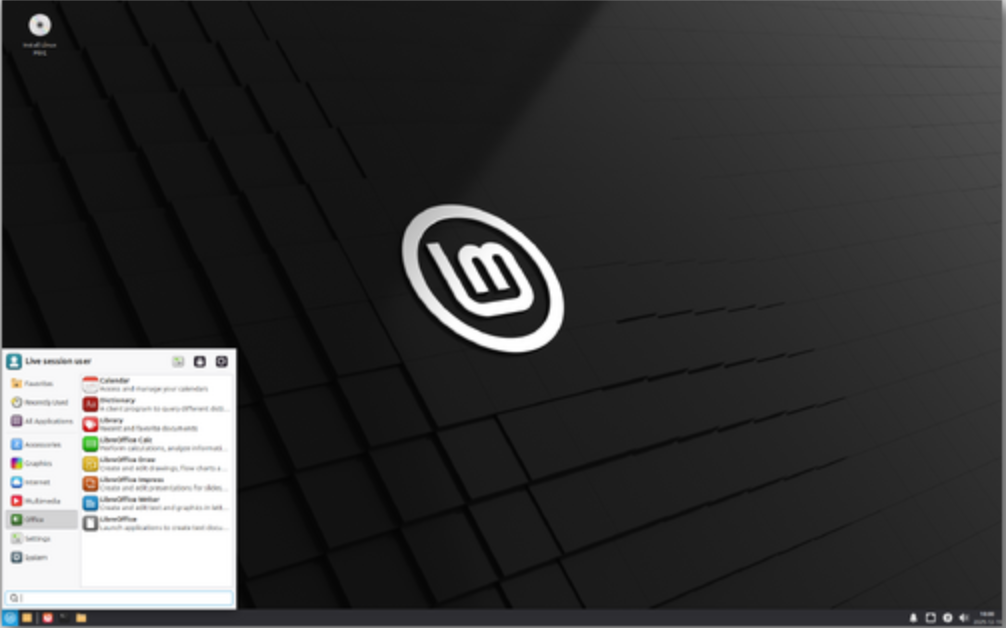
Linux Mint focuses on simplicity and familiarity, making it ideal for gamers switching from Windows. It delivers a smooth experience without unnecessary system complexity.
Key Features
- Cinnamon desktop: Offers a Windows-like layout that feels instantly familiar.
- Ubuntu-based architecture: Inherits stability and software availability.
- Lightweight system design: Runs efficiently on older or low-end hardware.
- Preinstalled multimedia codecs: Simplifies media and game compatibility.
Advantages
- Low resource usage: Leaves more system power available for games.
- Easy learning curve: Reduces confusion for first-time Linux users.
- Stable performance: Avoids frequent disruptive updates.
- Clean system layout: Makes navigation simple and intuitive.
Disadvantages
- Slower access to latest drivers: May lag behind in supporting new GPUs.
- Limited gaming-specific tools: Requires manual setup for advanced gaming features.
- Not ideal for cutting-edge gaming: Best suited for casual or mid-level gaming.
Why Mint Works Well
- Lightweight and fast: Improves performance on modest hardware.
- Familiar interface: Helps Windows users transition comfortably.
- Strong Ubuntu base: Ensures software availability and reliability.
- Minimal background usage: Maximizes gaming performance.
Best for: Low-end PCs and Windows switchers.
4. Manjaro – Rolling Release Powerhouse
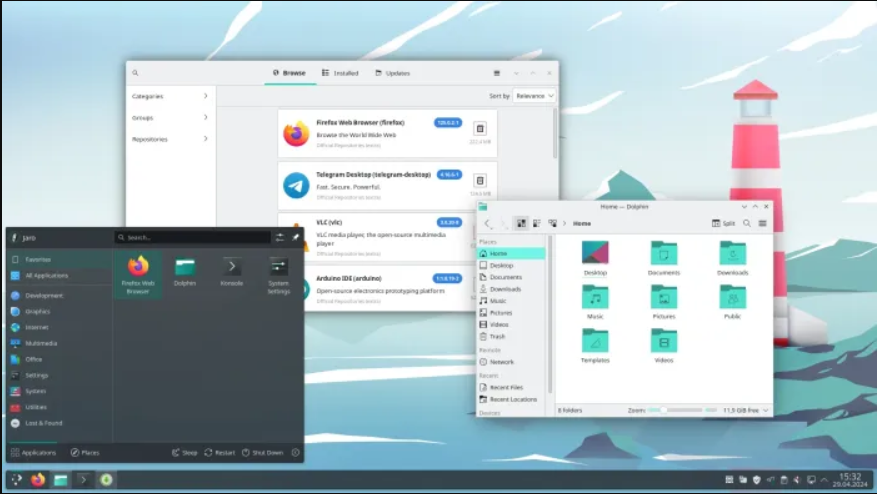
Manjaro blends the power of Arch Linux with ease of use, offering excellent performance for gamers who want newer software without excessive complexity.
Key Features
- Rolling release model: Delivers continuous updates without full reinstalls.
- Multiple desktop options: Supports KDE, GNOME, XFCE, and more.
- Arch User Repository (AUR): Provides access to a massive software library.
- Built-in driver manager: Simplifies hardware setup.
Advantages
- Access to latest kernels: Improves performance for new games and GPUs.
- Strong hardware detection: Automatically configures most components.
- High customization potential: Allows users to fine-tune performance.
- Great AMD and NVIDIA support: Works well with both GPU brands.
Disadvantages
- Frequent updates: Can occasionally introduce minor bugs.
- Less stable than LTS distros: Requires careful update management.
- Not ideal for absolute beginners: Some Linux experience helps.
Why Manjaro Works Well
- Newer drivers and kernels: Boosts compatibility with modern hardware.
- User-friendly Arch base: Offers Arch power without full complexity.
- Performance tuning options: Helps gamers squeeze out extra FPS.
- Fast system response: Feels snappy during gameplay.
Best for: Intermediate users and performance-focused gamers.
5. Garuda Linux – Built for Gamers
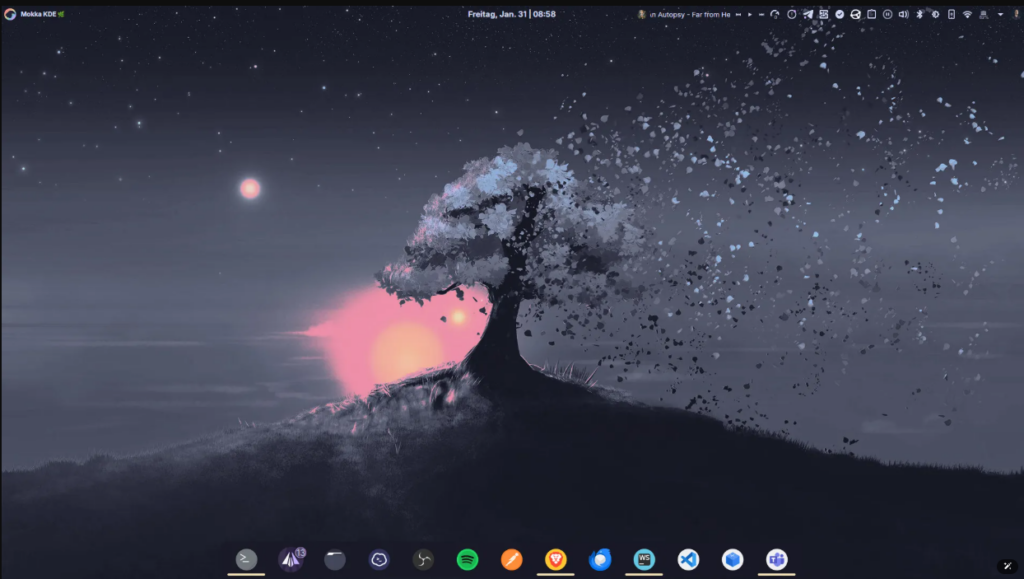
Garuda Linux is designed specifically for performance and visual appeal. It prioritizes speed, modern software, and gaming tools straight out of the box.
Key Features
- Performance-optimized kernel: Enhances responsiveness and FPS.
- Gaming tools preinstalled: Reduces setup time significantly.
- Btrfs filesystem with snapshots: Allows easy system recovery.
- Stylish desktop themes: Appeals to gamers who enjoy visual flair.
Advantages
- Ready-to-game setup: Minimal configuration required after installation.
- System rollback support: Protects against failed updates.
- Modern software stack: Supports the latest games and drivers.
- Strong performance focus: Tuned for demanding workloads.
Disadvantages
- High resource usage: Requires powerful hardware.
- Aggressive update cycle: Needs regular maintenance.
- Not beginner-friendly: Best suited for experienced users.
What Makes Garuda Special
- Preinstalled gaming tools: Saves hours of manual setup.
- Performance-focused kernel: Improves gaming responsiveness.
- System snapshots: Provides safety during updates.
- Bold design: Stands out visually.
Best for: Hardcore gamers and RGB lovers.
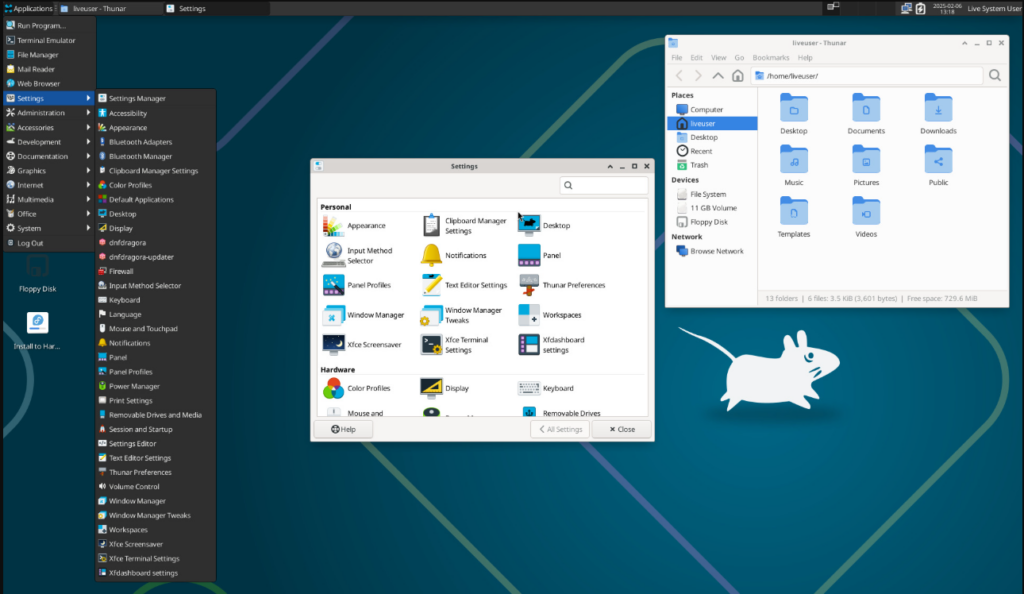
6. Fedora – Cutting-Edge Performance
Fedora is a forward-looking distro that offers modern features and strong performance. It appeals to gamers who want the latest technology without fully experimental systems.
Key Features
- Latest Linux kernel: Ensures up-to-date hardware support.
- Wayland by default: Improves graphics performance and security.
- Strong security framework: Protects the system during gaming and browsing.
- Official Flatpak support: Simplifies software installation.
Advantages
- Excellent AMD GPU support: Works especially well with open-source drivers.
- Fast access to new features: Keeps the system future-ready.
- Stable yet modern: Balances innovation and reliability.
- Enterprise-backed development: Maintained by Red Hat.
Disadvantages
- Shorter release lifecycle: Requires more frequent upgrades.
- Manual codec setup: Needs extra steps for multimedia support.
- Less beginner-focused: Assumes some Linux knowledge.
Why Fedora Shines
- Latest kernels: Improve performance and compatibility.
- Strong security: Protects user data and system integrity.
- AMD-friendly environment: Delivers smooth gameplay on AMD GPUs.
- Backed by Red Hat: Ensures long-term innovation.
Best for: Tech-savvy gamers and AMD GPU users.
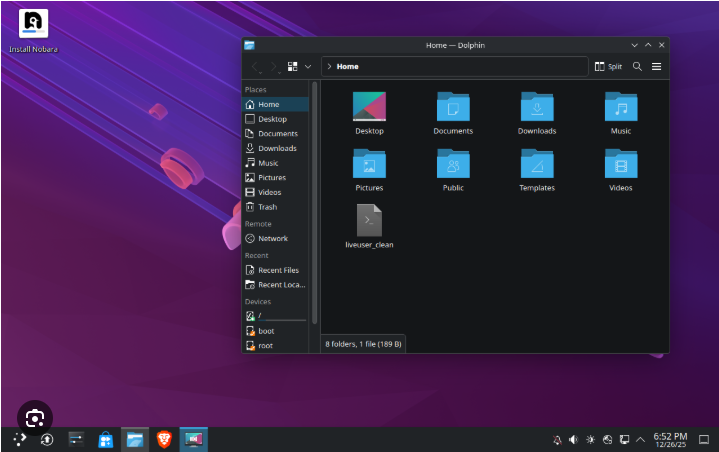
7. Nobara Project – Fedora Tuned for Gaming
Nobara is a gaming-focused spin of Fedora that removes common setup hurdles. It offers a smoother experience for gamers who want Fedora’s power without manual configuration.
Key Features
- Gaming-ready Fedora base: Optimized for performance and compatibility.
- Preconfigured Proton and Wine: Enables Windows games instantly.
- Multimedia codecs included: Supports audio and video without extra steps.
- Custom patches and tweaks: Improves gaming stability.
Advantages
- Minimal setup required: Ready for gaming right after installation.
- Improved NVIDIA support: Simplifies driver installation.
- Better game compatibility: Reduces crashes and performance issues.
- Actively maintained: Receives regular improvements.
Disadvantages
- Smaller community: Fewer guides compared to mainstream distros.
- Less tested than Fedora: Some features may feel experimental.
- Not ideal for servers: Focused mainly on desktop gaming.
Gaming-Focused Improvements
- Proton and Wine preconfigured: Saves setup time for Windows games.
- Included multimedia codecs: Improves compatibility with game media.
- Performance tweaks applied: Enhances FPS and stability.
- Easy NVIDIA setup: Reduces driver-related issues.
Best for: Fedora fans who want gaming without manual setup.

Hardware & Driver Support Explained
Your distro is only as good as its driver support.
- NVIDIA (Pop!_OS, Ubuntu, Nobara): These distros offer smoother NVIDIA driver installation and support.
- AMD (Fedora, Manjaro, Garuda): Known for excellent AMD GPU performance and faster driver updates.
- Intel (Ubuntu, Mint, Fedora): Provides stable and well-tested support for Intel graphics hardware.
Newer kernels usually mean better performance, but sometimes less stability. Choose wisely based on your hardware age.
Performance Tips for Linux Gaming
Want smoother gameplay? Try these tips:
- Use GameMode: Optimizes CPU and GPU performance automatically during gameplay.
- Enable FSR or DLSS: Improves frame rates while maintaining good visual quality.
- Keep GPU drivers updated: Ensures better compatibility and performance with new games.
- Close unnecessary background apps: Frees up system resources for smoother gameplay.
- Use SSDs for game storage: Reduces loading times and improves overall game responsiveness.
Small tweaks can add big FPS gains.
Choosing the Right Distro for Your Needs
Ask yourself:
- Do I want simplicity or control?
Decide whether you want an easy setup or advanced customization options. - Am I using NVIDIA or AMD?
Choose a distro that best supports your graphics hardware. - Do I enjoy tinkering or just gaming?
Pick based on whether you enjoy system tweaking or prefer plug-and-play gaming.
Your perfect distro depends on your comfort level, not just performance charts.
Common Myths About Linux Gaming
Myth: Linux gaming is slow
Truth: Performance often matches or beats Windows
Myth: No multiplayer games work
Truth: Many anti-cheat games now support Linux
Myth: Linux is only for programmers
Truth: Modern distros are beginner-friendly
Future of Linux Gaming Beyond 2026
Linux gaming has moved far beyond being an alternative or experiment. It is now a serious gaming platform that competes directly with traditional operating systems. Performance improvements, better driver support, and strong community backing have helped Linux earn its place in modern gaming.
Devices like the Steam Deck have played a major role in pushing Linux forward. As more players use Linux-based systems, game developers are paying closer attention, leading to better native support and fewer compatibility issues.
Looking ahead, Linux gaming is expected to become even more polished and accessible. With continued advancements in Proton, Vulkan, and hardware optimization, the gap between Linux and other platforms continues to shrink.
The future of Linux gaming is not just promising, it’s fast, stable, and ready to play.
Conclusion
Linux gaming in 2026 is no longer about compromise, it’s about choice. With powerful tools like Proton, Wine, and Lutris, along with improved driver support and gaming-focused distros, Linux has become a serious platform for playing both native and Windows games. Whether you prefer a beginner-friendly setup like Pop!_OS or Ubuntu, a lightweight option like Linux Mint, or performance-driven distros such as Manjaro, Garuda, Fedora, or Nobara, there’s a Linux distro that fits your gaming style and hardware. The key is picking what matches your comfort level and needs. Once you do, Linux offers a smooth, flexible, and distraction-free gaming experience that continues to improve every year.
FAQs
1. Can Linux really run Windows games in 2026?
Yes, Linux can run thousands of Windows games smoothly using tools like Steam Proton, Wine, and Lutris, often with performance close to or equal to Windows.
2. Which Linux distro is best for beginners who want to game?
Pop!_OS, Ubuntu, and Linux Mint are excellent choices for beginners due to easy setup, good driver support, and strong community help.
3. Do I need a powerful PC to game on Linux?
Not necessarily. Lightweight distros like Linux Mint perform well on low-end or older hardware, while high-performance distros benefit stronger systems.
4. Is Linux gaming better than Windows gaming?
In many cases, Linux gaming matches or even exceeds Windows in stability and system control, though a few games may still work better on Windows.
5. Are multiplayer and online games supported on Linux?
Yes, many multiplayer games now work on Linux, and support for anti-cheat systems has improved significantly in recent years.
6. Which Linux distro works best with NVIDIA graphics cards?
Pop!_OS, Ubuntu, and Nobara are known for smoother NVIDIA driver installation and better overall NVIDIA GPU support.
7. Will Linux gaming continue to improve after 2026?
Absolutely. With growing developer interest, Steam Deck influence, and constant improvements in Proton and Vulkan, Linux gaming has a very strong future.
Stop Wasting Time on Servers. Start Building Instead.
You didn’t start your project to babysit servers. Let ServerAvatar handle deployment, monitoring, and backups — so you can focus on growth.
Deploy WordPress, Laravel, N8N, and more in minutes. No DevOps required. No command line. No stress.
Trusted by 10,000+ developers and growing.