


Creating a website is an important step, whether it is for sharing information, publishing content, or building an online presence. One of the first decisions involved in this process is selecting the right website hosting. Website hosting plays a key role in how your website performs, how fast it loads, and how stable it remains for visitors.
Many people feel confused when they see different hosting options available. Each hosting type works differently and serves different website needs. This guide explains the types of website hosting and helps you understand how to choose the best one.
What Is Website Hosting?
Website hosting is a service that stores website files and makes them available on the internet. When someone visits a website, the hosting server sends the website data to their browser. Without hosting, a website cannot be accessed online.
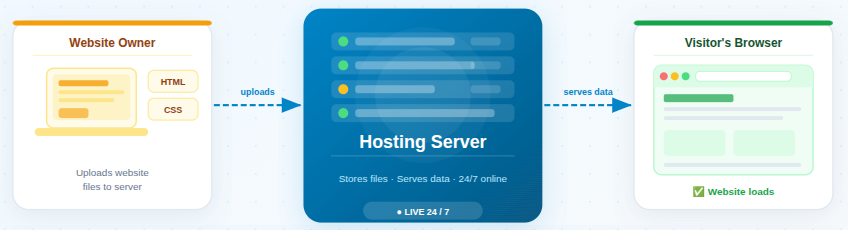
Every website needs hosting to function properly. The quality of hosting directly affects website availability and performance.
Why Website Hosting Matters
Website hosting affects how your website performs, stays secure, and remains available to visitors. A reliable hosting setup helps your website run smoothly and creates a better experience for users.
Good hosting means
- Faster website loading: Pages open quickly, reducing visitor waiting time.
- Better security: Hosting helps protect your website from common threats.
- Less downtime: Your website stays online more consistently.
- Happier visitors: A stable and fast site encourages users to stay longer.
On the other hand, poor hosting can slow down your site and frustrate users. In today’s world, people expect websites to load fast. If your site takes too long, visitors may leave before even seeing your content.
Types of Website Hosting
Website hosting comes in different forms, each designed to meet specific website needs and usage levels. Understanding the main types of website hosting helps you compare features, limitations, and benefits, making it easier to choose the most suitable option for your website’s goals and growth plans.
1. Shared Hosting
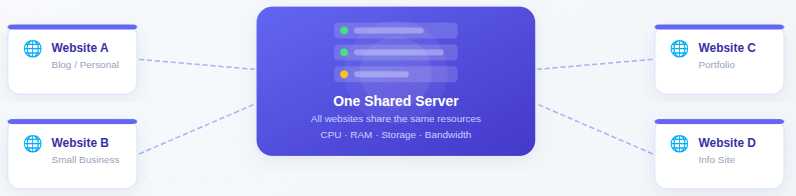
Shared hosting places multiple websites on a single server, where all sites use the same server resources. It is designed for basic websites with low resource requirements.
Key Features
- Low cost: Hosting expenses are shared, making plans affordable.
- Easy setup: No advanced technical setup is required.
- Limited server resources: Resources are divided among multiple websites.
Pros
- Low cost: Suitable for tight budgets.
- Easy to manage: Hosting provider handles most technical tasks.
- Beginner-friendly: Ideal for users with no hosting experience.
Cons
- Slower performance during traffic spikes: Heavy usage by other sites may affect speed.
- Limited resources: Not suitable for growing or busy websites.
Best For
- Beginners: Easy entry into website hosting.
- Small websites: Works well for simple sites.
- Personal blogs: Suitable for low-traffic content sites.
Who Should Use It
Shared hosting is suitable for beginners and websites with low traffic. It is often chosen for small projects and informational websites.
2. VPS Hosting
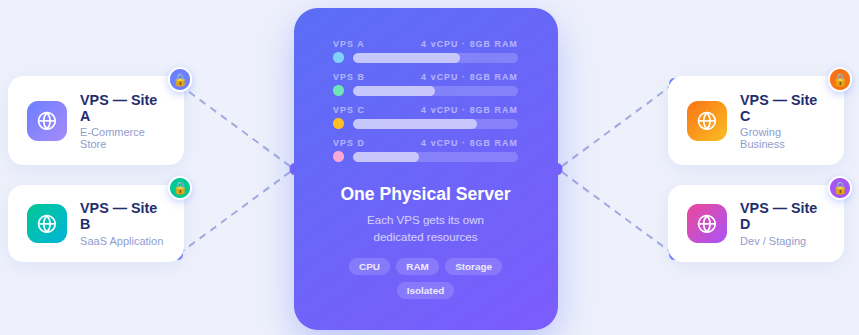
VPS hosting divides a physical server into virtual sections, each assigned to one website. While the server is shared, resources are allocated separately.
Key Features
- Dedicated resources: Each website gets reserved server resources.
- Better performance than shared hosting: Reduced impact from other websites.
- Greater control: Users can customize server settings.
Pros
- Improved performance: More consistent speed and stability.
- More control and flexibility: Greater configuration options.
Cons
- More expensive than shared hosting: Higher cost due to dedicated resources.
- Requires basic technical knowledge: Some server understanding is helpful.
Best For
- Medium-sized websites: Suitable for moderate traffic levels.
- Growing businesses: Supports gradual expansion.
Who Should Use It
VPS hosting is ideal for websites that need more resources and flexibility than shared hosting can provide.
3. Dedicated Hosting
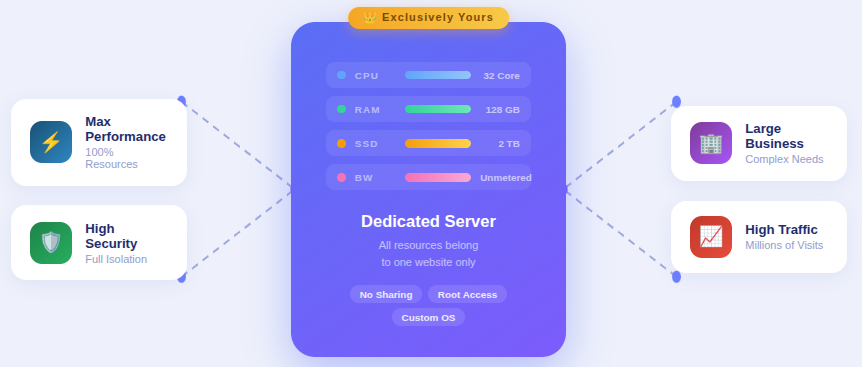
Dedicated hosting provides a complete server for a single website. All server resources are reserved exclusively for that website.
Key Features
- High performance: Full access to server resources.
- Full server control: Complete configuration freedom.
- Advanced security options: Greater protection capabilities.
Pros
- Maximum performance: No resource sharing with other sites.
- High security: Better control over security settings.
- Full control: Custom server configurations possible.
Cons
- High cost: Premium pricing compared to other hosting types.
- Requires technical expertise: Server management skills are needed.
Best For
- Large businesses: Suitable for complex website needs.
- High-traffic websites: Handles large visitor volumes efficiently.
Who Should Use It
Dedicated hosting is best for websites that require top-level performance, security, and customization.
4. Cloud Hosting
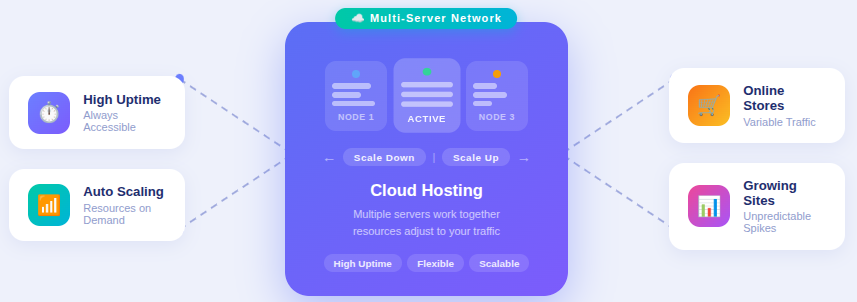
Cloud hosting uses multiple servers to host a website, allowing resources to adjust based on demand. It focuses on flexibility and availability.
Key Features
- High uptime: Website remains accessible even during server issues.
- Flexible resource usage: Resources adjust as needed.
- Easy scalability: Supports growth without major changes.
Pros
- High reliability: Reduced risk of downtime.
- Easy to scale: Resources can be increased easily.
- Better uptime: Improved website availability.
Cons
- Costs can vary: Pricing may change based on usage.
- Slightly complex for beginners: Requires some learning.
Best For
- Websites with unpredictable traffic: Handles traffic changes well.
- Online stores: Supports variable visitor activity.
Who Should Use It
Cloud hosting suits websites expecting growth or fluctuating traffic levels.
5. Managed Hosting
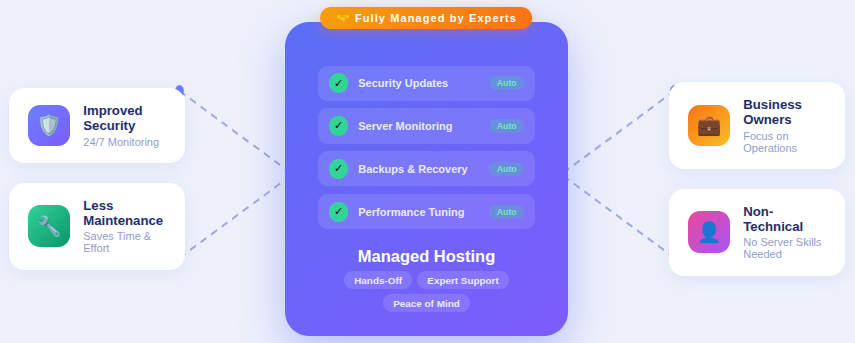
Managed hosting includes hosting services where the provider handles technical tasks such as updates and security.
Key Features
- Reduced maintenance: Fewer technical responsibilities for users.
- Improved security: Regular monitoring and updates.
- Professional management: Hosting handled by experts.
Pros
- Less maintenance: Saves time and effort.
- Better security: Proactive protection measures.
- Time-saving: Focus remains on website content.
Cons
- Higher cost: Additional services increase pricing.
Best For
- Non-technical users: No server management required.
- Business owners: Focus on operations rather than hosting.
Who Should Use It
Managed hosting is ideal for users who want a hands-off hosting experience.
6. WordPress Hosting
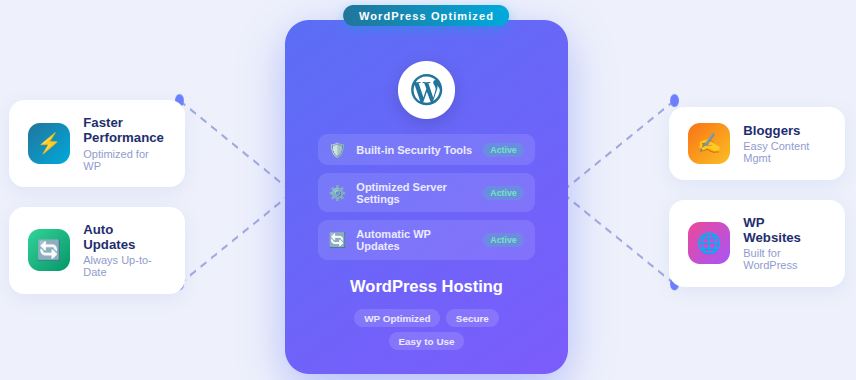
WordPress hosting is optimized specifically for WordPress websites, ensuring better compatibility and performance.
Key Features
- Improved WordPress performance: Optimized server settings.
- Built-in security tools: Enhanced WordPress protection.
- Automatic updates: Keeps WordPress software current.
Pros
- Faster WordPress performance: Optimized environment.
- Built-in security: Reduced risk of vulnerabilities.
Cons
- Limited to WordPress: Cannot be used for other platforms.
Best For
- WordPress users: Designed specifically for WordPress.
- Bloggers: Simplifies content management.
Who Should Use It
This hosting type is recommended for websites built exclusively on WordPress.
7. Reseller Hosting
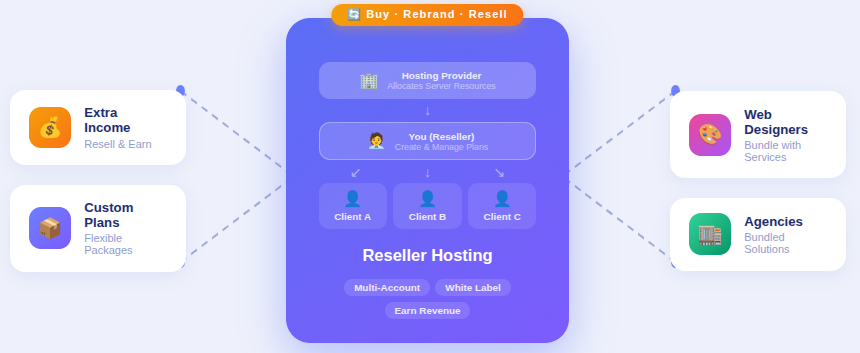
Reseller hosting allows users to create and sell hosting services using server resources provided by a hosting company.
Key Features
- Custom hosting plans: Create personalized packages.
- Account management tools: Manage multiple users easily.
Pros
- Extra income opportunity: Hosting can be resold.
- Flexible plans: Customizable offerings.
Cons
- Requires customer support management: Users handle client issues.
Best For
- Web designers: Offer hosting with services.
- Agencies: Provide bundled solutions.
Who Should Use It
Reseller hosting is suitable for those offering hosting services to clients.
8. Free Hosting
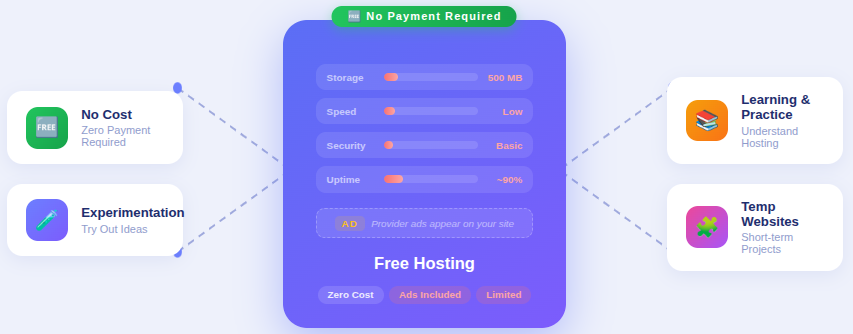
Free hosting offers basic hosting services without cost but with major limitations.
Key Features
- No payment required: Suitable for experimentation.
- Limited storage and performance: Restricted resources.
- Advertisements may be included: Provider ads may appear.
Pros
- No cost: Free access to hosting services.
Cons
- Ads on your website: Reduces professionalism.
- Low performance: Slow website speed.
- Poor security: Limited protection features.
Best For
- Learning and practice: Suitable for users who want to understand how hosting works.
- Temporary websites: Works for short-term or test projects.
- Basic experimentation: Useful for trying out website ideas without spending money.
Who Should Use It
Free hosting is suitable for learning but not for serious or professional websites.
Website Hosting Types Comparison
Comparing website hosting types makes it easier to understand how they differ in terms of performance, control, scalability, and management. This comparison helps you quickly identify which hosting option aligns best with your website’s size, technical needs, and future growth.
| Hosting Type | Performance Level | Cost Range | Resource Control | Scalability | Technical Skill Required | Best Suited For |
| Shared Hosting | Basic | Low | Very Limited | Low | Minimal | Beginners, small websites, personal blogs |
| VPS Hosting | Moderate | Medium | Partial Control | Moderate | Basic | Growing websites, medium-traffic sites |
| Dedicated Hosting | High | High | Full Control | Limited | Advanced | High-traffic websites, large businesses |
| Cloud Hosting | High | Variable | Moderate Control | High | Basic to Moderate | Websites with changing or growing traffic |
| Managed Hosting | Moderate to High | Medium to High | Limited Control | Moderate | Minimal | Non-technical users, business owners |
| WordPress Hosting | Optimized | Medium | Limited Control | Moderate | Minimal | WordPress-based websites |
| Reseller Hosting | Depends on plan | Medium | Account-level Control | Moderate | Moderate | Agencies, web designers |
| Free Hosting | Very Low | Free | Very Limited | None | Minimal | Learning, testing, short-term use |
Hosting Solutions with ServerAvatar
What is ServerAvatar?
ServerAvatar is a platform to simplify the hosting and management of servers and applications. It simplifies the process of deploying and managing PHP and Node.js based web applications on servers.
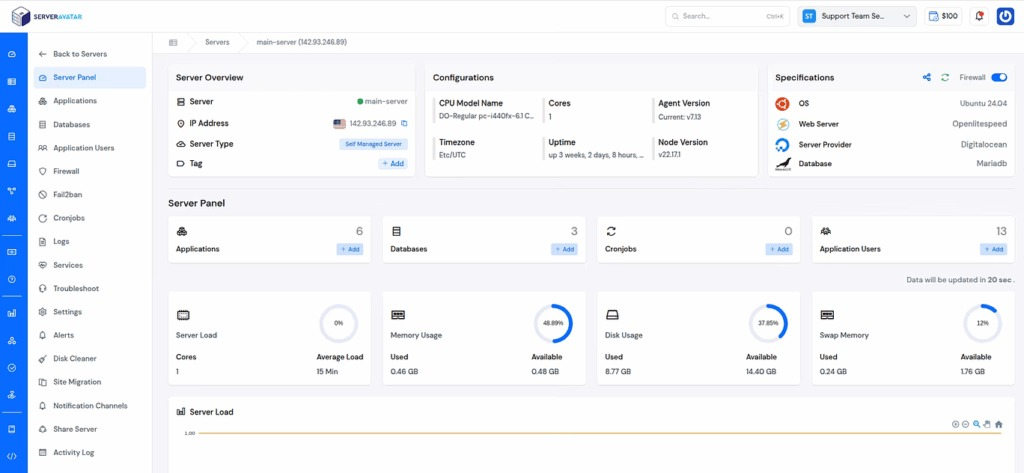
It provides flexible hosting options that support different website needs, whether you prefer a fully managed environment or want complete control over your server. With an easy-to-use dashboard and built-in features, ServerAvatar helps users manage servers, applications, and hosting services from a single dashboard.
Managed Servers by ServerAvatar
ServerAvatar offers managed servers where ServerAvatar handles server provisioning, management, updates, and security. Users do not need to connect their own cloud provider or manage complex server configurations.
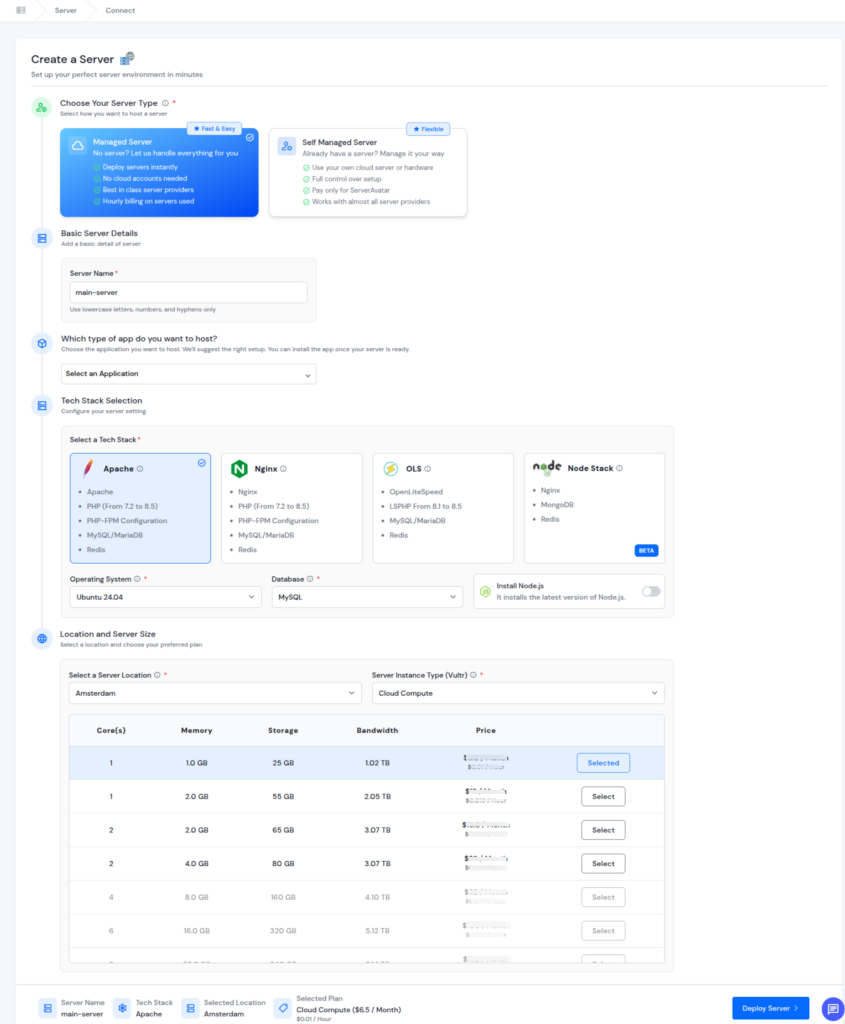
This option is designed for users who want a reliable hosting environment without dealing with server-level technical tasks.
Self-Managed Servers with ServerAvatar
For users who prefer more control, ServerAvatar also supports self-managed servers. In this setup, users can connect their own custom server from any cloud provider and manage applications, configurations, and resources through the ServerAvatar panel. Additionally, users can integrate their cloud provider account with ServerAvatar from the given option (Amazon Lightsail, DigitalOcean, Vultr, Linode, Hetzner) and directly create a server.
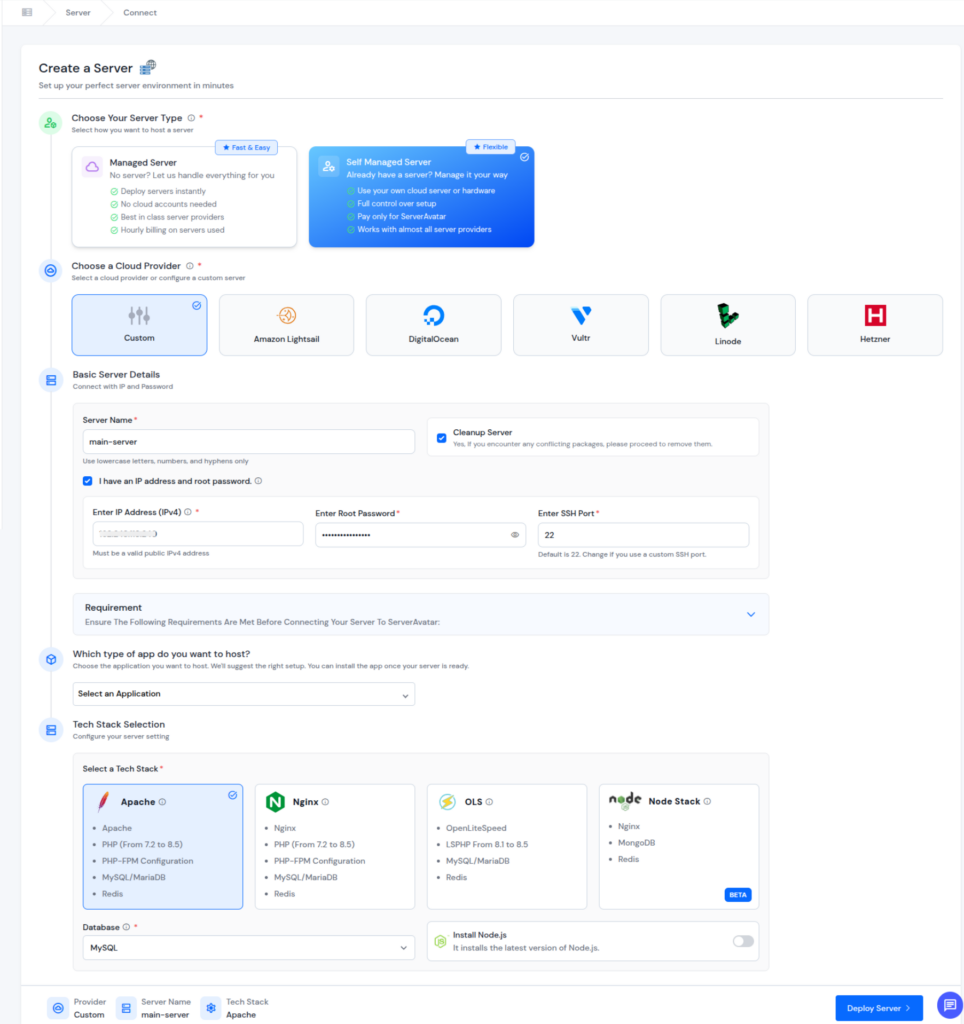
It offers flexibility while still simplifying day-to-day server management tasks.
Reseller Hosting Panel
ServerAvatar offers a powerful reseller panel that allows users to create a fully customizable server management solution under their own account. The reseller panel lets you customize every aspect of the interface, including logos, color schemes, and server plans, so it aligns perfectly with your brand identity. This helps deliver a consistent and professional experience for your clients while strengthening your brand presence.
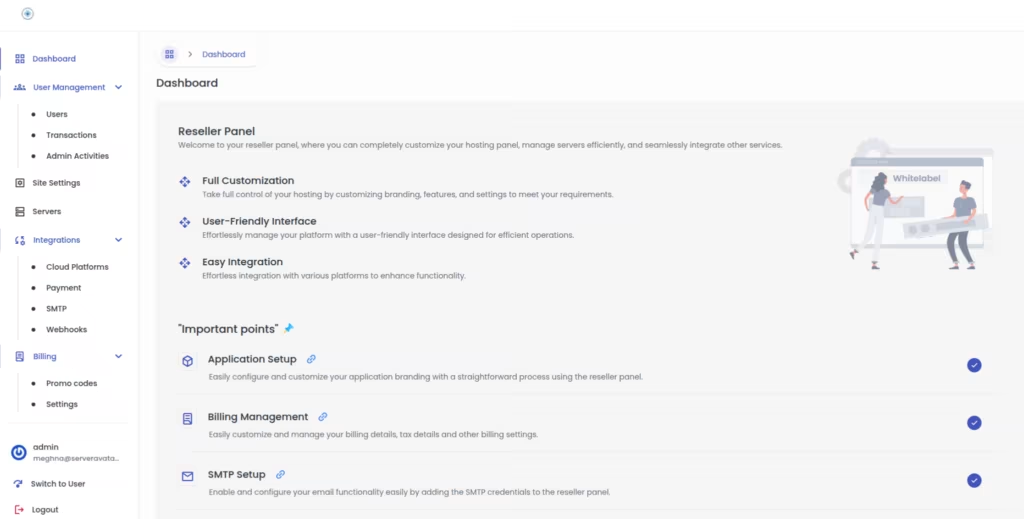
This option is ideal for users who want to provide hosting services under their own brand or manage hosting for multiple clients through a centralized and easy-to-use dashboard.
How Hosting Types Work with ServerAvatar
1. Shared Hosting
ServerAvatar offers an approach to traditional shared hosting by providing isolated server environments with better performance and control. Websites benefit from improved stability without sharing resources with unrelated sites.
2. VPS Hosting
ServerAvatar works seamlessly with VPS hosting by providing an intuitive interface to manage server resources, applications, and configurations. It simplifies VPS management while retaining flexibility and scalability.
3. Dedicated Hosting
For dedicated servers, ServerAvatar helps manage server operations through a centralized dashboard. Users gain full control over resources while reducing manual server management complexity.
4. Cloud Hosting
ServerAvatar supports cloud-based servers and makes it easy to scale resources as website demands change. It allows users to manage cloud infrastructure efficiently without deep technical effort.
5. Managed Hosting
ServerAvatar’s managed servers align with managed hosting by handling server provision, maintenance, security updates, and performance optimization automatically.
6. WordPress Hosting
ServerAvatar supports WordPress hosting with optimized server setups and application management tools with a one-click application installer for WordPress and other popular applications. It helps maintain performance, security, and management for WordPress websites.
7. Reseller Hosting
Using ServerAvatar’s reseller panel, users can easily create their own hosting business environment and manage multiple client accounts and their billing efficiently. It offers brand customization options and control over hosting plans, making it easier to deliver a professional hosting experience to clients.
8. Free Hosting Alternatives
While ServerAvatar does not focus on free hosting, it provides affordable entry-level options that offer better performance, security, and control compared to traditional free hosting solutions.
Key Factors to Consider When Choosing Hosting
Selecting hosting requires evaluating both current and future website needs.
- Website size and purpose: Determines required resources.
- Expected visitor traffic: Affects performance needs.
- Budget limits: Defines available hosting options.
- Technical knowledge: Influences hosting complexity.
- Scalability: Supports future growth.
- Security features: Protects website data.
Evaluating these factors helps narrow down the best hosting option.
Choosing Hosting Based on Website Size and Traffic
Different websites have different hosting needs depending on their size and the number of visitors they receive. Selecting hosting based on traffic level and growth stage helps ensure stable performance and avoids unnecessary limitations as the website evolves.
Hosting for Small Websites
Small websites generally work well with shared hosting or managed hosting because they require minimal resources and simple management.
Hosting for Growing Websites
Websites that are expanding benefit from VPS hosting or cloud hosting due to their scalability and performance flexibility.
Hosting for High-Traffic Websites
High-traffic websites need dedicated hosting or cloud hosting to maintain speed, stability, and availability.

Common Hosting Mistakes to Avoid
Avoiding poor hosting decisions helps prevent long-term issues.
- Choosing hosting only based on price: May lead to poor performance.
- Ignoring scalability options: Limits future growth.
- Overlooking support services: Causes delays during issues.
- Selecting more resources than needed: Increases unnecessary costs.
Making informed hosting choices leads to better website performance.
Select the Right Hosting
Choosing the right hosting depends on understanding your website’s needs, growth plans, and technical comfort level. Matching these factors with the correct hosting type ensures long-term stability and performance.
Conclusion
Choosing the right website hosting is a foundational decision that directly impacts your website’s performance, reliability, and long-term growth. Each hosting type serves a specific purpose, from entry-level shared hosting to advanced dedicated and cloud environments. ServerAvatar further simplifies this process by offering flexible managed, self-managed, and reseller-friendly solutions that adapt to different hosting needs. By carefully evaluating your requirements today while keeping future scalability in mind, you can build a hosting setup that remains stable, secure, and efficient as your website grows.
FAQs
1. What type of hosting should I choose for a new website?
For new websites, shared hosting or managed hosting is usually a good starting point because it requires minimal setup and keeps management simple while covering basic performance needs.
2. How do I know when it’s time to upgrade my hosting plan?
You may need to upgrade if your website experiences slower load times, increased traffic, frequent downtime, or if your current hosting plan no longer meets your resource requirements.
3. Is managed hosting worth the extra cost?
Managed hosting is beneficial for users who prefer a hands-off approach, as it reduces technical responsibilities and allows more focus on website content and business activities.
4. Can one platform support multiple hosting types?
Yes, platforms are designed to work with different hosting setups, allowing users to manage shared-style environments, VPS, dedicated servers, and cloud infrastructure from a single dashboard.
5. Is free hosting suitable for long-term websites?
Free hosting is best suited for learning or testing purposes. For long-term or professional websites, paid hosting options offer better performance, security, and reliability.