


If you’ve ever built a Laravel application, you already know how powerful and elegant it feels. But here’s the thing, no matter how good your code is, your app still needs the right tools to truly shine. That’s where the best Laravel packages come in, helping you enhance performance, strengthen security, and improve SEO with minimal effort.
That’s exactly where Laravel packages come in. In this guide, we’ll walk through the best Laravel packages that help you secure your application, improve performance, and boost SEO, all without making your life complicated.
What Are Laravel Packages?
Laravel packages are reusable components that extend the framework’s functionality. Instead of building features from scratch, developers can integrate these packages to save time and maintain consistency across projects.
Why Laravel Packages Matter
Laravel packages are like plugins that extend your app’s capabilities without reinventing the wheel. Instead of writing everything from scratch, you can:
- Save time
- Reduce bugs
- Follow best practices automatically
Whether it’s security, speed, or SEO, packages give you ready-made solutions tested by thousands of developers.
Laravel Package vs Bundle
In Laravel, packages and bundles are often confused, but they serve slightly different purposes. Packages are external tools created by the community, while bundles are more closely tied to the framework itself. Understanding the difference helps you choose the right solution for your project.
Although often confused:
- Packages: Built by the community or third-party developers
- Bundles: Built into Laravel itself
This distinction matters when evaluating maintenance, support, and flexibility.
Types of Laravel Packages
Laravel packages come in different forms depending on how they are built and used. Some are designed specifically for Laravel, while others can work across multiple PHP frameworks. Knowing these types helps you pick tools that fit your development needs.
Laravel packages generally fall into two categories:
1. Framework-Specific Packages: Designed specifically for Laravel and tightly integrated with its ecosystem.
2. Framework-Independent Packages: Can work across multiple PHP frameworks, not limited to Laravel.
How to Choose the Right Packages
With thousands of Laravel packages available, choosing the right one can feel overwhelming. The key is to focus on reliability, performance, and long-term support. A well-chosen package can save time, while a poor choice can create future issues.
Here’s what to look for:
- Active maintenance (recent updates)
- Good documentation
- High community usage
- Compatibility with latest Laravel version
Ask yourself: Does this package solve a real problem or just add complexity?
Best Security Packages for Laravel
Security is a critical part of any Laravel application, especially when handling user data. Using trusted security packages helps protect your app from common threats like unauthorized access and spam. These tools add an extra layer of protection without adding complexity.
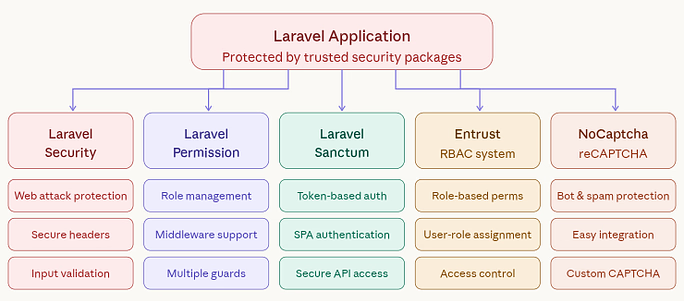
1. Laravel Security
A package designed to enhance your application’s protection against common vulnerabilities.
Key Features:
- Protection against common web attacks
- Secure headers implementation
- Input validation support
Why it matters: Helps protect your application from common vulnerabilities and attacks.
Use case: Securing forms, headers, and user inputs.
Example: Preventing XSS attacks on a user registration form.
2. Laravel Permission
A flexible package to manage roles and permissions within your application.
Key Features:
- Role and permission management
- Middleware integration
- Supports multiple guards
Why it matters: Ensures users only access features they are authorized for.
Use case: Managing roles like admin, editor, and user.
Example: Allowing only admins to access the dashboard.
3. Laravel Sanctum
A lightweight authentication system for APIs and single-page applications.
Key Features:
- Token-based authentication
- SPA authentication support
- Simple and secure API access
Why it matters: Provides a simple way to secure APIs and user sessions.
Use case: Authenticating SPA or mobile app users.
Example: Generating API tokens for a React frontend.
4. Entrust
A role-based access control system for managing user permissions.
Key Features:
- Role-based permissions
- User-role assignment
- Access control handling
Why it matters: Simplifies role-based access control implementation.
Use case: Handling permissions in multi-user systems.
Example: Restricting content editing to specific roles.
5. NoCaptcha
A package that integrates Google reCAPTCHA to prevent spam and bots.
Key Features:
- Bot protection for forms
- Easy integration
- Customizable CAPTCHA display
Why it matters: Prevents spam and bot submissions.
Use case: Protecting login and contact forms.
Example: Adding reCAPTCHA to a signup page.
Performance Optimization Packages
Performance plays a major role in how users experience your application. Laravel performance packages help reduce load times, optimize queries, and handle resources efficiently. Using the right tools ensures your app runs smoothly even under heavy traffic.
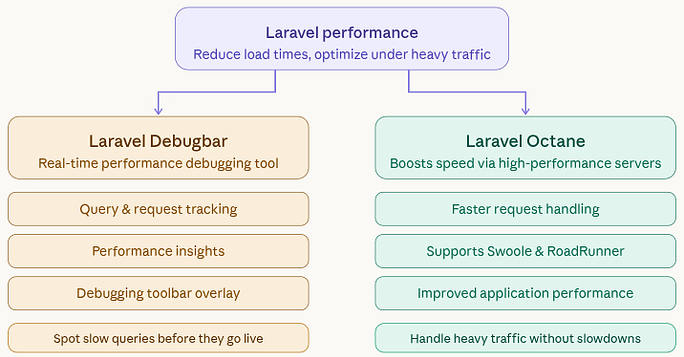
1. Laravel Debugbar
A debugging tool that shows real-time application performance data.
Key Features:
- Query and request tracking
- Performance insights
- Debugging toolbar
Why it matters: Helps identify performance issues during development.
Use case: Monitoring queries and execution time.
Example: Detecting slow database queries in a page load.
2. Laravel Octane
It Boost application’s speed with running Laravel on servers with high-performance.
Key Features:
- Faster request handling
- Supports Swoole and RoadRunner
- Improved application performance
Why it matters: Improves application speed and scalability.
Use case: High-traffic applications.
Example: Serving faster responses for an eCommerce site.
Laravel Development Packages
Development packages are designed to make coding faster and more efficient. They simplify common tasks, improve workflow, and reduce repetitive work. With the right set of tools, developers can focus more on building features rather than managing boilerplate code.
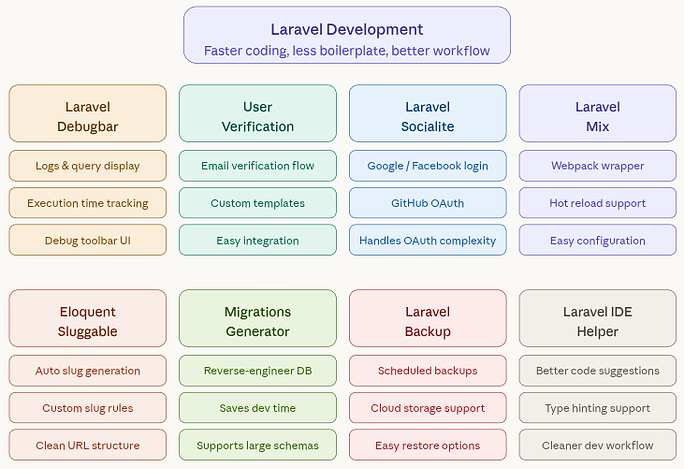
1. Laravel Debugbar
Helps developers monitor and debug application behavior during development.
Key Features:
- Displays logs and queries
- Tracks execution time
- Debugging interface
Why it matters: Makes debugging easier and faster.
Use case: Tracking application behavior in development.
Example: Viewing API request logs in real time.
2. Laravel User Verification
Simplifies email verification for new users.
Key Features:
- Email verification workflow
- Customizable templates
- Easy integration
Why it matters: Ensures only verified users access your app.
Use case: Email verification systems.
Example: Sending verification links during registration.
3. Laravel Socialite
Provides simple authentication using social media platforms.
Key Features:
- Supports major providers
- OAuth integration
- Quick login setup
Why it matters: Simplifies social login integration.
Use case: Allowing users to sign in with Google or Facebook.
Example: Logging in using a Google account.
4. Laravel Mix
Simplifies asset compilation for CSS and JavaScript.
Key Features:
- Webpack wrapper
- Hot reload support
- Easy configuration
Why it matters: Streamlines frontend asset management.
Use case: Compiling CSS and JavaScript files.
Example: Bundling and minifying assets for production.
5. Eloquent Sluggable
Automatically creates SEO-friendly URLs from model data.
Key Features:
- Automatic slug generation
- Custom rules
- Clean URL structure
Why it matters: Improves SEO with clean URLs.
Use case: Generating slugs for blog posts.
Example: Converting a title into a URL slug automatically.
6. Migrations Generator
Generates migration files from an existing database schema.
Key Features:
- Reverse-engineer database
- Saves development time
- Supports large schemas
Why it matters: Saves time when working with existing databases.
Use case: Converting database schema into migrations.
Example: Generating migrations from a legacy database.
7. Laravel Backup
Automates backups of your application data.
Key Features:
- Scheduled backups
- Cloud storage support
- Easy restore options
Why it matters: Protects data from loss or corruption.
Use case: Regular database and file backups.
Example: Automatically backing up a production server daily.
8. Laravel IDE Helper
Improves IDE auto-completion and developer experience.
Key Features:
- Better code suggestions
- Type hinting support
- Cleaner workflow
Why it matters: Protects data from loss or corruption.
Use case: Regular database and file backups.
Example: Automatically backing up a production server daily.
Laravel eCommerce Packages
Building an online store from scratch can be complex and time-consuming. Laravel eCommerce packages provide ready-made solutions for product management, payments, and order handling. These tools help you launch and scale online stores more efficiently.
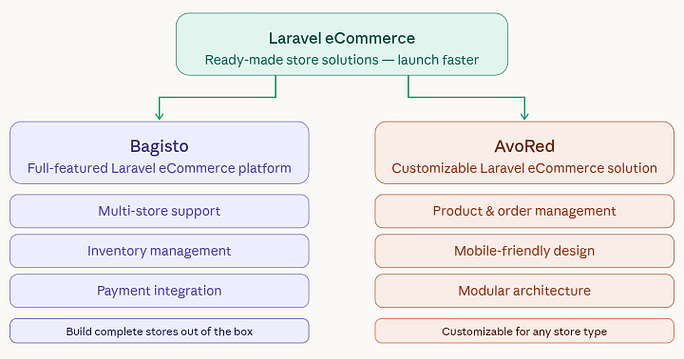
1. Bagisto
A full-featured Laravel eCommerce platform for building online stores.
Key Features:
- Multi-store support
- Inventory management
- Payment integration
Why it matters: Provides a complete foundation for online stores.
Use case: Building full-scale eCommerce platforms.
Example: Creating a multi-vendor shopping website.
2. AvoRed
A customizable eCommerce solution built on Laravel.
Key Features:
- Product and order management
- Mobile-friendly design
- Modular architecture
Why it matters: Simplifies building customizable eCommerce apps.
Use case: Managing products and orders.
Example: Setting up a small online shop.
Laravel Admin Panel Packages
Creating an admin dashboard manually can take significant effort. Admin panel packages offer pre-built interfaces and tools to manage data, users, and system settings. They help you set up a professional backend quickly without starting from zero.
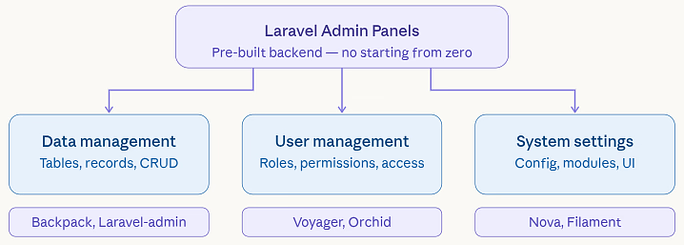
1. Voyager
A ready-to-use admin panel for managing application data.
Key Features:
- Built-in admin dashboard
- Media manager
- Database tools
Why it matters: Saves time by providing a ready-made admin panel.
Use case: Managing application data via UI.
Example: Editing database records from a dashboard.
2. LaraAdmin
An admin panel generator with advanced customization options.
Key Features:
- Role management
- Dynamic modules
- CRUD generator
Why it matters: Helps generate admin panels quickly.
Use case: Creating backend systems with minimal effort.
Example: Building CRUD interfaces automatically.
3. Orchid
A powerful platform for building admin panels and dashboards.
Key Features:
- Flexible UI components
- Data management tools
- Scalable architecture
Why it matters: Helps generate admin panels quickly.
Use case: Creating backend systems with minimal effort.
Example: Building CRUD interfaces automatically.
Laravel SEO Packages
SEO is essential for improving your application’s visibility on search engines. Laravel SEO packages help manage meta tags, structured data, and social sharing elements. These tools make it easier to optimize your app for better rankings and traffic.
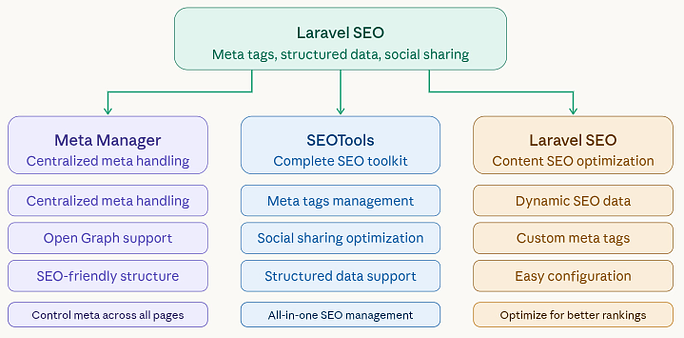
1. Laravel Meta Manager
Helps manage meta tags across your application.
Key Features:
- Centralized meta handling
- Open Graph support
- SEO-friendly structure
Why it matters: Keeps SEO metadata consistent across pages.
Use case: Managing meta tags globally.
Example: Setting default meta descriptions for pages.
2. SEOTools
A complete toolkit for managing SEO data in Laravel.
Key Features:
- Meta tags management
- Social sharing optimization
- Structured data support
Why it matters: Improves search engine visibility.
Use case: Managing SEO tags and social metadata.
Example: Adding Open Graph tags for social sharing.
3. Laravel SEO
Provides tools to optimize content for search engines.
Key Features:
- Dynamic SEO data
- Custom meta tags
- Easy configuration
Why it matters: Helps optimize content for better ranking.
Use case: Customizing SEO elements dynamically.
Example: Generating SEO tags for blog posts.
Laravel Testing Packages
Testing ensures your application works as expected before it reaches users. Laravel testing packages provide tools to automate tests and detect issues early. This leads to more reliable and stable applications over time.
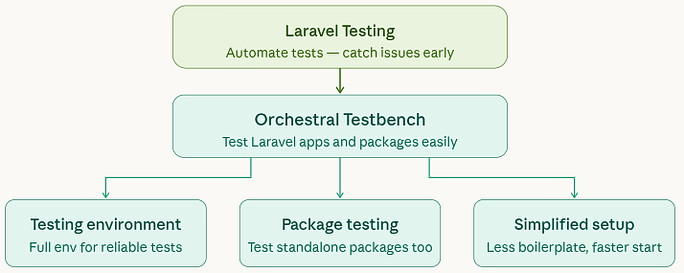
1. Orchestral Testbench
A package designed to test Laravel applications and packages.
Key Features:
- Laravel testing environment
- Package testing support
- Simplified test setup
Why it matters: Ensures your application works reliably.
Use case: Testing Laravel packages and features.
Example: Running unit tests for a custom package.
Laravel Debugging and Monitoring Packages
Understanding what happens inside your application is crucial for fixing issues. Debugging and monitoring packages give insights into errors, logs, and performance metrics. They help developers quickly identify and resolve problems.
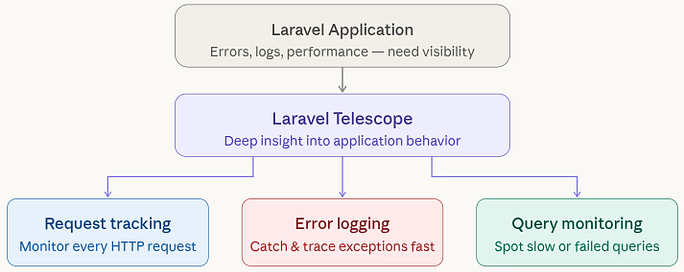
1. Laravel Telescope
A powerful tool for monitoring application activity and debugging issues.
Key Features:
- Request tracking
- Error logging
- Query monitoring
Why it matters: Provides deep insight into application behavior.
Use case: Monitoring requests and errors.
Example: Tracking failed jobs in a queue system.
Caching and Speed Boosting Tools
Caching is one of the most effective ways to improve application speed. These tools store frequently accessed data, reducing the need for repeated processing. As a result, your application becomes faster and more responsive.
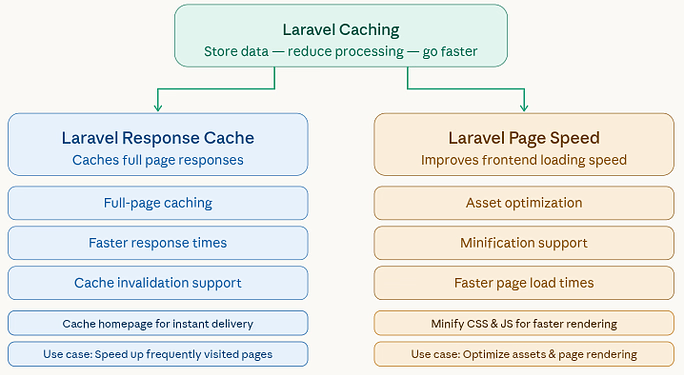
1. Laravel Response Cache
Caches full responses to improve application speed.
Key Features:
- Full-page caching
- Faster response times
- Cache invalidation support
Why it matters: Reduces load time by caching responses.
Use case: Speeding up frequently visited pages.
Example: Caching homepage content for faster delivery.
2. Laravel Page Speed Optimization
Improves frontend performance and loading speed.
Key Features:
- Asset optimization
- Minification support
- Faster page load times
Why it matters: Improves frontend loading performance.
Use case: Optimizing assets and page rendering.
Example: Minifying CSS and JavaScript files.
Database Optimization Packages
Efficient database handling is key to application performance. Database optimization packages help manage queries, indexing, and data structure more effectively. They ensure faster data retrieval and better scalability.
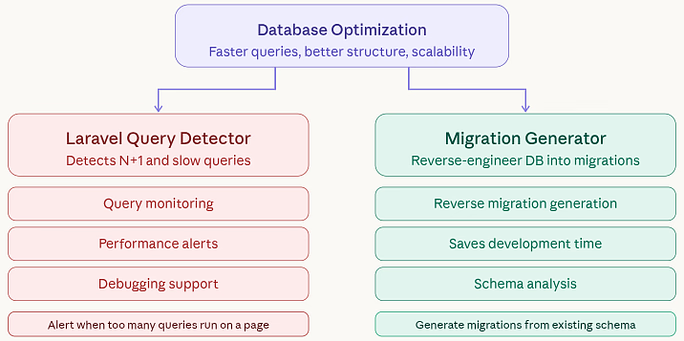
1. Laravel Query Detector
Detects inefficient database queries like N+1 issues.
Key Features:
- Query monitoring
- Performance alerts
- Debugging support
Why it matters: Identifies inefficient database queries.
Use case: Detecting N+1 query issues.
Example: Alerting when too many queries run on a page.
2. Laravel Migration Generator
Creates migration files from existing database structures.
Key Features:
- Reverse migration generation
- Saves development time
- Schema analysis
Why it matters: Simplifies database migration creation.
Use case: Reverse engineering database structure.
Example: Generating migrations from an existing schema.
URL & Sitemap Management
Clean URLs and proper sitemaps are important for both users and search engines. These tools help structure your website links and generate sitemaps automatically. This improves navigation and enhances search engine indexing.
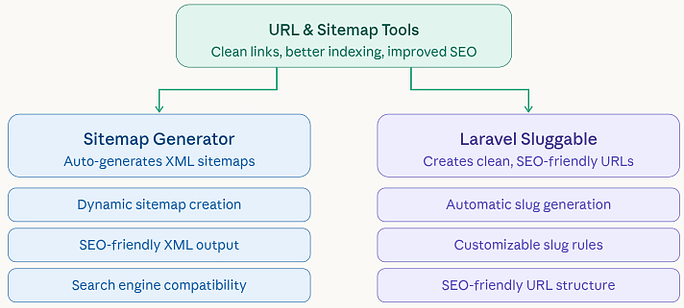
1. Laravel Sitemap Generator
Automatically generates XML sitemaps for better indexing.
Key Features:
- Dynamic sitemap creation
- SEO-friendly output
- Search engine compatibility
Why it matters: Helps search engines index your site properly.
Use case: Creating XML sitemaps.
Example: Generating sitemap for blog pages.
2. Laravel Sluggable
Creates clean, readable URLs for better SEO.
Key Features:
- Automatic slug generation
- Customizable rules
- SEO-friendly URLs
Why it matters: Improves URL readability and SEO.
Use case: Creating clean URLs.
Example: Turning titles into SEO-friendly slugs.
Authentication & Access Control
Managing user access is essential for application security. These packages help handle login systems, roles, and permissions with ease. They ensure that users can only access what they are authorized to.
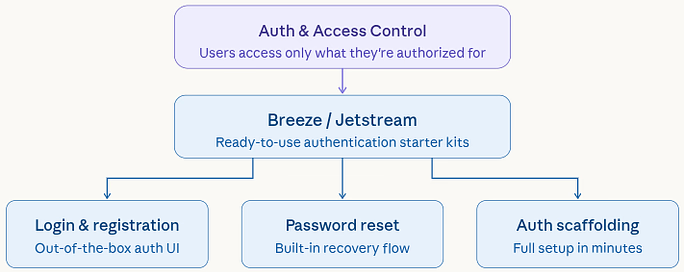
1. Laravel Breeze / Jetstream
Starter kits for implementing authentication in Laravel applications.
Key Features:
- Login and registration
- Password reset
- Built-in authentication scaffolding
Why it matters: Provides ready-to-use authentication systems.
Use case: Setting up login and registration quickly.
Example: Adding authentication to a new Laravel app.
API Security & Rate Limiting
APIs need protection against misuse and excessive requests. Security and rate limiting tools help control traffic and prevent abuse. This ensures your application remains stable and secure even under high demand.
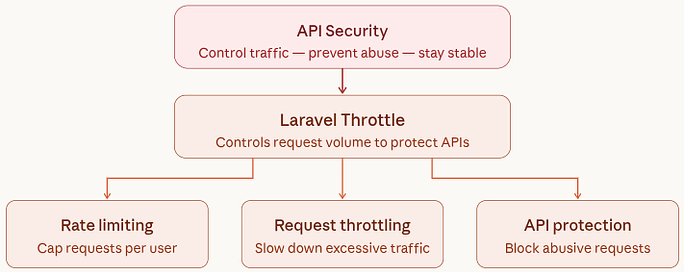
1. Laravel Throttle
Controls the number of requests to prevent API abuse.
Key Features:
- Rate limiting
- Request throttling
- API protection
Why it matters: Provides ready-to-use authentication systems.
Use case: Setting up login and registration quickly.
Example: Adding authentication to a new Laravel app.
Combining Packages for Best Results
Using a single package can solve a specific problem, but combining the right tools can significantly improve your application. When used together, packages for security, performance, and SEO can create a more balanced and efficient system. The goal is to build a stack that works seamlessly.
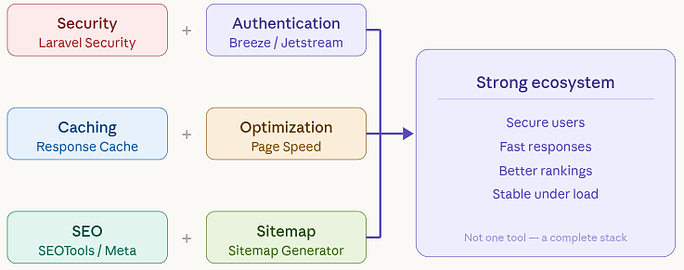
For example:
- Security + Authentication: safer user data
- Caching + Optimization: blazing-fast performance
- SEO + Sitemap: better rankings
Think of it as building a strong ecosystem rather than relying on one tool.
How to Choose the Right Laravel Packages
Selecting Laravel packages isn’t just about popularity, it’s about suitability. You need to consider compatibility, maintenance, and how well the package fits your project requirements. Making thoughtful choices ensures better stability and scalability.
- Active maintenance and updates
- Strong community support
- Compatibility with your Laravel version
- Minimal performance overhead
Best Practices When Using Laravel Packages
Laravel packages can speed up development, but they need to be used wisely. Following best practices like keeping dependencies updated and avoiding unnecessary installations helps maintain performance. A clean and well-managed setup always performs better.
- Avoid installing unnecessary packages
- Regularly update dependencies
- Test before deploying to production
- Monitor security vulnerabilities

Common Mistakes to Avoid
While Laravel packages are helpful, misuse can lead to problems. Installing too many packages or relying on outdated ones can slow down your application and introduce security risks. Being mindful of these mistakes can save you from future headaches. Even experienced developers make these mistakes:
- Installing too many packages
- Ignoring updates
- Not testing performance impact
- Using outdated packages
Remember: more packages do not equals to better performance
Powering Your Laravel Application with ServerAvatar
Building a great Laravel application is only half the job. To truly unlock its performance, security, and scalability, you also need a reliable hosting environment. This is where ServerAvatar comes in.
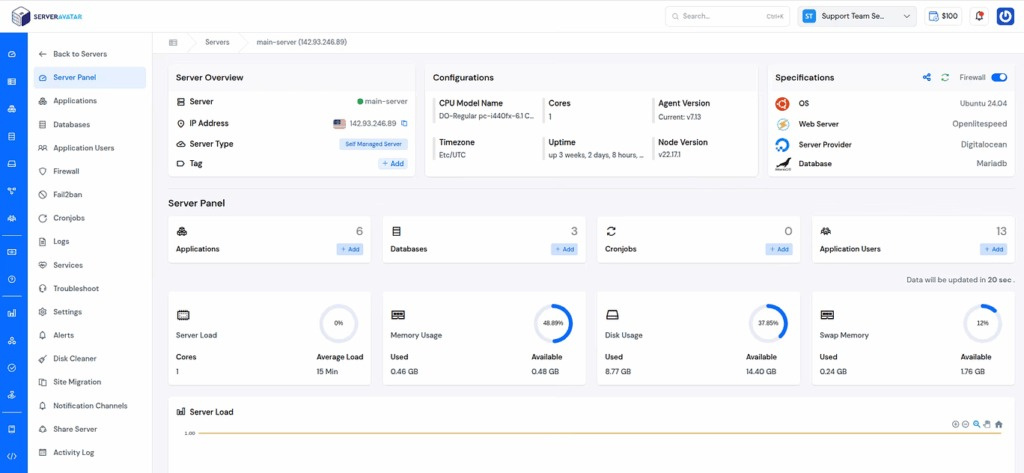
ServerAvatar is a modern server management platform designed to simplify Laravel hosting. Whether you’re a developer, agency, or business owner, it helps you deploy and manage Laravel applications without dealing with complex server configurations.
Instead of spending hours setting up servers manually, ServerAvatar lets you focus on what really matters, building and growing your application.
Key Features of ServerAvatar for Laravel Hosting
ServerAvatar provides everything you need to run Laravel apps smoothly:
- One-click application installer for WordPress and many other popular applications so you can launch sites faster
- Centralized dashboard to manage servers and applications easily
- Built-in performance optimization for better speed and stability
- Redis caching support to improve loading times and user experience
- Strong security features, including automatic free SSL with auto-renewals, firewall, fail2ban, AI bot blocker, 8g firewall, and many more
- Scalable infrastructure that grows with your traffic
- Real-Time Monitoring: Track server health, logs, and performance metrics easily.
- Multi-Server Management: Manage multiple servers and applications from a single dashboard.
Why Use ServerAvatar for Laravel Projects?
When you combine the right Laravel packages with a powerful hosting platform like ServerAvatar, you get:
- Better performance
- Stronger security
- Easier scalability
- Faster deployment
In short, packages enhance your application, while ServerAvatar ensures it runs flawlessly in production.
Conclusion
Laravel packages are more than just add-ons, they’re essential tools that help you build smarter, faster, and more secure applications. From strengthening security with tools like authentication and access control, to improving performance with caching and optimization, and boosting visibility through SEO packages, each category plays a unique role in your app’s success. The key is not to use as many packages as possible, but to choose the right combination that aligns with your project goals. When used thoughtfully, these packages can transform a good Laravel application into a highly efficient, scalable, and production-ready system.
FAQs
1. What are Laravel packages?
Laravel packages are reusable components that extend the functionality of the Laravel framework, allowing developers to add features without building everything from scratch.
2. Are Laravel packages safe to use?
Most Laravel packages are safe if they are actively maintained, well-documented, and widely used by the community; always review updates and security practices before installing.
3. How do I choose the best Laravel packages for my project?
Focus on packages that are regularly updated, compatible with your Laravel version, and solve a real problem without adding unnecessary complexity.
4. Can using too many Laravel packages affect performance?
Installing too many packages can slow down your application and increase dependencies, so it’s important to use only what you truly need.
5. Which Laravel packages are best for improving SEO?
Packages that manage meta tags, generate sitemaps, and create clean URLs are most effective for improving SEO in Laravel applications.
6. Do Laravel packages work with all Laravel versions?
Not always; each package supports specific Laravel versions, so it’s important to check compatibility before installation.