

Ever launched a website only to find something broke the moment users arrived? It’s frustrating and entirely avoidable with the right PHP testing tools in your workflow. Whether you’re a solo developer or managing a team, testing catches mistakes before your users ever see them.
In this guide, we’ll walk through the best PHP testing tools available today, with honest takes on which ones are worth your time, which ones are overkill, and how to pick the right combination for your project.
Why PHP Testing Matters
Writing flawless code on the first attempt is nearly impossible. Even small mistakes, a missed validation, an unhandled edge case, an API that changed without notice, can lead to big issues in production. PHP testing helps you catch problems early, before they become expensive to fix.
Testing helps you:
- Detect errors before deployment: identify bugs while they’re still cheap to fix
- Improve code quality: writing testable code forces better structure and cleaner design
- Save time on debugging: a failing test tells you exactly where something broke, often before you even open a debugging tool
- Build user trust: a well-tested app delivers a smoother, more reliable experience
I’ve been burned enough times by skipping tests to know: the hour you spend writing tests is always less than the afternoon you spend firefighting a production bug.
Types of PHP Testing Explained
Unit Testing: Tests individual functions or methods in isolation, no database, no API calls, no file system. Unit tests catch bugs in your logic. They don’t catch the bug that surfaces when your function talks to something else. Keep them fast and focused; a slow unit test is a sign that something is wrong with the test, not the code.
Integration Testing: Tests how multiple components work together, database connections, API calls, file handling. This is where most real bugs hide, the code is correct in isolation and breaks when pieces connect. Integration tests are slower than unit tests and harder to debug, but they’re essential for catching the bugs unit tests can’t.
Functional Testing: Tests specific features from the user’s perspective, clicking buttons, filling forms, and navigating pages. Does the login form actually log the user in? This is testing behavior, not code. Functional tests are valuable because they catch bugs in the actual user experience, not just the logic underneath. Does the login form actually log the user in? This is testing behavior, not code.
Acceptance Testing: Tests whether the application meets real-world requirements. Often the final gate before deployment, did we build what the user actually asked for? Acceptance tests are usually written by or with product managers and QA, not just developers. They’re the broadest level of testing and the closest to “does this work the way it’s supposed to.
You don’t need all four for every project. But knowing what each one does helps you choose the right tools.
PHPUnit: The Industry Standard
PHPUnit is the default starting point for most PHP developers, and for good reason. It’s mature, stable, and backed by years of community trust. If you’re only going to use one testing tool, make it PHPUnit.
That said, PHPUnit has a learning curve. The syntax can feel verbose when you’re starting out, and the configuration options are extensive enough to overwhelm a beginner. But once it clicks, it becomes the backbone of everything else.
My take: I still reach for PHPUnit on every project, even when newer tools offer flashier syntax. The stability and community support are worth the verbosity.
PHP Testing Tools for Web Development
Below are the tools that help identify bugs, automate testing, and ensure everything works as expected before deployment.
1. Codeception: All-in-One Testing Framework
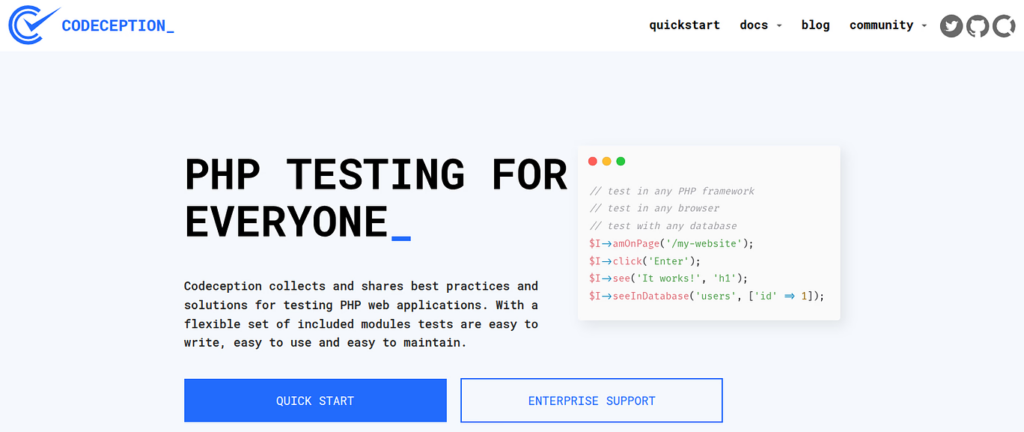
Codeception wraps unit, functional, and acceptance testing into a single tool with a consistent interface. What I like: you can write a functional test that clicks through your web app and a unit test for your API in the same project, using the same syntax.
The trade-off: Codeception adds an abstraction layer. When something goes wrong in your test setup, debugging through that layer takes extra time.
Best for: Developers who need functional and acceptance testing without managing multiple tools.
2. Behat: Behavior-Driven Testing Made Easy
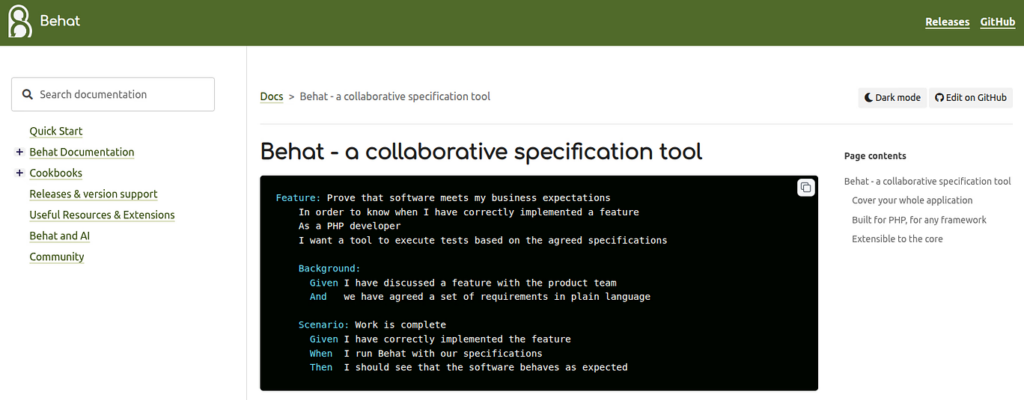
Behat Behat takes a different approach. Instead of writing tests in PHP, you write scenarios in plain English:
Given I am logged in
When I click "Delete Post"
Then I should see a confirmation messageThis is immediately intuitive for non-developers. I’ve used Behat on projects where product managers and QA engineers write acceptance criteria directly in Gherkin, it genuinely bridges the communication gap.
Best for: Teams with mixed technical, non-technical stakeholders.
3. PHPSpec: Test-Driven Development Tool
PHPSpec encourages you to write specifications first and let the tool generate the scaffold. If you’re the kind of developer who sketches out your classes before typing them out, PHPSpec feels natural.
One genuine strength: On a project where I migrated a poorly structured payment module, PHPSpec’s requirement to define object behavior before writing code forced me to rewrite it cleaner than I would have otherwise. The refactor took half a day but the module has needed zero changes in eighteen months. It leads to genuinely cleaner architecture on projects where long-term maintainability matters.
Best for: Developers committed to TDD who want testing to drive their design process.
4. Kahlan: Modern Testing Framework
Kahlan is the tool I’d point to if you want something that feels modern without the legacy weight of PHPUnit. It uses a describe/it syntax that’s clean and fast.
What stands out: I used Kahlan on a small internal API project where the team was new to testing. The describe/it syntax lowered the barrier enough that the team wrote tests before features, which hadn’t happened with PHPUnit. The readable output made code reviews faster because non-test code was easier to isolate. For projects where you’re writing a lot of tests, readable test output matters more than you’d think.
The catch: smaller community. Documentation is adequate, but you’re more likely to need to dig into source code than find a quick Stack Overflow answer.
Best for: Developers who want a modern syntax and are comfortable with a smaller community ecosystem.
5. Pest: Elegant and Simple Testing
Pest is built on top of PHPUnit, you get all of PHPUnit’s stability, but with cleaner syntax. The test(), expect(), and it() functions replace PHPUnit’s verbose public function testSomething() class methods.
What I find valuable: Pest’s plugin system. You can add coverage analysis, parallel execution, and other features without fighting with PHPUnit’s configuration files.
The honest caveat: Pest is still relatively young. If you’re on a large team where everyone knows PHPUnit, Pest’s differences can create friction.
Best for: Solo developers and small teams who want cleaner test code without leaving PHPUnit’s ecosystem.
6. Selenium: Browser Automation Testing
Selenium fills a gap none of the other tools touch: it tests your application in a real browser. Nothing else simulates what a user actually experiences, clicking buttons, filling forms, navigating pages.
The trade-off is always speed. On an e-commerce project, we used Selenium for checkout flow tests, clicking through the full purchase path, including payment. It caught a PayPal redirect bug that no unit test would have surfaced. The suite took 40 minutes to run, so we limited it to the final pre-deploy check, not the regular TDD loop. I treat Selenium tests as a final check, not a first line of defense.
Best for: Applications with complex frontend behavior, cross-browser compatibility requirements, and teams with dedicated QA infrastructure.
7. Mockery: Mock Objects in PHP
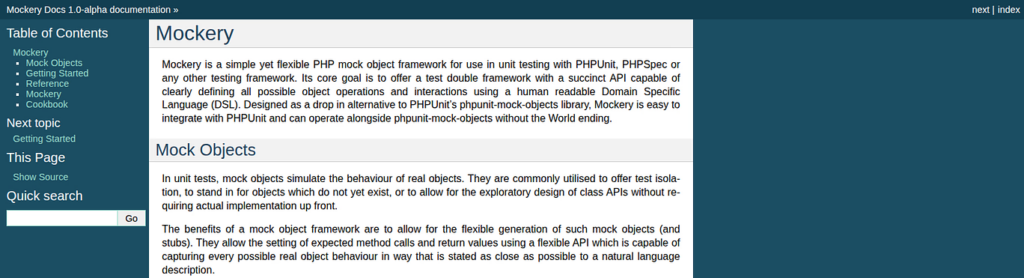
Mockery isn’t a testing framework, it’s a mocking library that works alongside PHPUnit. Its job is to simulate a dependency so you can test a unit in isolation without hitting the actual database, API, or external service.
On a project testing a notification service that depended on an external SMS API, Mockery let me test the service without hitting the API during development. The mock returned the exact response structure the API would send, so when the API vendor changed their payload format, the test caught it before we went live. Once you’re used to it, though, it reads almost like English.
Best for: Any project where unit tests need to isolate components without real dependencies. Pair it with PHPUnit.
8. Paratest: Speed Up Testing
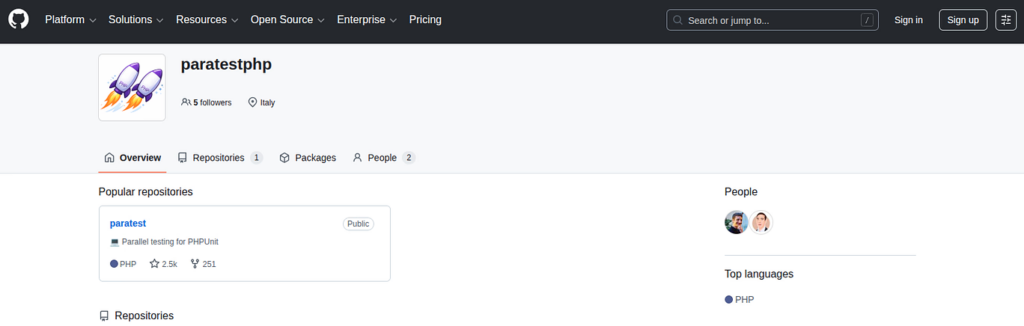
Paratest solves a specific problem: your test suite is slow because it’s running sequentially. If you have hundreds of tests, they add up. Paratest runs your PHPUnit tests in parallel using multiple processor cores.
This one is already experience-based. Keep it as-is. For teams using CI/CD, that difference directly affects deployment speed.
Best for: Large projects with slow test suites, especially those with CI/CD pipelines.
Choosing the Right PHP Testing Tool
Here’s a practical way to think about it:
Start with PHPUnit: it’s the foundation that everything else builds on. If you only learn one tool, make it this one.
Then expand based on your needs:
- Need functional/acceptance tests?
Add Codeception - Have non-technical stakeholders?
Add Behat - Want cleaner syntax?
Try Pest (still uses PHPUnit underneath) - Running a large suite that’s slow?
Add Paratest - Need browser automation?
Add Selenium - Writing isolated unit tests?
Add Mockery
Most professional PHP projects end up using PHPUnit + Mockery at minimum, with one or two additional tools depending on the project’s needs.
Common Mistakes to Avoid
After years of working with testing tools, and making most of these mistakes myself:
Skipping tests due to time pressure: The most common mistake. I once spent an entire Friday afternoon debugging a production data inconsistency that a twenty-minute integration test on the Friday before would have caught. The test didn’t exist because we were moving fast. The afternoon fixing production was more expensive than the twenty minutes would have been.
Writing overly complex tests: If your test setup is more complicated than the code it’s testing, something is wrong. Tests should be simple and focused. If a test fails, you should immediately understand why.
Ignoring failing tests: On a project I inherited, the test suite had been red for three months before I arrived. Nobody fixed it because nobody knew how long it would take to fix or whether the failures were real bugs. The answer turned out to be both, there were real bugs, and the test setup had also rotted. Cleaning it up took a week. If one person had fixed it when it first went red, it would have been an hour.
Not updating tests when code changes: After a significant API change in a payment module, tests kept passing while production payments silently failed. The tests were testing the old response format. We didn’t update the tests because the CI pipeline was green, and that green pipeline gave us false confidence that everything worked. It took a customer complaint to surface the problem.
Treating test coverage as a goal: 100% coverage is not the point. Useful tests that catch real bugs is the point. Coverage is a metric, not a destination.

Best Practices for PHP Testing
A few principles that have held up across every project I’ve worked on:
Write tests during development, not after: TDD isn’t dogma, but writing tests after the fact means you’re testing what you already know works, not what you might have broken elsewhere.
Name tests descriptively: testUserCannotLoginWithInvalidPassword tells you more than testLogin4. When a test fails in a large suite, descriptive names save hours of investigation.
Keep tests independent: Each test should be able to run on its own, in any order. Tests that depend on each other’s state create a house of cards.
Automate testing in your CI/CD pipeline: If running tests requires a manual step, they won’t get run consistently. Every code push should trigger the test suite automatically.
Run tests regularly during development: not just at deployment. The sooner a bug is caught, the cheaper it is to fix.
Disclosure: This article includes a brief mention of ServerAvatar, a server management platform. I link to it because I find it relevant to the deployment workflow discussed here.
Final Verdict on PHP Testing Tools
There is no single perfect testing tool, and any blog post that tells you there is is probably selling you something. PHPUnit is the standard for a reason, but the ecosystem around it has grown to serve different needs.
My recommendation: start with PHPUnit, add Mockery for dependency isolation, and let your project’s specific needs guide which of the other tools you add. The testing discipline matters more than the specific tool. A developer who writes focused, reliable tests with PHPUnit will always outperform one who has every tool installed and runs none of them.
If you’re serious about PHP development, testing isn’t optional. It’s the difference between shipping code you’re confident in and crossing your fingers every time you deploy.
About the Author
This guide is based on years of building and maintaining PHP applications, from small client projects to production systems handling real users and real money. Every tool recommendation here reflects something I’ve actually used in a real development environment, not a feature comparison I pulled from documentation.
FAQs
1. Which PHP testing tool should I start with as a beginner?
Start with PHPUnit. It has the largest community, the best documentation, and every other PHP testing tool builds on its concepts. Once you’re comfortable writing unit tests, add tools based on what your projects actually need.
2. Is PHP testing necessary for small projects?
Yes, even one or two tests on your most critical functions is enough to catch bugs that would otherwise reach production. The setup time is under an hour. The alternative is debugging a live bug that could’ve been caught in five minutes.
3. Can I use multiple PHP testing tools in one project?
Yes, Most professional projects use PHPUnit with Mockery as a foundation, then add tools like Behat or Codeception based on project needs.
4. How often should I run tests during development?
Run the full suite before every commit and before every deployment. The more often you run tests, the cheaper it is to fix whatever they catch. Consistency matters more than exact frequency, build the habit.
5. How does automated testing fit into CI/CD pipelines?
The pipeline runs your full test suite automatically on every push. If any test fails, the deployment stops. GitHub Actions, GitLab CI, and Jenkins all support PHPUnit out of the box, your test suite becomes a gatekeeper, not a manual step.