

Automation is no longer a nice to have. It’s the quiet engine running behind countless digital tasks. If you’re using n8n, you already know how powerful workflow automation can be. But here’s the big question: where should you host it? Choosing the right n8n Hosting solution can directly impact your performance, security, scalability, and overall automation experience.
Choosing the right n8n hosting provider is like picking a place for your automation. A shaky foundation leads to broken workflows, missed triggers, and endless frustration. A solid one? Smooth operations and peace of mind.
In this guide, I will break everything down in simple terms, without buzzwords, hype, just clear guidance you can actually use.
What Is n8n and Why Hosting Matters
n8n is a workflow automation tool that connects apps, services, and processes together. Think of it as a digital conductor, making sure every instrument plays at the right time.
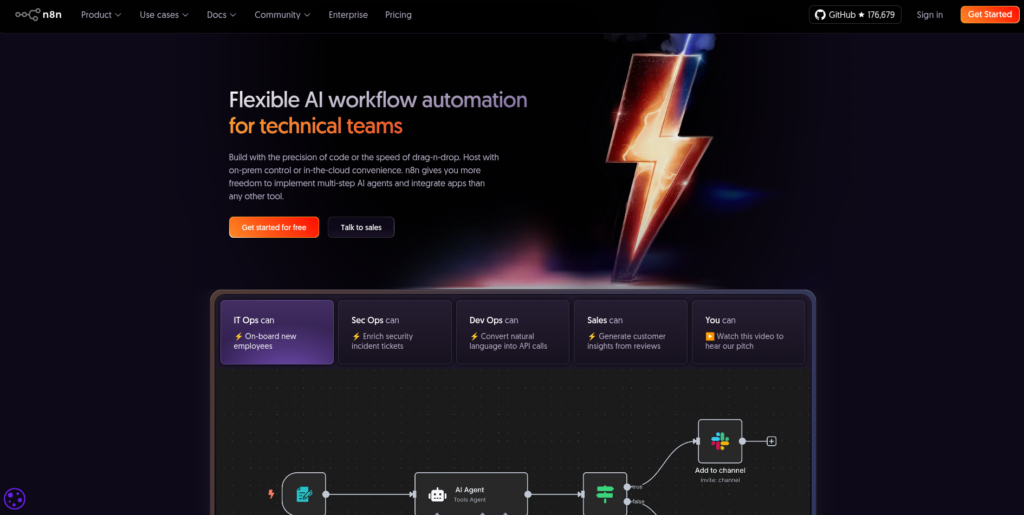
But even the best conductor needs a proper stage. Hosting determines how fast, secure, and reliable your workflows are. Poor hosting can cause delays, failures, or downtime. Good hosting keeps everything running quietly in the background, just the way automation should.
Understanding n8n Hosting in Simple Terms
Choosing the right n8n hosting is not just about server space, it’s about long-term reliability and ease of use. The right hosting choice ensures your automation runs smoothly today and continues to scale as your needs grow.
Key Factors to Consider When Choosing n8n Hosting
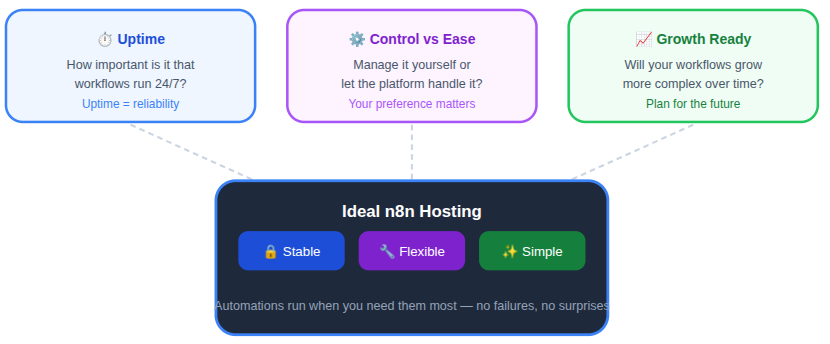
Before picking any hosting provider, pause and ask yourself a few questions:
- How important is uptime?
Uptime determines whether your workflows run continuously or fail during critical moments. - Do I want control or convenience?
This decides whether you manage technical details yourself or let the platform handle them. - Will my workflows grow over time?
Growth-ready hosting prevents future migration headaches as automation becomes more complex.
The best n8n hosting providers focus on stability, flexibility, and simplicity. They don’t just offer space on a server; they offer confidence that your automations won’t fail when you need them most.
Performance and Reliability
Automation must be fast and dependable to stay useful. Hosting performance directly affects how quickly workflows trigger, process data, and complete tasks without interruption.
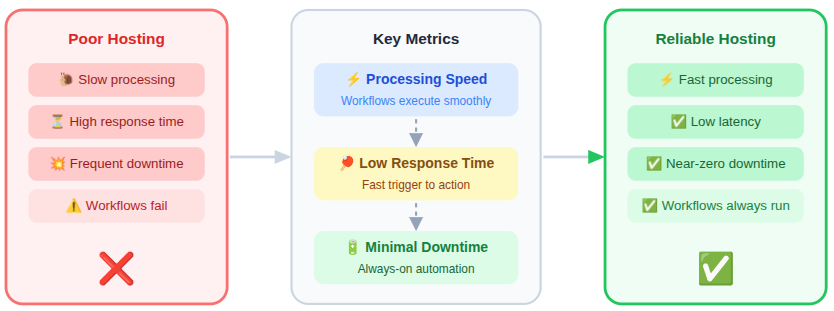
- Consistent processing speed
Ensures workflows execute smoothly even during repeated or scheduled runs. - Low response time
Reduces delays between triggers and actions across connected services. - Minimal downtime
Keeps automation running continuously without unexpected failures.
A reliable hosting setup ensures that even complex workflows don’t feel heavy or delayed. If automation is the engine, performance is the fuel quality. Cheap fuel leads to breakdowns.
Scalability: Planning for Growth Without Stress
You might start with a few simple workflows, but success often brings complexity. More triggers. More data. More actions.
Scalable n8n hosting lets you grow without rebuilding everything. Whether it’s handling more tasks or running workflows more often, scalability ensures your automation grows alongside your needs, not against them.
Security Essentials
Automation often handles sensitive information, making security a top priority. Strong hosting security protects workflows from data leaks, misuse, and unauthorized access.
- Data isolation: Keeps your automation data separate from other users on the same infrastructure.
- Secure access controls: Ensure only authorized users can manage workflows and settings.
- Regular system updates: Help protect against newly discovered security vulnerabilities.
- Encrypted communication: Safeguards data while it moves between workflows and connected services.
Think of security like locks on your doors. You may never notice them, but when something goes wrong, you’re glad they’re there.
Ease of Setup and Daily Management
Not everyone wants to manage servers daily, and hosting should respect that. A simple setup and clean management tools make automation easier to maintain long term.
- Quick setup: Allows users to deploy n8n without long installation steps.
- Clear dashboards: Makes monitoring servers and workflows straightforward.
- Simple workflow monitoring: Helps track execution status without technical complexity.
If managing hosting feels harder than building workflows, something’s off.
Customization and Control Options
Different users need different levels of flexibility. The best n8n hosting solutions offer control without overwhelming complexity.
- Adjusting resource limits: Allows performance tuning based on workflow demand.
- Configuring environment settings: Helps adapt hosting behavior to specific automation needs.
- Managing workflow execution rules: Gives control over how and when workflows run.
Control doesn’t mean complexity. It means freedom without chaos.
Pricing Models and Cost Transparency
Clear pricing builds trust and avoids surprises. In 2026, hosting costs should scale logically with usage.
- Clearly explains what you pay for: Helps users understand charges without confusion.
- Scales cost with usage: Ensures you only pay more when automation grows.
- Avoids hidden limits: Prevents unexpected restrictions on workflows or resources.
A good pricing model feels predictable, like a monthly utility bill, not a guessing game.
Support and Documentation Quality
Even reliable systems need support occasionally. Good documentation and responsive help reduce downtime and frustration.
- Clear documentation: Helps users resolve common issues independently.
- Helpful support channels: Provides access to assistance when needed.
- Timely responses: Minimizes delays during critical automation issues.
Good support doesn’t just fix problems. It prevents panic.
Compliance and Data Handling Considerations
Modern automation must respect data standards and handling practices. Hosting providers play a key role in ensuring responsible data management.
- Data storage policies: Define how and where automation data is stored.
- Access logs: Track activity for transparency and auditing.
- Backup practices: Protect workflows and data from accidental loss.
Even if you’re not a compliance expert, your hosting choice should respect modern data expectations.
Top n8n Hosting Providers to Consider in 2026
Choosing the right hosting provider is a crucial step when running n8n workflows efficiently. Each hosting option comes with its own strengths, limitations, and pricing approach, which can directly affect performance, scalability, and ease of management.
Below are some of the most reliable n8n hosting providers, breaking down what they offer so you can compare them easily and pick the one that best fits your automation needs.
1. ServerAvatar
ServerAvatar is a platform to simplify the hosting and management of servers and applications. It simplifies the process of deploying and managing PHP and Node.js based web applications on servers.
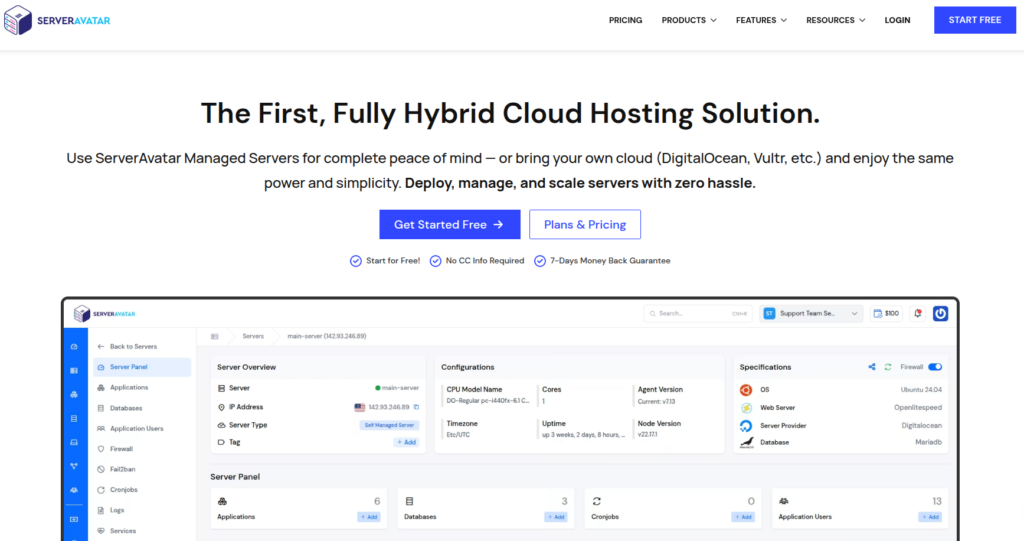
It is designed for reliable automation hosting with intuitive infrastructure management. It blends simplicity with performance, making it easy to run n8n workflows without deep server expertise.
Why ServerAvatar Stands Out for n8n Hosting
ServerAvatar stands out because it focuses on automation-first hosting rather than raw infrastructure. Instead of complex manual setup, it prioritizes speed, stability, and ease of use for workflow-driven tools like n8n.
Its design removes common friction points that slow down automation deployment.
What Makes ServerAvatar Different for n8n Hosting
Unlike many hosting platforms that treat n8n as a generic application, ServerAvatar is structured to support automation use cases from the start.
Key differentiators include:
- One-click n8n application installer
- User-friendly dashboard and controls
- One-click setup for applications
- Automated backups and security updates
- Scalable resources on demand
Advantages:
- Fastest n8n setup among listed providers
- Minimal technical setup required
- Centralized server and application management
- Resources can be adjusted easily
- Built-in security defaults
Best For:
Users who want the easiest and most reliable way to deploy n8n without dealing with complex server setup.
Pricing:
- Fully Managed Pay-As-You-Go plans
- Self-Managed Server plan starting at $69/month
- No hidden installation or setup costs
Real World Performance:
- Fast and consistent workflow execution
- Stable uptime across automation tasks
- Easy resource scaling as automation grows
Why Use ServerAvatar for n8n
ServerAvatar is useful when your goal is to start automating quickly without spending time on server-level configuration.
It allows users to focus on building workflows rather than maintaining infrastructure.
How ServerAvatar Compares to Other n8n Hosting Providers
Most other hosting providers emphasize flexibility and raw control, which often means:
- Manual installations
- Command-line configuration
- Ongoing server maintenance
ServerAvatar takes a simpler approach by:
- Reducing setup steps
- Offering a more guided hosting experience
This makes it easier for non-experts while still supporting growth.
How to Install n8n Using ServerAvatar
- Log in to the ServerAvatar Dashboard
- Deploy a new server or select a previous Server
- Go to the server panel and click on the application sections
- Click on the Create an Application button
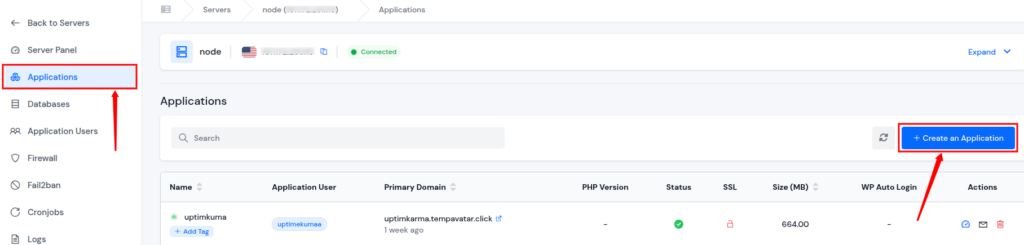
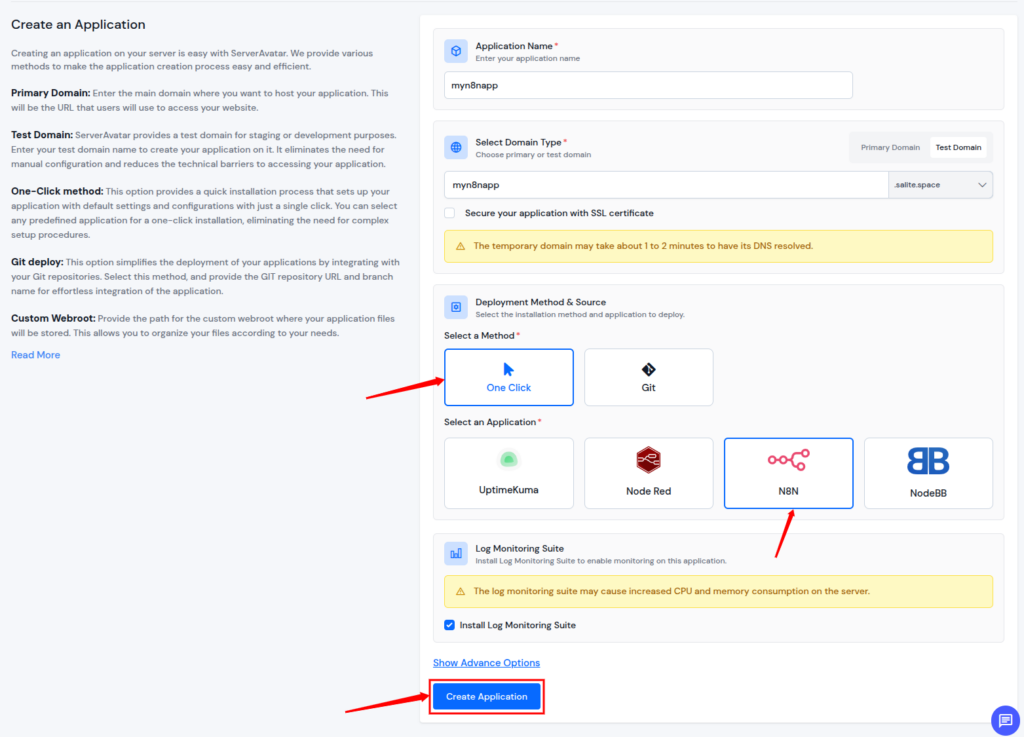
- Create a new application as a one-click application installer
- Select n8n from the Application List and fill up basic details
- Deploy n8n with One Click, and Access Your n8n Dashboard
Why This Installation Method Matters
Traditional n8n installations can involve multiple technical steps that slow down adoption.
ServerAvatar’s one-click installation:
- Reduces setup time significantly
- Lowers the risk of configuration errors
- Makes n8n accessible to non-technical users
This simplicity is a key reason many users prefer managed automation hosting.
2. xCloud
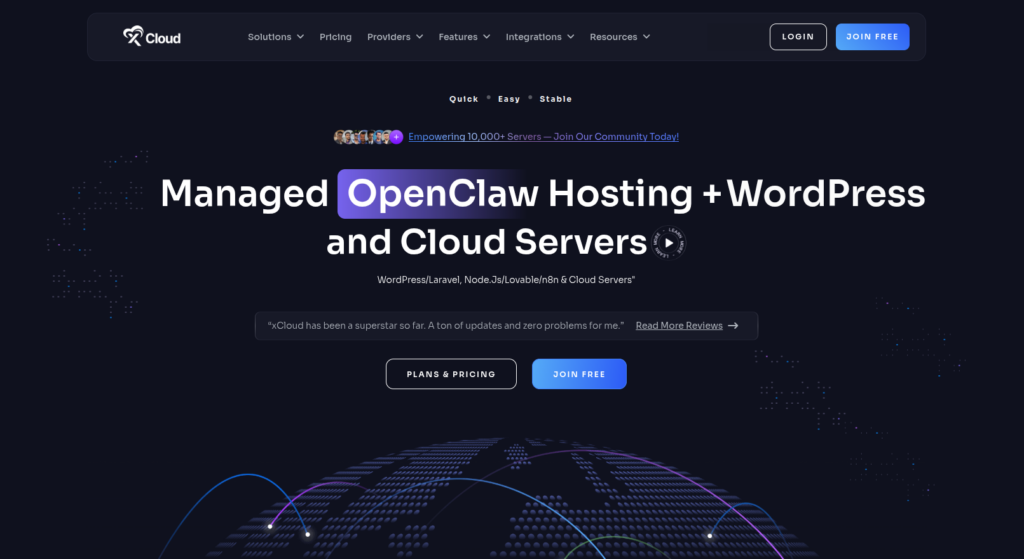
xCloud offers cloud-based hosting optimized for developer workflows and automation. It combines agile infrastructure with predictable performance metrics, ideal for continuous n8n operations.
Key Features:
- Cloud native architecture
- API-based management tools
- Global server footprint
- Fine-grained resource control
Advantages:
- Flexible infrastructure options
- Strong API integrations
- Good connectivity across regions
- Easy to automate deployments
Disadvantages:
- Cloud pricing can fluctuate
- Setup may feel technical for new users
- Support can vary by plan
Best For:
Users who prefer cloud flexibility and remote infrastructures.
Pricing:
- Compute and storage billed separately
- Volume discounts available
- Add-on services priced individually
Real World Performance:
- Fast response times in most zones
- Scales well during peak load
- Minimal latency for remote workflows
- Consistently reliable
Why Use:
For cloud-centric automation needs with flexible control.
3. Kamatera
Kamatera delivers high-performance virtual servers that can be tailored for n8n hosting. It provides raw computing power with customizable infrastructure stacks.
Key Features:
- Fully customizable cloud servers
- Choice of OS and stack config
- High availability clusters
- 24/7 support options
Advantages:
- Full server control
- Excellent performance options
- Supports a wide range of setups
- Rapid provisioning
Disadvantages:
- More manual setup compared to managed hosts
- Can be overwhelming for beginners
- Monitoring and tuning are user’s responsibility
Best For:
Tech users who want full control over infrastructure.
Pricing:
- Hourly and monthly billing
- Pay for specific compute, RAM, and storage
- Add-ons for load balancers and backups
Real World Performance:
- Excellent throughput
- High uptime reliability
- Strong for heavy-duty workflows
- Performance varies with chosen config
Why Use:
When you want complete control over your n8n hosting stack.
4. Hostinger
Hostinger blends simplicity with value-focused cloud hosting, making it suitable for cost-conscious n8n users. It emphasizes speed and affordability while maintaining essential features.

Key Features:
- Intuitive control panel
- Optimized server stack
- Integrated cache and performance tools
- Secure default settings
Advantages:
- Budget-friendly pricing
- Easy setup for basic needs
- Good support network
- Built-in performance enhancements
Disadvantages:
- Not as flexible for complex automation
- Resource limits on lower plans
- Scaling can be incremental
Best For:
Small to medium n8n workflows on a budget.
Pricing:
- Affordable monthly tiers
- Discounts for longer plans
- Optional add-ons for backups and SSL
Real World Performance:
- Fast basic workflows
- Good uptime history
- Light-to-medium load handling
- Performance efficient at entry tier
Why Use:
For cost-effective hosting with solid baseline performance.
5. IONOS
IONOS offers a blend of traditional hosting reliability and modern features. Its infrastructure is stable and predictable, supporting n8n workflows with consistent uptime.
Key Features:
- Dedicated and cloud server options
- Integrated security suite
- User-friendly control panel
- Flexible resource allocation
Advantages:
- Strong track record for reliability
- Scalable server options
- Centralized security controls
- 24/7 expert support
Disadvantages:
- Pricing can be rigid
- Some tools feel legacy-oriented
- Advanced features may require experience
Best For:
Users seeking reliable performance with scalable options.
Pricing:
- Tiered plans based on server size
- Optional backup and security features
- Discounts on long-term contracts
Real World Performance:
- Stable uptime and predictable responses
- Minimal slowdowns under typical use
- Resource upgrades improve throughput
Why Use:
For dependable infrastructure with flexible server plans.
6. HostArmada
HostArmada emphasizes performance-focused servers with managed support. It’s ideal if you want n8n hosting that feels hands-off yet responsive.

Key Features:
- SSD cloud storage
- Automatic backups
- Managed performance monitoring
- Easy setup wizard
Advantages:
- Fast storage and response times
- Managed support eases maintenance
- Strong uptime guarantees
- Clear plan tiers
Disadvantages:
- Less raw control than VPS options
- Price higher than basic shared hosts
- Advanced customizations can require add-ons
Best For:
Users who want performance without deep admin burden.
Pricing:
- Fixed monthly plans
- Optional resource upgrades
- Performance add-ons available
Real World Performance:
- Quick workflow execution
- High reliability under typical use
- Smooth handling of moderate loads
- Great baseline performance metrics
Why Use:
For managed hosting that prioritizes speed and uptime.
7. Contabo
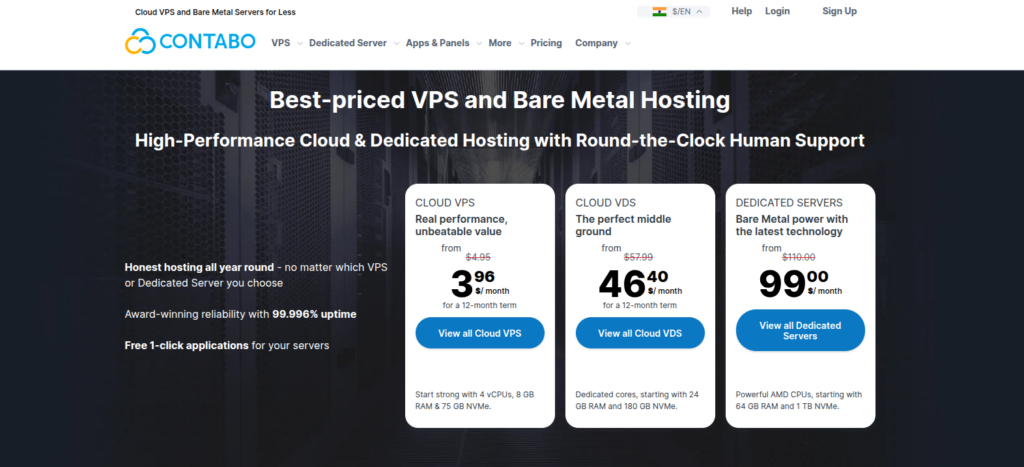
Contabo is known for high resource allocations at competitive prices. It’s a favorite for users needing large server capacities on a budget.
Key Features:
- High RAM and storage options
- Manual server control
- Flexible OS choices
- Affordable scalability
Advantages:
- Excellent value for resources
- Customizable to use case
- Strong performance for heavy workflows
- Transparent pricing
Disadvantages:
- Setup is mostly self-managed
- Support can be slower than premium hosts
- Monitoring tools are basic
Best For:
Resource-intensive n8n workflows on a budget.
Pricing:
- Competitive flat fees
- Tiered by resource size
- Add-ons optional
Real World Performance:
- Strong throughput with large configs
- Can support heavy workloads
- Reliable uptime when properly configured
- Performance scales with resource tier
Why Use:
For high-capacity hosting without high cost.
8. Scala Hosting
Scala Hosting combines managed support with scalable performance. It’s a balanced choice for users who want both power and convenience for n8n workflows.
Key Features:
- Fully managed server options
- Scalable cloud and VPS plans
- Built-in security features
- Professional support
Advantages:
- Strong performance with management support
- Scales with workload demands
- Secure configuration defaults
- Good documentation
Disadvantages:
- Slightly higher cost than bare-bones hosts
- Advanced features may need support help
- Performance depends on chosen plan
Best For:
Users seeking a blend of power and manageability.
Pricing:
- Managed hosting tiers
- Resource add-ons available
- Optional security and backup bundles
Real World Performance:
- Consistent execution speeds
- Low downtime streaks
- Good handling of variable workflows
- Scaling maintains performance
Why Use:
For balanced hosting with performance and support.
n8n Hosting Comparison
The table below compares key factors that matter most when hosting n8n. While many providers offer solid infrastructure, ease of deployment, automation readiness, and management simplicity are where the real differences appear.
| Feature | ServerAvatar | xCloud | Kamatera | Hostinger | IONOS | HostArmada | Contabo | Scala Hosting |
| One-Click n8n Installer | Yes | No | No | No | No | No | No | No |
| Setup Time | Minutes | Moderate | Long | Moderate | Moderate | Moderate | Long | Moderate |
| Ease of Use | ⭐⭐⭐⭐⭐ | ⭐⭐⭐⭐ | ⭐⭐⭐ | ⭐⭐⭐⭐ | ⭐⭐⭐ | ⭐⭐⭐⭐ | ⭐⭐⭐ | ⭐⭐⭐⭐ |
| Server Management Effort | Very Low | Medium | High | Medium | Medium | Low | High | Low |
| Scalability | Easy & Guided | Flexible | Manual | Limited | Moderate | Moderate | Manual | Guided |
| Best For n8n Beginners | ✅ Yes | ✅ Yes | ❌ No | ✅ Yes | ❌ No | ✅ Yes | ❌ No | ✅ Yes |
Common Hosting Mistakes to Avoid
Many users choose hosting too quickly and regret it later. Avoiding mistakes can save time, and frustration.
- Choosing the cheapest option blindly: Low cost often sacrifices performance and reliability.
- Ignoring scalability needs: Leads to migration issues as automation grows.
- Overlooking security basics: Puts sensitive workflow data at risk.
Avoid these, and you’re already ahead of the curve.

How to Match Hosting With Your Automation Goals
Ask yourself: What do I want automation to do for me?
Your hosting choice should align with what you expect automation to achieve. Different goals require different priorities.
- If your goal is reliability, prioritize uptime: Ensures workflows run without interruption.
- If growth matters, focus on scalability: Supports expanding automation needs.
- If simplicity is key, choose ease of management: Reduces technical workload..
The best n8n hosting provider is the one that fits your goals, not someone else’s.
Conclusion
Choosing the right hosting for n8n is less about finding the most powerful server and more about finding the right balance between performance, reliability, scalability, and ease of use. As automation becomes a core part of daily digital operations, hosting plays a silent but critical role in keeping workflows fast, secure, and dependable. Whether you value quick setup, long-term scalability, cost transparency, or hands-off management, the best hosting choice is the one that aligns with your automation goals today while still supporting growth tomorrow. A solid hosting foundation ensures your workflows run smoothly in the background, exactly how automation should work.
FAQs
1. What is the best type of hosting for n8n?
The best hosting depends on your needs, but most users benefit from hosting that offers strong performance, easy setup, scalable resources, and built-in security for automation workflows.
2. Can n8n run reliably on budget hosting plans?
Yes, n8n can run on budget-friendly hosting for small or moderate workflows, but long-term reliability improves with better performance guarantees and scalable infrastructure.
3. Why does uptime matter so much for n8n hosting?
Uptime ensures your workflows run continuously without missed triggers or failed executions, which is critical for time-sensitive or recurring automations.
4. Is managed hosting better than self-managed hosting for n8n?
Managed hosting is often better for users who want simplicity and less maintenance, while self-managed hosting suits users who prefer full control and customization.
5. How do I choose the right n8n hosting provider for my goals?
Start by defining your priorities, speed, growth, simplicity, or control, then choose a hosting provider that aligns with those goals rather than focusing only on price.