

Opening Google Analytics for the first time can feel confusing rather than helpful. While it offers deep insights, the interface isn’t always easy to navigate, especially when you’re trying to manage everything from inside WordPress. That’s where Google Analytics plugins come in, making it easier to connect your site, track performance, and understand your data without dealing with complex setups.
That’s where WordPress analytics plugins come into play. Instead of switching between platforms, these tools bring your website data directly into your dashboard, making tracking simpler and more accessible.
However, not every plugin delivers the same experience. Some can affect your site speed, others present too much unnecessary data, and a few complicate tracking instead of simplifying it. In this guide, we’ll break down the most practical options available and help you choose the right one based on your needs.
What is a Google Analytics Plugin?
A Google Analytics plugin acts as a bridge between your WordPress site and your analytics account, allowing you to track visitor activity without manual setup. It handles the technical part, like adding tracking scripts, and displays key insights directly inside your WordPress dashboard.
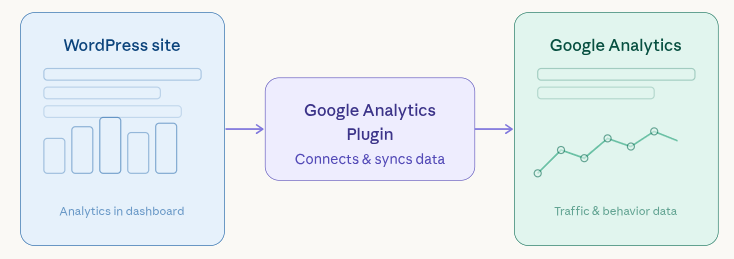
Instead of relying on external tools for every report, these plugins let you view essential data such as traffic trends, user behavior, and engagement metrics in a more convenient and simplified format.
Why Use Google Analytics Plugins for WordPress?
Although you can connect Google Analytics manually, plugins make the process far more efficient and user-friendly. They remove the need for technical configuration and bring valuable insights closer to where you manage your website.
- Quick setup process without editing theme files or code
- Access important data inside WordPress without switching tabs
- Improved tracking capabilities like clicks, events, and user actions
- Saves time by centralizing reporting and insights
- Encourages better decisions with simplified data presentation
Factors to Consider in a WordPress Analytics Plugin
Not every analytics plugin is worth installing. Choosing the right one depends on a few practical factors that directly impact your workflow and website performance.
- Ease of use: The interface should be simple enough to understand without technical knowledge
- Impact on performance: Some plugins add extra load to your site, which can slow it down
- Accuracy of data: Reliable tracking is essential for making the right decisions
- Essential features: Look for options like:
- Event tracking
- eCommerce insights
- Live visitor data
- Custom reporting
- Compatibility: It should work smoothly with your existing plugins, caching setup, and hosting environment
Best Google Analytics Plugins for WordPress
With so many plugins available, picking the right one can quickly become confusing. To save you time, here’s a carefully selected list based on usability, features, and real-world performance.
1. MonsterInsights
MonsterInsights is designed to make website data easier to understand by presenting Google Analytics reports directly inside WordPress in a simplified format.
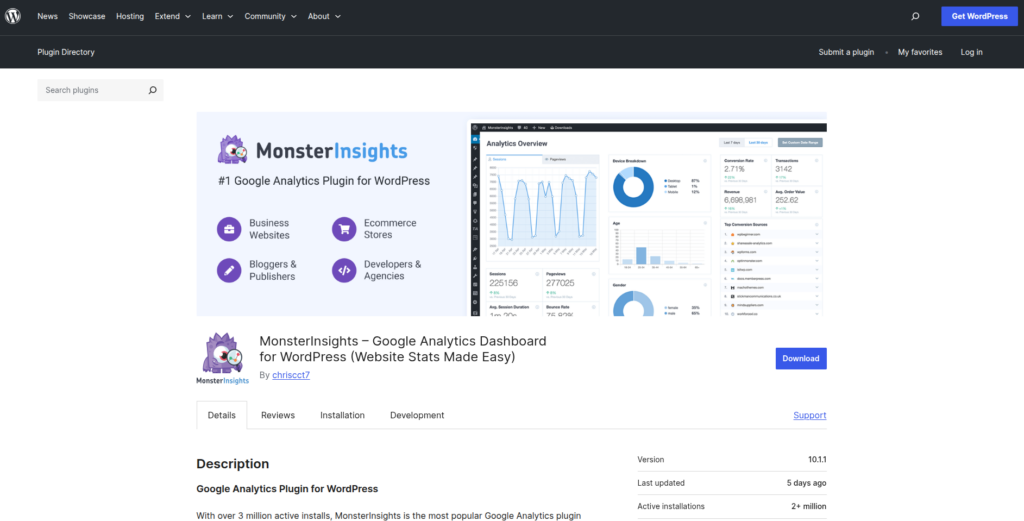
Key Features:
- Real-time stats
- Page-level insights
- Ecommerce tracking
- Affiliate link tracking
- Custom dimensions
Advantages:
- Beginner-friendly interface with clear reports
- Quick and easy Google Analytics setup
- Provides real-time stats and user behavior insights
- Advanced tracking features like eCommerce and conversions
Disadvantages:
- Many advanced options require an upgrade
- Can add extra load on smaller websites
- Limited flexibility in the free version
What Stands Out: It simplifies complex analytics data into a format that’s easier to understand and act on.
Best for: Beginners and marketers who want simplified reporting
Potential Drawback: Full functionality requires a premium plan
2. Site Kit by Google
Site Kit by Google is Google’s official WordPress plugin that connects your website with multiple Google services, offering a centralized view of your site’s performance.
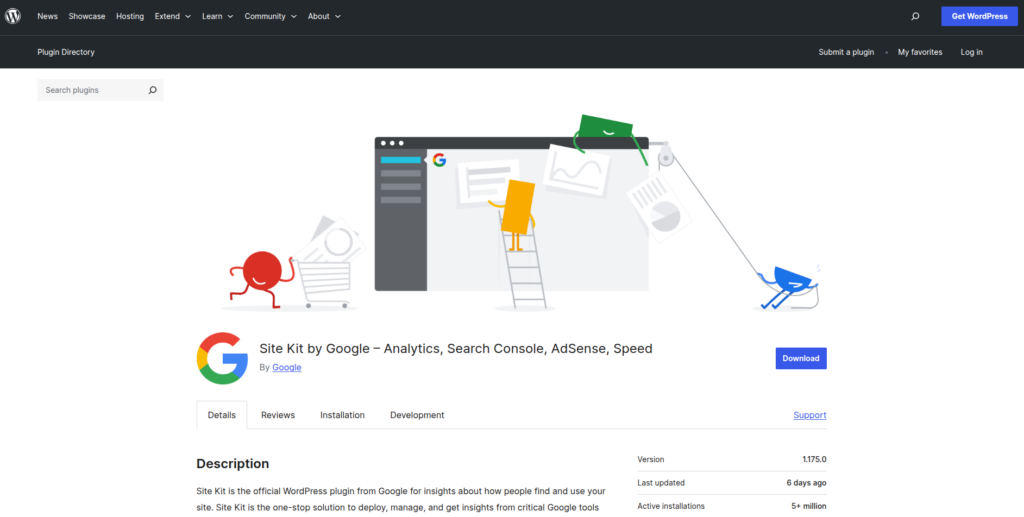
Key Features:
- Official Google integration
- Simple dashboard reports
- Search Console insights
- Core Web Vitals data
Advantages:
- Official plugin built by Google
- Integrates multiple services like Analytics and Search Console
- Completely free to use
- Simple and secure setup process
Disadvantages:
- Limited advanced reporting options
- Interface may feel too basic for experienced users
- Less customization compared to other plugins
What Stands Out: A reliable and lightweight solution with direct Google integration.
Best for: Beginners looking for a simple and official solution
Potential Drawback: Lacks deeper analytics features
3. ExactMetrics
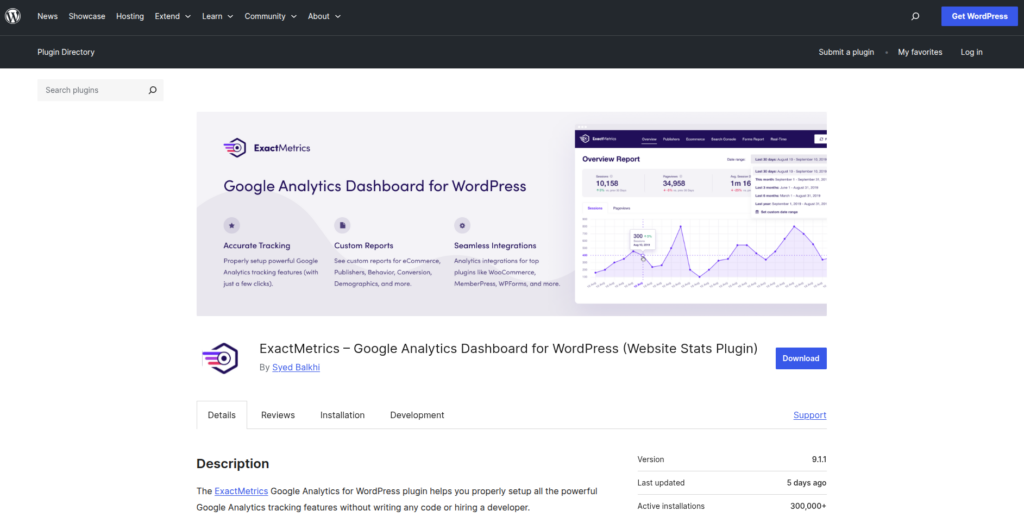
ExactMetrics offers detailed analytics insights while maintaining a structured and easy-to-navigate dashboard experience.
Key Features:
- Real-time analytics
- User behavior tracking
- File download tracking
- Enhanced link tracking
Advantages:
- Detailed reports with actionable insights
- Easy setup and integration with Google Analytics
- Supports advanced tracking like affiliate links and downloads
- Clean and organized dashboard
Disadvantages:
- Premium features require a paid plan
- Interface may feel similar to other plugins without unique value
- Can be overwhelming for beginners
What Stands Out: A balanced mix of simplicity and detailed reporting.
Best for: Users who want deeper insights without losing usability
Potential Drawback: Full feature access requires upgrading
4. Analytify
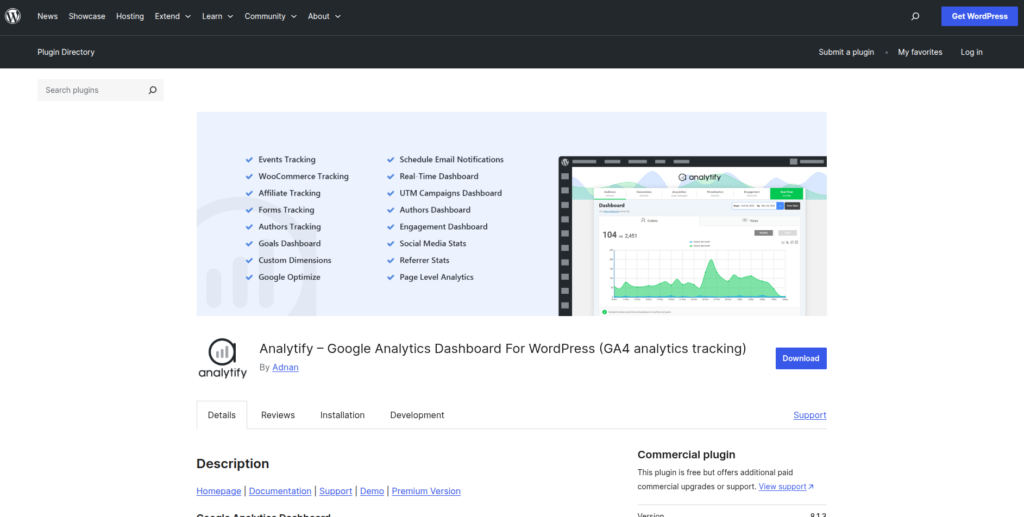
Analytify focuses on presenting analytics data in a visually clean and easy-to-understand format, making it ideal for users who prefer simplified reports.
Key Features:
- Frontend stats view
- Campaign tracking
- Social media insights
- Ecommerce reports
Advantages:
- Beautiful and easy-to-read visual reports
- Beginner-friendly design
- Frontend and backend analytics viewing options
- Good for quick performance insights
Disadvantages:
- Advanced features are locked behind premium plans
- Limited deep data analysis compared to competitors
- Not ideal for highly technical users
What Stands Out: Its visual approach makes analytics less intimidating and more accessible.
Best for: Visual reporting lovers
Potential Drawback: Can feel limited for advanced users.
5. WP Statistics
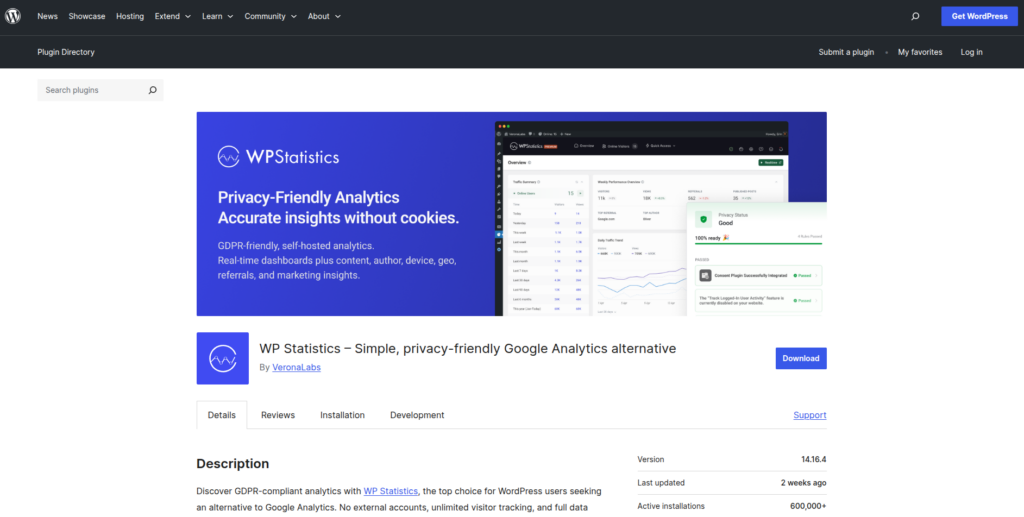
WP Statistics is a privacy-focused analytics plugin that stores all data directly on your server. It’s a good choice for users who want full control over their data.
Key Features:
- GDPR-friendly tracking
- No external data sharing
- Detailed visitor insights
- Referrer tracking
Advantages:
- No dependency on external services like Google Analytics
- Strong focus on user privacy
- Data stored locally on your server
- Simple setup without third-party accounts
Disadvantages:
- Can slow down your website if not optimized
- Lacks advanced insights compared to Google Analytics tools
- Limited scalability for large websites
What Stands Out: Full control over your data.
Best for: Privacy-focused websites
Potential Drawback: Not as powerful or detailed as Google Analytics.
6. GA Google Analytics
GA Google Analytics is a lightweight plugin designed to add tracking code to your website quickly. It’s perfect for users who want a simple, no-frills solution.
Key Features:
- Minimal setup
- Lightweight performance
- No unnecessary bloat
Advantages:
- Extremely lightweight and fast
- Easy to install and configure
- No unnecessary features or clutter
- Works well for basic tracking needs
Disadvantages:
- No built-in analytics dashboard
- Requires manual use of Google Analytics for reports
- Lacks advanced features and insights
What Stands Out: Perfect if you prefer using Google Analytics directly.
Best for: Developers who want a lightweight solution
Potential Drawback: No dashboard insights inside WordPress.
Quick Comparison of Google Analytics Plugins for WordPress
Choosing between multiple plugins can get confusing, especially when many of them offer similar features. To make things easier, here’s a side-by-side comparison highlighting the key differences that actually matter.
| Plugin | Ease of Use | Dashboard Reports | Advanced Tracking | Performance Impact | Best For |
| MonsterInsights | Very easy (beginner-friendly) | Detailed & user-friendly | Strong (eCommerce, events, custom tracking) | Moderate (can be heavy) | Beginners, marketers |
| Site Kit by Google | Easy | Basic but reliable | Limited | Lightweight | Beginners, simple setups |
| ExactMetrics | Easy to moderate | Detailed and structured | Strong (downloads, links, behavior) | Moderate | Users needing more control |
| Analytify | Very easy | Visually rich reports | Moderate | Moderate | Users who prefer visual insights |
| WP Statistics | Easy | Built-in local reports | Limited (no GA integration) | Can be heavy (server load) | Privacy-focused websites |
| GA Google Analytics | Very easy | None (external only) | Minimal | Very lightweight | Developers, minimal setups |
How to Choose the Right Plugin (Based on Your Needs)
Choosing the best Google Analytics plugin WordPress users rely on depends on your goals.
- If you create content or run a blog: Tools like MonsterInsights or Analytify make it much easier to understand your website data at a glance.
- For developers and agencies: GA Google Analytics works well if you prefer a lightweight setup with complete control over tracking.
- For Beginners: Start with Site Kit by Google, it’s simple and reliable.
- For Privacy-Conscious Websites: Choose WP Statistics to avoid external tracking.
Performance Matters More Than You Think
Here’s something many guides ignore: analytics plugins can slow down your site. Every extra script affects loading speed, and speed directly impacts:
- SEO rankings
- User experience
- Conversion rates
That’s why it’s important to not just pick the right plugin, but also run your site on a high-performance setup.
If you want deeper insights into optimizing speed, check out our internal guide on WordPress performance.
And if you’re serious about keeping your site fast while tracking data:
👉 Want faster analytics tracking without slowing down your WordPress site? Manage your servers and optimize performance effortlessly with ServerAvatar.
Simplify WordPress Performance & Management with ServerAvatar
Choosing the right analytics plugin is important, but it’s only part of the bigger picture. Your website’s performance, server setup, and overall management play an equally critical role in how well your WordPress site actually runs.
This is where ServerAvatar steps in. It removes the complexity of server management and gives you a simple and easy way to deploy, manage, and optimize your server and applications including WordPress websites without needing deep technical expertise.
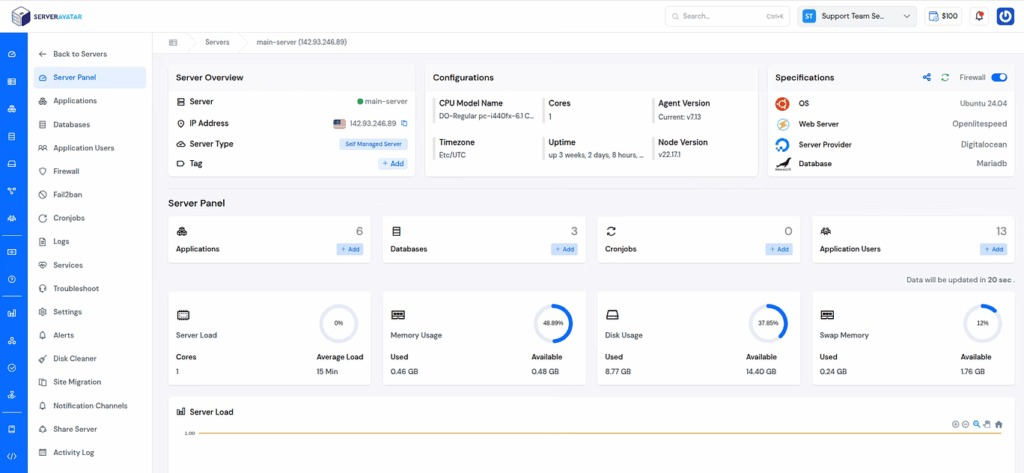
Instead of dealing with manual configurations, you get a centralized dashboard where everything from application deployment to performance tuning is handled efficiently.
Why ServerAvatar fits perfectly with WordPress website
- One-click application installer for WordPress and many other popular applications so you can launch sites faster
- Centralized dashboard to manage servers and applications easily
- Built-in performance optimization for better speed and stability
- Redis caching support to improve loading times and user experience
- Strong security features, including automatic free SSL with auto-renewals, firewall, fail2ban, ai bot blocker, 8g firewall, and many more
- Scalable infrastructure that grows with your traffic
For startups, agencies, and developers, this means less time spent on server maintenance and more time focusing on insights, growth, and user experience.
If you’re using analytics to improve decisions, pairing it with a reliable hosting and management platform like ServerAvatar ensures your website performs just as well as your data suggests.
Common Mistakes When Using WordPress Analytics Plugins
Even with the right plugin, mistakes can ruin your data.
- Installing Multiple Analytics Plugins: This can cause duplicate tracking and inaccurate data.
- Ignoring Data Sampling: Some reports don’t show complete data, understanding this matters for accuracy.
- Not Setting Up Goals: Tracking traffic is good. Tracking conversions is better.
- Overloading with Features: More features do not equal better insights. Keep it focused.

Tips to Get More Value from Your Analytics
To truly benefit from WordPress analytics plugins:
1. Focus on Key Metrics
Don’t get lost in numbers. Track:
- Traffic sources
- Top-performing pages
- Conversion rates
2. Use Data to Take Action
Analytics isn’t just for observation, it’s for improvement.
3. Combine Analytics with Performance Optimization
Tracking alone won’t improve your site. Speed and infrastructure matter just as much.
👉 Speed matters. Pair the right analytics plugin with a high-performance server setup using ServerAvatar.
Conclusion
Choosing the right Google Analytics plugin for WordPress ultimately comes down to finding a balance between simplicity, accuracy, and performance. The best plugin isn’t just the one with the most features, but the one that fits your workflow and helps you actually use your data to make better decisions. At the same time, analytics alone won’t improve your website, your hosting environment and overall performance setup matter just as much. By combining a reliable analytics plugin with a fast, well-optimized platform like ServerAvatar, you can ensure your site not only tracks data effectively but also delivers a smooth, high-performing experience that supports long-term growth.
FAQs
1. Which plugin should you choose for Google Analytics in WordPress?
MonsterInsights is widely considered the best for ease of use, while Site Kit is great for a free, official solution.
2. Do I need a plugin to use Google Analytics in WordPress?
You can manually add the tracking code. But plugins simplify setup and provide dashboard insights.
3. Can analytics plugins slow down my website?
Especially feature-heavy plugins. Choosing a lightweight option and optimized hosting helps avoid this.
4. Are WordPress analytics plugins GDPR compliant?
Some are, but not all. Plugins like WP Statistics focus more on privacy compliance.
5. How do I track website traffic in WordPress easily?
Using a plugin like MonsterInsights or Site Kit is the easiest way to track traffic without technical setup.