

Automation is no longer just a technical trend. It has become a practical way to reduce manual effort and bring consistency to digital tasks. This is where n8n quietly stands out. If you are new to automation and want to understand what n8n is without feeling overwhelmed, you are in the right place.
n8n is designed to be flexible, visual, and approachable. You do not need deep technical knowledge to understand its core ideas. At its heart, n8n focuses on connecting systems and guiding information from one step to another in an organized way. In this guide, we will learn about n8n from the ground up.
What is n8n?
n8n is an open-source workflow automation platform. It allows different systems, services, or tools to communicate with each other through structured workflows.
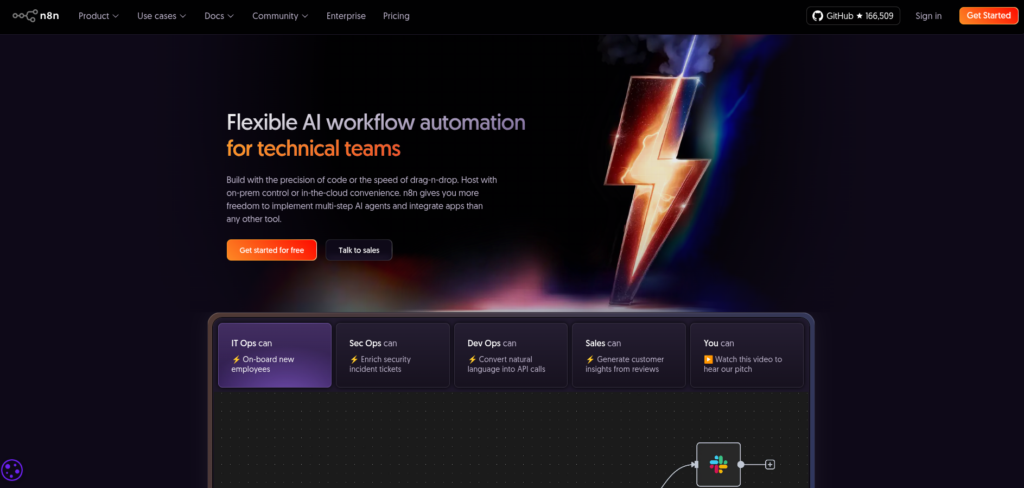
Instead of performing tasks manually, n8n follows predefined instructions and completes those tasks automatically. These instructions are visually arranged, making the process easier to understand and manage.
The key idea behind n8n is simple: define a sequence of steps once, and let the system handle them consistently.
The Purpose of n8n
The main purpose of n8n is to reduce repetitive effort and improve process consistency.
By automating workflows:
- Tasks are completed the same way every time: Automation ensures that each task follows the same steps without variation.
- Human error is reduced: Automated workflows minimize mistakes caused by manual handling.
- Time is saved for higher-value work: Repetitive tasks run automatically, freeing time for more important activities.
n8n is designed to adapt to different levels of complexity, from simple workflows to advanced logic-based automation.
How n8n Works at a High Level
At a high level, n8n operates on a clear structure:
- Something initiates the workflow: A specific condition or signal starts the automation process.
- Information moves through connected steps: Data flows from one step to the next in a defined sequence.
- Each step performs a defined operation: Every stage of the workflow has a clear and specific function.
- The workflow ends after completing all steps: The automation stops once all defined actions are executed.
This structure allows users to visually follow how data moves and changes throughout the workflow. Everything is transparent and easy to trace.
Understanding n8n Workflows
A workflow in n8n is a sequence of connected steps that run automatically.
Each workflow:
- Has a defined start: Every workflow begins with a clear triggering point.
- Contains one or more steps: A workflow is built from multiple connected actions.
- Follows a logical order: Steps run in a structured sequence to ensure predictable results.
- Can be enabled or disabled at any time: Workflows can be turned on or off as needed.
Workflows are created visually, which makes it easier to understand the logic even without technical experience.
Nodes: The Core Building Blocks
Nodes are the fundamental components of n8n workflows.
Each node is responsible for a specific task, such as:
- Receiving information: Nodes can collect data from a defined source.
- Modifying data: Nodes can transform or process data before passing it forward.
- Passing data to the next step: Nodes transfer processed information to subsequent steps in the workflow.
Nodes are connected in a sequence, forming a complete workflow. This modular approach allows workflows to be adjusted without rebuilding everything from scratch.
Triggers in n8n
A trigger defines how a workflow begins.
Triggers act as signals that tell n8n when to start running a workflow. Without a trigger, a workflow remains inactive.
Triggers can be based on:
- Events: Workflows can start when a specific event occurs.
- Time-based schedules: Automations can run at fixed times or intervals.
- External signals: Workflows can begin when triggered by outside systems.
Once a trigger condition is met, the workflow starts automatically.
Actions and Processing
After a trigger starts a workflow, actions take over.
Actions define what happens to the data as it moves through the workflow. Each action node performs a specific operation, ensuring that data is processed in a structured and predictable way.
Multiple actions can exist in a single workflow, and they run in the order defined by the user.
Workflow Logic and Flow Control
n8n supports logical decision-making within workflows.
This includes:
- Conditional paths: Workflows can follow different paths based on defined conditions.
- Data filtering: Only relevant data continues through the workflow.
- Controlled execution order: Steps run in a precise order to maintain consistency.
Flow control allows workflows to behave intelligently instead of following a single rigid path. This flexibility makes n8n suitable for both simple and advanced automation needs.
Why n8n Is Open Source
Being open source is one of n8n’s strongest advantages.
Open-source software means:
- The code is publicly available: Users can review and understand how the platform works.
- The platform is transparent: There is visibility into how workflows and features operate.
- Users are not locked into a closed system: Users retain freedom to customize or self-host.
This approach builds trust and allows users to customize n8n according to their requirements.
Data Control and Privacy
n8n places strong emphasis on data ownership.
Users maintain control over:
- Where data is stored: Users choose the storage location for their data.
- How data is processed: Users control how information flows through workflows.
- Who can access workflows: Access permissions remain under user control.
This makes n8n appealing to users who prioritize privacy, compliance, and transparency.
Learning Curve for Beginners
n8n is designed to be approachable, even for beginners.
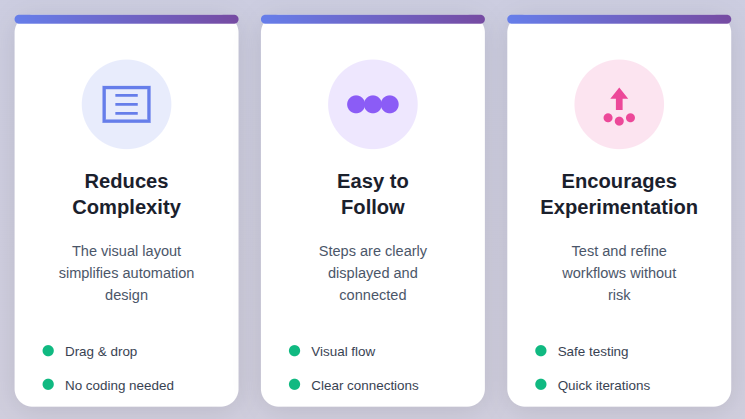
The visual interface:
- Reduces complexity: The visual layout simplifies automation design.
- Makes workflows easy to follow: Steps are clearly displayed and connected.
- Encourages experimentation: Users can test and refine workflows without risk.
While advanced features exist, beginners can start with basic workflows and gradually build confidence.
Customization and Flexibility
Flexibility is a core strength of n8n.
Users can:
- Adjust workflows easily: Changes can be made without rebuilding everything.
- Modify logic without starting over: Workflow logic can evolve over time.
- Extend functionality as needed: Workflows can grow with new requirements.
This adaptability ensures that workflows can evolve as requirements change.
How ServerAvatar Simplifies n8n Deployment and Management
What is ServerAvatar?
ServerAvatar is a server and application management platform designed to simplify the hosting and management of PHP and Node.js-based applications. It removes much of the complexity involved in server configuration, allowing users to deploy and manage applications through a clean and intuitive interface.
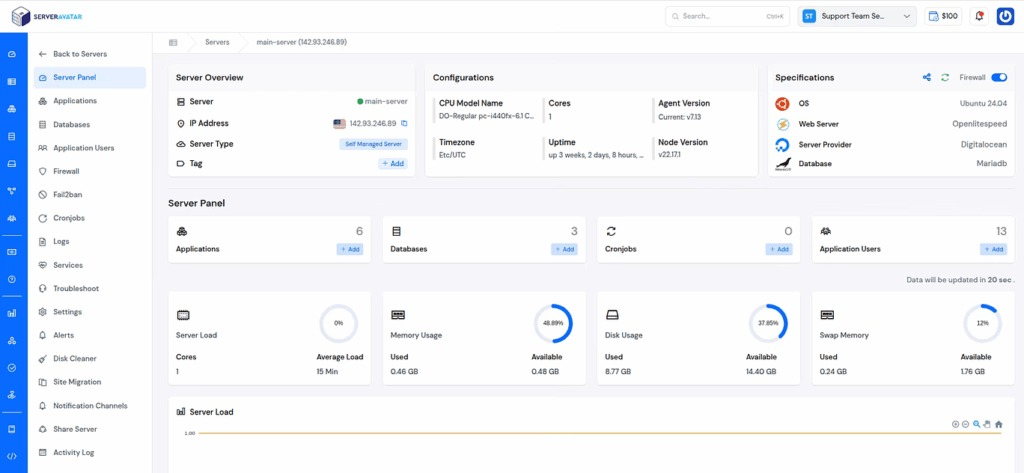
Deploying automation tools like n8n often involves server setup, configuration, and ongoing maintenance. This process can feel complex, especially for users who want to focus on workflows rather than infrastructure. This is where ServerAvatar plays an important role.
Since n8n is a Node.js-based application, it fits naturally into ServerAvatar’s supported ecosystem. With ServerAvatar, users can deploy n8n without dealing with low-level server tasks such as manual package installation, environment setup, or repeated configuration steps.
Host n8n Using ServerAvatar
ServerAvatar provides n8n as a one-click application installer, making the hosting process straightforward and structured. Instead of manually setting up dependencies or configuring runtime environments, users can deploy n8n directly from the ServerAvatar dashboard.
Key advantages of hosting n8n using ServerAvatar include:
- Simplified server provisioning and management: ServerAvatar handles server setup and maintenance.
- Pre-configured environment for Node.js applications: n8n runs in an optimized Node.js environment.
- Centralized control over applications and services: All management tasks are handled from one dashboard.
- Reduced setup time and configuration effort: Deployment is faster with fewer manual steps.
ServerAvatar handles the server-side complexity, allowing users to focus on building and managing n8n workflows rather than maintaining infrastructure.
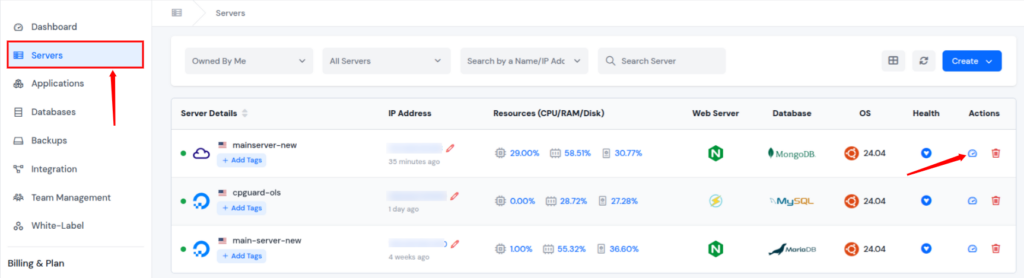
Step 1: Select Your Node Stack Server
- Click on your Node stack server dashboard to create an n8n application.
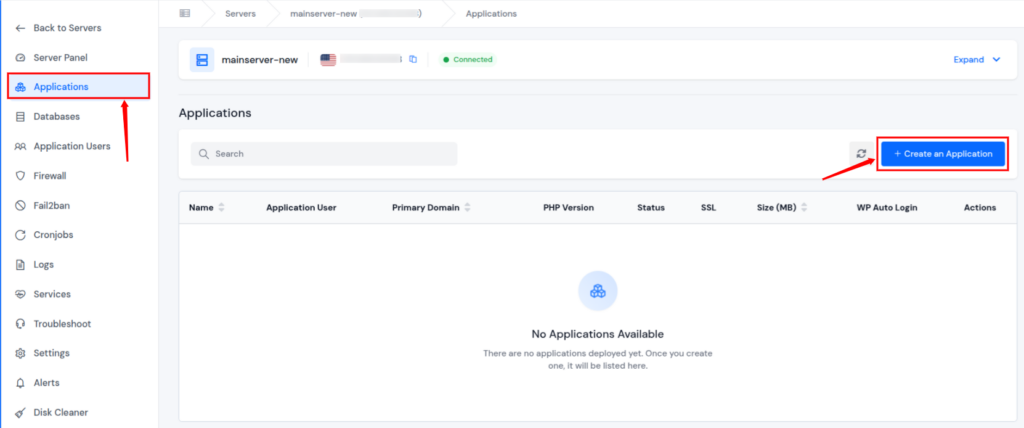
- Click on the Applications section from the left-hand sidebar of the server panel, and click on the Create an Application button from the application panel.
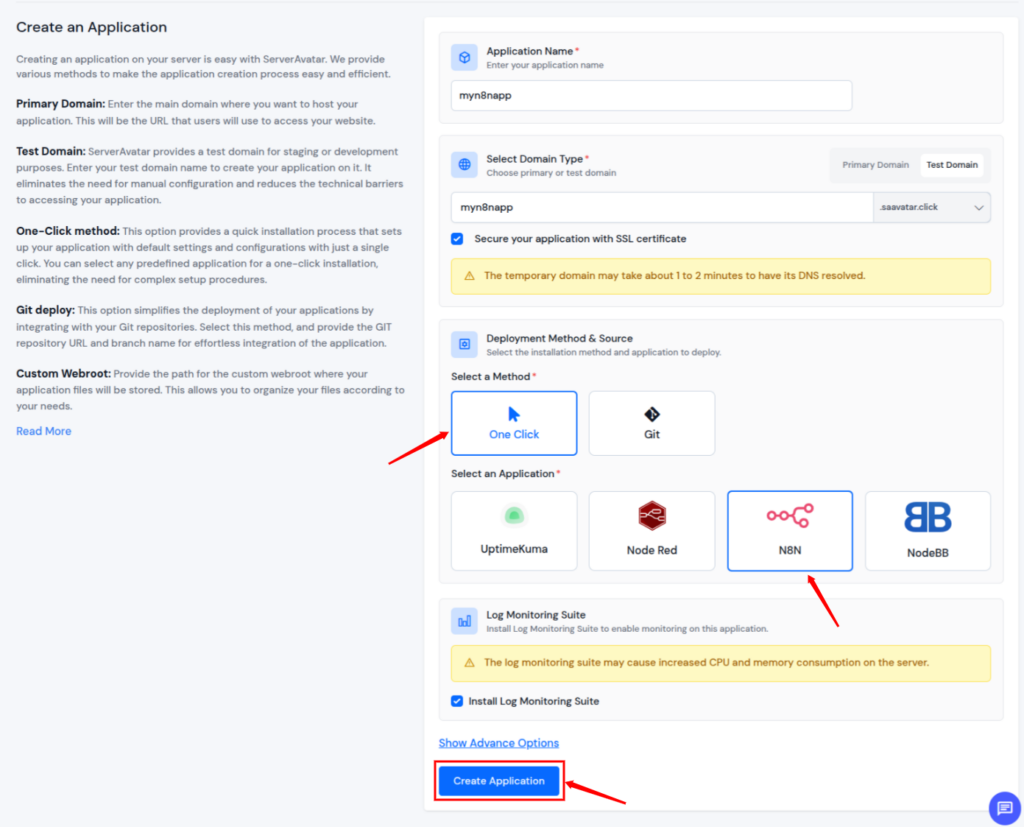
Step 2: Select the deployment method and application
- Select the deployment method as One Click and select N8N as an application.
- Fill in the required details, and click on the Create Application button.
Step 3: Confirm Application Creation
- You can see your application has been created Successfully pop-up, as displayed below.
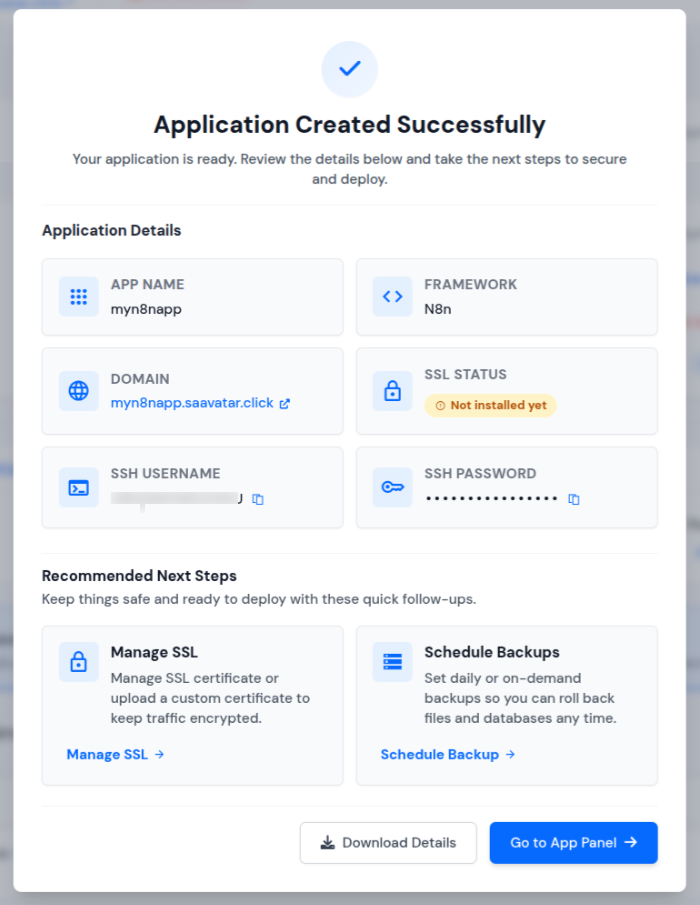
- Once the installation is complete, you will be automatically redirected to the application dashboard. From here, you can efficiently manage and oversee the operations of your deployed application.
You can read the complete step-by-step guide to host n8n using ServerAvatar here: https://serveravatar.com/host-n8n-application-using-serveravatar/

Why Use ServerAvatar for Managing n8n Applications
Managing an application goes beyond initial deployment. It includes monitoring, updates, performance management, and overall server health. ServerAvatar is designed to simplify these ongoing responsibilities.
When n8n is hosted using ServerAvatar, users benefit from:
- Unified server and application management: Servers and applications are managed together.
- Easy access to logs and service controls: Monitoring and control are available from a single interface.
- Simplified scaling and resource handling: Resources can be adjusted with minimal effort.
- Cleaner separation between application logic and server operations: Application workflows remain independent of infrastructure tasks.
This approach ensures that n8n remains stable, accessible, and easier to manage over time.
Automation platforms often get compared based on flexibility, control, and hosting options. Tools like n8n, Make, and Zapier each serve different needs. ServerAvatar does not replace automation tools. Instead, it provides the hosting and management layer that makes the self-hosted tool n8n easier to deploy and maintain.
For a detailed comparison, refer to this guide: https://serveravatar.com/n8n-vs-make-vs-zapier-automation-tool/
Common Beginner Challenges
New users may face challenges such as:
- Understanding workflow logic: New users may take time to grasp automation flow.
- Managing data flow between nodes: Handling data movement requires careful attention.
- Debugging errors: Identifying and fixing workflow issues can be challenging initially.
These challenges are part of the learning process. With patience and practice, workflows become easier to design and manage.
When n8n Is the Right Choice
n8n is a good choice when:
- Automation needs flexibility: n8n supports customizable and complex workflows.
- Data control is important: Users retain full ownership of their data.
- Visual workflow design is preferred: The platform offers a clear, visual editor.
- Long-term scalability matters: n8n can grow with changing automation needs.
It is designed to grow alongside user knowledge and requirements.
Conclusion
n8n offers a practical and beginner-friendly way to step into workflow automation without feeling restricted or overwhelmed. Its visual approach, flexible workflow design, and open-source foundation make it suitable for both simple automations and more advanced, logic-driven processes. By allowing users to define workflows once and run them consistently, n8n helps reduce manual effort, minimize errors, and save valuable time.
When paired with ServerAvatar, managing and hosting n8n becomes even easier. ServerAvatar removes the complexity of server setup and maintenance, allowing users to focus entirely on building and improving workflows. Together, n8n and ServerAvatar provide a balanced solution that combines automation flexibility with simplified infrastructure management, making automation more accessible, scalable, and reliable over the long term.
FAQs
1. Is n8n suitable for beginners with no automation experience?
Yes, n8n is designed with a visual interface that makes it easy for beginners to understand workflow logic and start building simple automations without deep technical knowledge.
2. Do I need coding skills to use n8n?
Basic workflows can be created without coding, but having some technical knowledge can help when building advanced workflows or custom logic.
3. What is the main advantage of n8n being open source?
Being open source gives users full transparency, customization freedom, and control over how the platform operates and where data is stored.
4. Can n8n be self-hosted for better data control?
Yes, n8n can be self-hosted, allowing users to maintain complete control over their data, infrastructure, and workflow execution.
5. How does ServerAvatar help with hosting n8n?
ServerAvatar provides a one-click installer and a pre-configured Node.js environment, eliminating manual server setup and reducing deployment time.