

Running an online store can feel a lot like managing a busy warehouse. Products are constantly moving in and out, customers are placing orders, and stock levels keep changing. If you don’t keep track of everything properly, things can quickly turn messy. This is where WooCommerce inventory management becomes extremely important.
Imagine owning a store where you never know which items are in stock or which ones are running out. Sounds stressful, right? Without proper tracking, you could end up overselling products, disappointing customers, or missing opportunities to restock popular items.
Thankfully, WooCommerce inventory management plugins help store owners keep everything organized. They automate stock updates, send alerts when inventory runs low, and make managing products much easier.
In this guide, we’ll explore eight powerful WooCommerce inventory management plugins that can help keep your store running smoothly.
What is Inventory Management in WooCommerce?
Inventory management in WooCommerce refers to the process of tracking, organizing, and controlling product stock within an online store. It helps store owners monitor how many items are available, update stock levels after every purchase, and receive alerts when products start running low. Proper inventory management ensures that customers only see products that are available, preventing overselling and order issues.
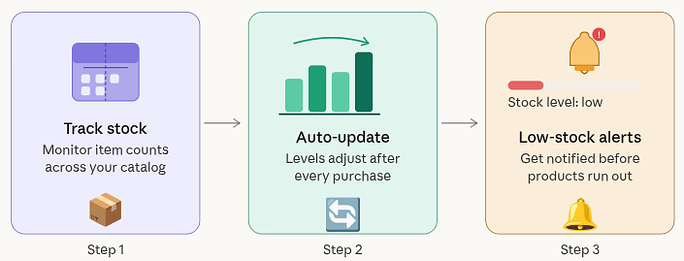
WooCommerce includes basic stock tracking features, but many store owners use additional plugins to automate updates, manage large product catalogs, and generate detailed inventory reports. By keeping inventory organized, businesses can maintain smooth operations and deliver a better shopping experience to customers.
Why Inventory Management Matters in WooCommerce
Inventory management is the backbone of every successful online store. When you manage inventory effectively, you can:
- Avoid selling products that are out of stock
- Know exactly when to reorder items
- Reduce storage and inventory costs
- Improve customer satisfaction
Think of inventory management as the control center of your online store. Without it, you’re essentially flying blind.
WooCommerce includes basic inventory features, but growing stores often need advanced tools to automate tasks and manage stock across multiple products. That’s where plugins come in.
Key Features to Look for in Inventory Plugins
Before installing any inventory plugin, it’s important to understand what features matter most. Here are a few essential ones:
- Real-time stock tracking: Your inventory should update automatically whenever an order is placed.
- Low stock notifications: Alerts help you restock products before they sell out.
- Bulk product editing: Managing hundreds of products manually can take hours.
- Multi-warehouse management: Useful if your store manages stock from multiple locations.
- Reports and analytics: Detailed reports help you understand product performance.
Choosing a plugin with these features can make your WooCommerce store much easier to manage.
WooCommerce Inventory Management Plugins
While WooCommerce includes basic stock management features, they may not be enough as your store begins to grow. This is where WooCommerce inventory management plugins become extremely helpful. Below are eight powerful WooCommerce inventory management plugins that can help simplify inventory tracking and improve the overall efficiency of your online store.
1. Smart Manager for WooCommerce
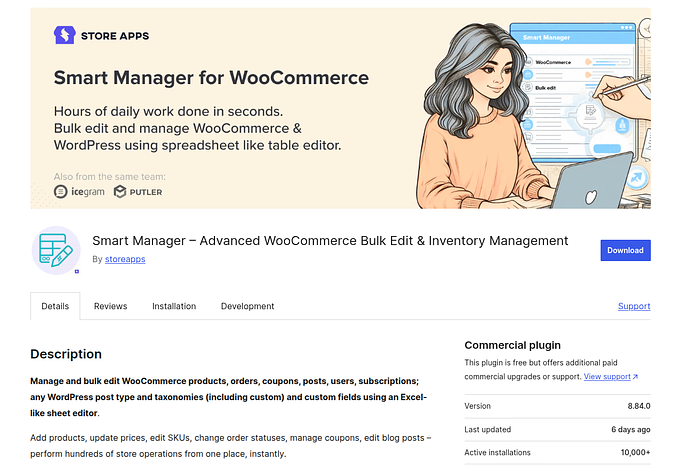
Smart Manager is a powerful WooCommerce plugin that simplifies inventory and store management through a spreadsheet-style interface. Instead of opening products individually, store owners can update multiple products, prices, and stock levels from one screen. This saves time and makes bulk product management much easier.
Key Features
- Bulk edit products, prices, and stock
- Spreadsheet-style product management
- Advanced filtering options
- Manage orders, customers, and coupons
Advantages
- Saves time with fast bulk editing
- Easy-to-use spreadsheet layout
- Works well for large product catalogs
- Supports managing multiple store elements
Disadvantages
- Some advanced features require the premium version
- May feel complex for beginners at first
Best for
Stores with large product catalogs that need quick bulk inventory updates.
2. ATUM Inventory Management for WooCommerce
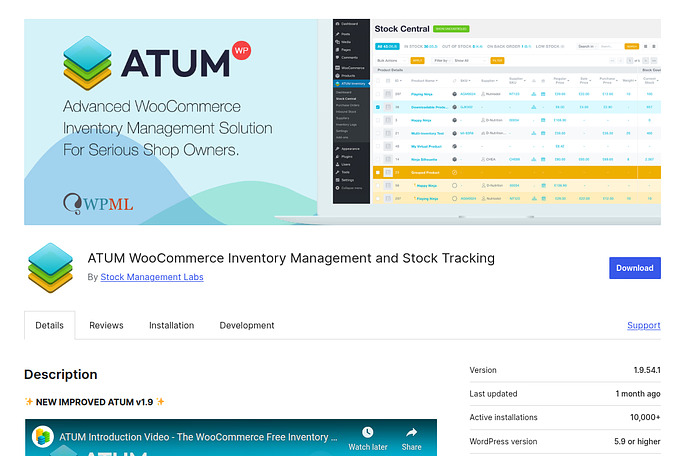
ATUM is widely used inventory management plugins for WooCommerce. It offers a clean and organized dashboard that gives store owners a complete overview of stock levels, suppliers, and product performance.
Key Features
- Centralized inventory dashboard
- Supplier management tools
- Purchase order tracking
- Detailed stock reports and analytics
Advantages
- Modern and user-friendly interface
- Provides detailed inventory insights
- Strong reporting and tracking tools
- Regular updates and improvements
Disadvantages
- Advanced modules require paid add-ons
- It can overwhelming for small stores with simple need
Best for
Store owners who want advanced inventory insights and supplier management tools.
3. WooCommerce Stock Manager
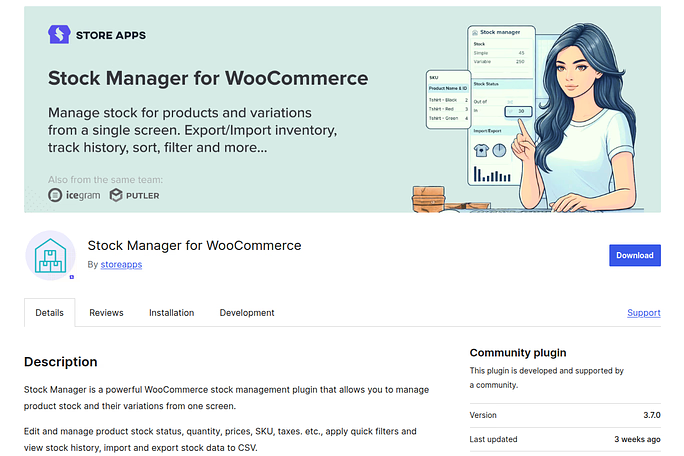
WooCommerce Stock Manager is a straightforward plugin designed to simplify product stock management. It allows store owners to view and edit inventory for multiple products from a single dashboard.
Key Features
- Manage stock for simple and variable products
- Bulk edit product quantities
- Track stock history and updates
- Filter and search products easily
Advantages
- Simple and easy to use
- Lightweight plugin that runs smoothly
- Allows fast bulk inventory updates
- Suitable for small and medium stores
Disadvantages
- Limited advanced inventory features
- Not ideal for complex inventory systems
Best for
Small to medium WooCommerce stores needing basic and easy stock management.
4. Stock Sync for WooCommerce
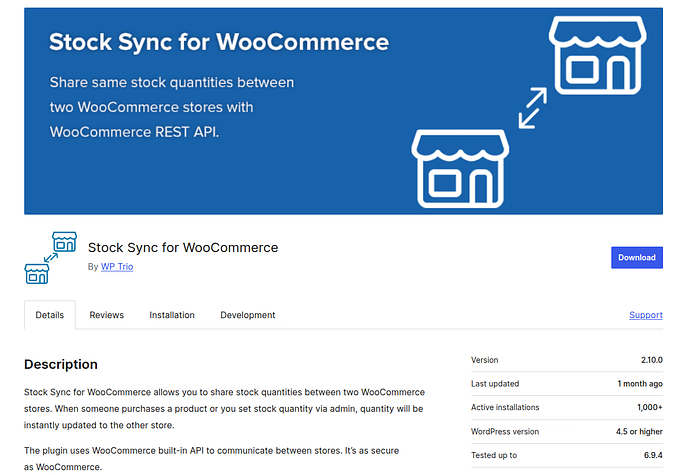
Stock Sync for WooCommerce helps store owners automatically synchronize inventory data from external sources. It allows stock updates through CSV or XML files, making it ideal for businesses working with suppliers or dropshipping partners.
Key Features
- Automatic inventory synchronization
- CSV and XML file import support
- Scheduled stock updates
- Integration with external inventory systems
Advantages
- Reduces manual inventory updates
- Saves time with automated synchronization
- Works well with supplier inventory files
- Useful for dropshipping businesses
Disadvantages
- Requires correct file formatting
- Limited built-in analytics tools
Best for
Stores that import stock data from suppliers or external systems.
5. WP Inventory Manager
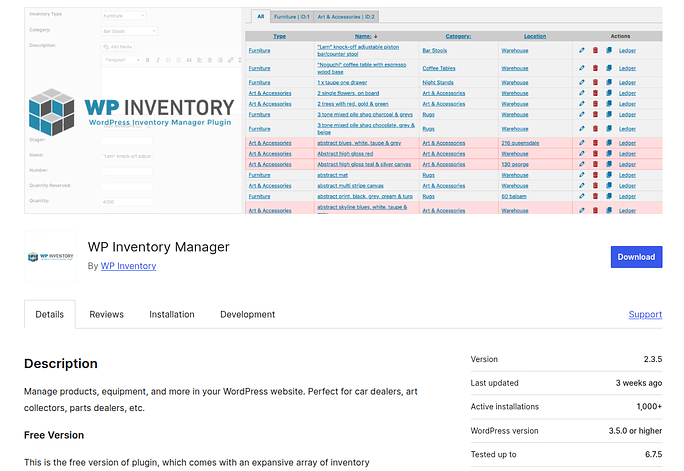
WP Inventory Manager is a flexible inventory solution designed for businesses that need custom inventory tracking beyond typical WooCommerce products. It allows users to manage specialized items, equipment, or unique product categories.
Key Features
- Custom inventory fields and attributes
- Product category organization
- Item tracking and management
- Simple and flexible interface
Advantages
- Highly customizable inventory fields
- Works for different types of inventory items
- Easy product categorization
- Flexible inventory setup
Disadvantages
- Limited WooCommerce-specific automation
- May require configuration for advanced use cases
Best for
Businesses that need custom inventory tracking for unique products or assets.
6. Veeqo Inventory Management
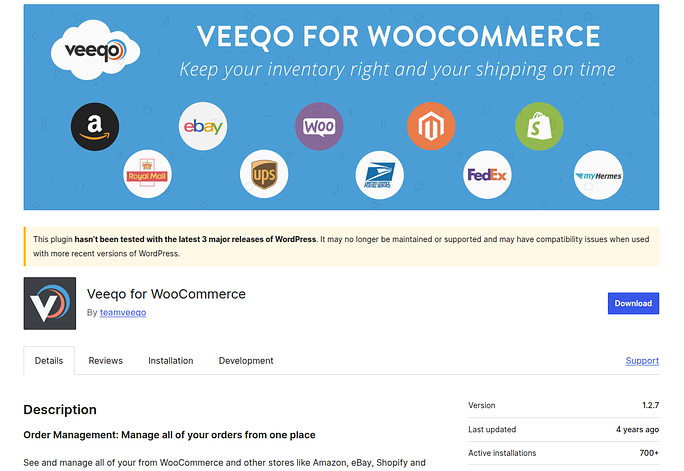
Veeqo is an advanced inventory management platform designed for multi-channel eCommerce businesses. It connects WooCommerce with other marketplaces and keeps inventory synchronized across platforms while also simplifying order fulfillment.
Key Features
- Multi-channel inventory synchronization
- Shipping and order management tools
- Advanced analytics and reports
- Warehouse inventory tracking
Advantages
- Supports selling across multiple platforms
- Combines inventory and shipping management
- Provides powerful analytics
- Improves order fulfillment efficiency
Disadvantages
- Can be complex for beginners
- Pricing may be higher for small businesses
Best for
Large eCommerce stores selling on multiple platforms and managing high order volumes.
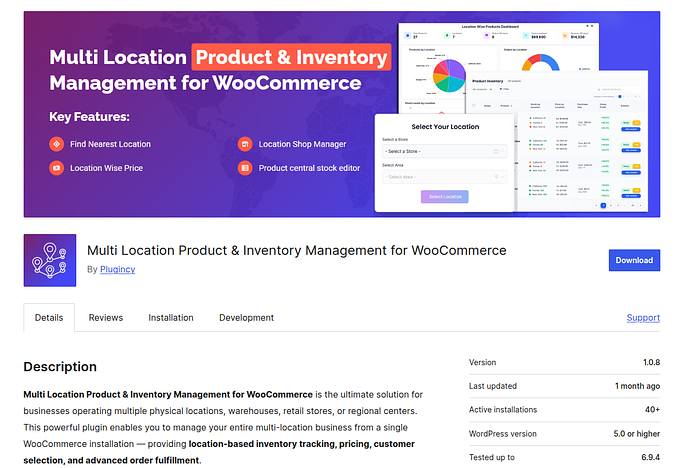
7. Multi Location Product & Inventory Management for WooCommerce
Multi Locations Inventory Management plugin helps WooCommerce stores manage stock across multiple warehouses or physical locations. Store owners can assign inventory quantities to different locations and track product availability separately for each one.
Key Features
- Manage inventory across multiple locations
- Assign stock to different warehouses
- Location-based stock tracking
- Easy inventory updates for each location
Advantages
- Ideal for businesses with multiple warehouses
- Improves order fulfillment accuracy
- Provides better stock visibility
- Helps manage regional inventory distribution
Disadvantages
- Setup can take time for new users
- Advanced features may require a paid version
Best for
Businesses managing inventory across multiple warehouses or storage locations.
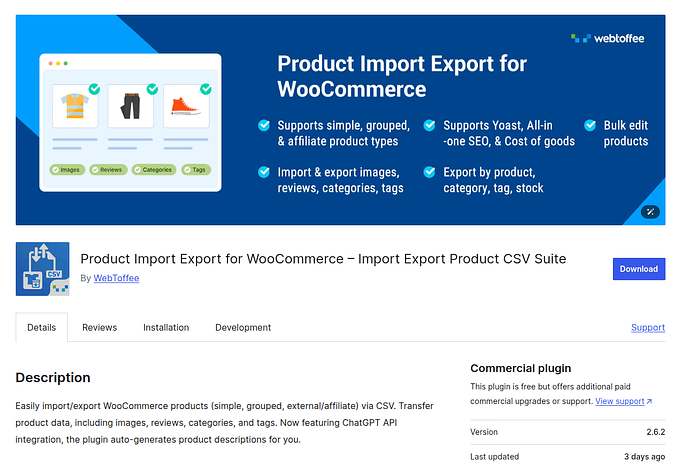
8. Product Import Export for WooCommerce
Product Import Export for WooCommerce allows store owners to import or export product data in bulk, including stock quantities. It simplifies inventory updates when dealing with large product catalogs or supplier data files.
Key Features
- Import and export product inventory using CSV files
- Bulk update product stock and details
- Scheduled product data imports
- Easy migration between WooCommerce stores
Advantages
- Saves time with bulk product updates
- Simplifies product migration and backups
- Works well with supplier product files
- Reduces manual data entry errors
Disadvantages
- Requires CSV knowledge for beginners
- Not a full inventory management system on its own
Best for
Store owners who frequently update product data in bulk or import supplier inventory files.
Quick Comparison of WooCommerce Inventory Management Plugins
Choosing the right inventory plugin can make a big difference in how efficiently you manage your WooCommerce store. The table below provides a quick comparison of the plugins discussed in this guide to help you find the best option for your needs.
| Plugin | Key Strength | Automation Level | Multi-Location Support | Best For |
| Smart Manager for WooCommerce | Spreadsheet-style bulk editing | Medium | No | Stores with large product catalogs |
| ATUM Inventory Management | Advanced inventory dashboard and reporting | High | Yes (with add-ons) | Stores needing detailed inventory insights |
| WooCommerce Stock Manager | Simple bulk stock editing | Low–Medium | No | Small to medium stores |
| Stock Sync for WooCommerce | Automatic stock synchronization via files | High | Limited | Dropshipping and supplier-based stores |
| WP Inventory Manager | Custom inventory tracking | Medium | Limited | Businesses managing special inventory types |
| Veeqo Inventory Management | Multi-channel inventory and shipping management | Very High | Yes | Large multi-channel eCommerce businesses |
| Multi Location Product & Inventory Management | Multi-warehouse inventory control | High | Yes | Stores with multiple storage locations |
| Product Import Export for WooCommerce | Bulk product import/export via CSV | Medium | No | Stores frequently updating inventory in bulk |
How to Choose the Right Inventory Plugin
Choosing the right inventory plugin is important for keeping your WooCommerce store organized and efficient. Since every online store has different needs, the best plugin will depend on factors like store size, sales channels, and the level of automation required.
When choosing a WooCommerce inventory management plugin, consider:
- Store size: Small stores may only need basic stock tracking.
- Sales channels: If you sell on multiple platforms, choose a plugin with multi-channel support.
- Automation features: Automation reduces manual work and errors.
- Scalability: Your inventory needs may grow as your business expands.
The best plugin is the one that matches your store’s workflow and growth plans.
Tips to Improve WooCommerce Inventory Control
Managing inventory effectively requires more than just installing a plugin. Store owners should also follow smart inventory practices to keep stock levels accurate and avoid operational issues.
Here are some useful tips:
- Track inventory regularly: Always monitor stock levels.
- Use low-stock alerts: This helps prevent stockouts.
- Analyze sales data: Identify fast-selling products.
- Avoid overstocking: Too much inventory increases storage costs.
- Automate repetitive tasks: Plugins can handle updates automatically.
These small improvements can make a big difference in store efficiency.

Common Inventory Mistakes Store Owners Make
Inventory problems often happen because of small but common mistakes. When stock is not monitored properly or product data becomes disorganized, it can lead to order issues and lost sales.
Here are a few common ones:
- Not tracking stock properly: Manual tracking often leads to errors.
- Ignoring low stock alerts: This can lead to lost sales.
- Poor product organization: Messy product catalogs make management difficult.
- Using too many plugins: Too many tools can slow down your store.
Avoiding these mistakes can save time and improve customer experience.
Conclusion
Managing inventory is a crucial part of running a successful WooCommerce store. When stock levels are tracked properly, store owners can avoid overselling, maintain accurate product availability, and deliver a better shopping experience to customers. While WooCommerce offers basic inventory features, dedicated inventory management plugins provide more advanced tools such as automation, bulk updates, multi-location tracking, and detailed reporting. By choosing the right plugin and following good inventory practices, you can keep your store organized, reduce errors, and ensure your products are always ready for customers.
FAQs
1. Does WooCommerce have built-in inventory management?
WooCommerce includes basic inventory management features such as stock tracking, low-stock notifications, and product quantity management. However, many store owners install additional plugins to gain advanced features like bulk editing, automation, and detailed inventory reports.
2. Why should I use a WooCommerce inventory management plugin?
Inventory plugins help automate stock updates, manage large product catalogs, and provide better visibility into product availability. They also reduce manual work and help prevent issues like overselling or stock shortages.
3. Which WooCommerce inventory plugin is best for beginners?
Plugins like WooCommerce Stock Manager or Smart Manager for WooCommerce are often suitable for beginners because they offer simple interfaces and allow easy bulk updates for products and stock levels.
4. Can WooCommerce manage inventory across multiple warehouses?
Certain plugins such as Multi Location Product & Inventory Management for WooCommerce allow store owners to track stock across multiple warehouses or storage locations, making it easier to manage inventory distribution.
5. How can I prevent running out of stock in WooCommerce?
You can prevent stock shortages by enabling low-stock notifications, monitoring inventory regularly, analyzing sales trends, and using inventory plugins that automate stock tracking and alerts.
Stop Wasting Time on Servers. Start Building Instead.
You didn’t start your project to babysit servers. Let ServerAvatar handle deployment, monitoring, and backups — so you can focus on growth.
Deploy WordPress, Laravel, N8N, and more in minutes. No DevOps required. No command line. No stress.
Trusted by 10,000+ developers and growing.