Change PHP Settings
Each application can use its own PHP configuration. For example, raise upload_max_filesize if you need to upload large files, or match a version required by a WordPress plugin.
With ServerAvatar you can manage PHP per application from the application panel. Supported PHP versions (from 7.2 through 8.3, depending on your server) can differ per site on the same server.
PHP directives you can manage
- PHP Version — Run the application on a specific PHP version (set at create time or changed later).
- upload_max_filesize — Maximum size of a single uploaded file.
- post_max_size — Maximum size of POST data (form submissions).
- max_execution_time — How long a script may run before the server stops it.
- max_input_time — How long PHP waits for input from the client.
- max_input_vars — Maximum number of input variables per request.
- memory_limit — Maximum memory a script may use.
- open_basedir — Directories PHP scripts are allowed to access.
- Disabled Functions — Functions PHP scripts cannot call (security).
- Auto Prepend File — File loaded before every PHP script runs.
Access PHP Settings
Step 1: Log in to your ServerAvatar account.
Step 2: Click the Server Dashboard button.

Step 3: In the Server Panel, click Applications.
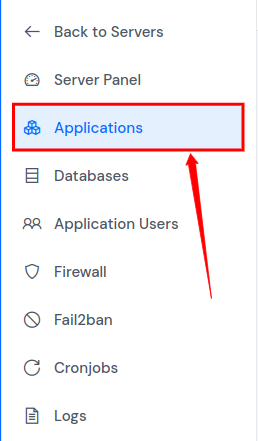
Step 4: Open the Applications list.
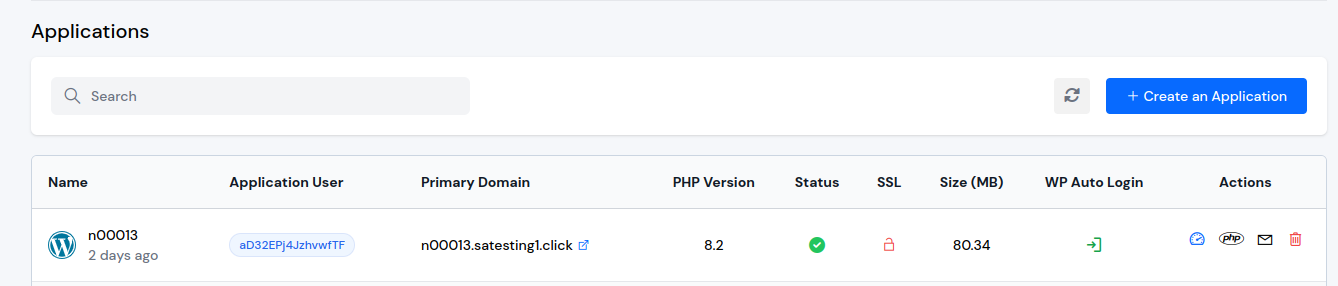
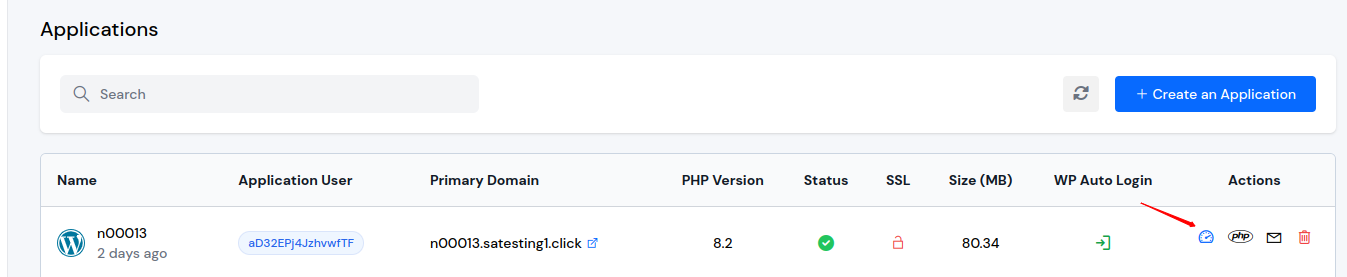
Step 5: Click the Application Name or Dashboard icon for the site you want to configure.
Step 6: In the Application Panel, click PHP Settings.
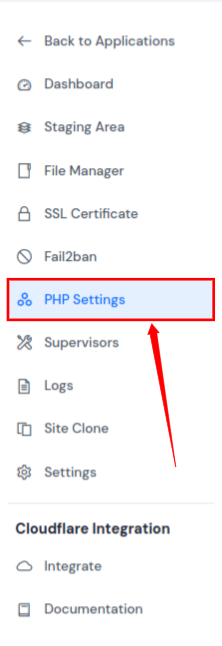
Update PHP settings
On the PHP Settings page, change the values you need and click Update Settings.
Do not change values you do not understand. Use the correct format for each field (especially comma-separated lists).
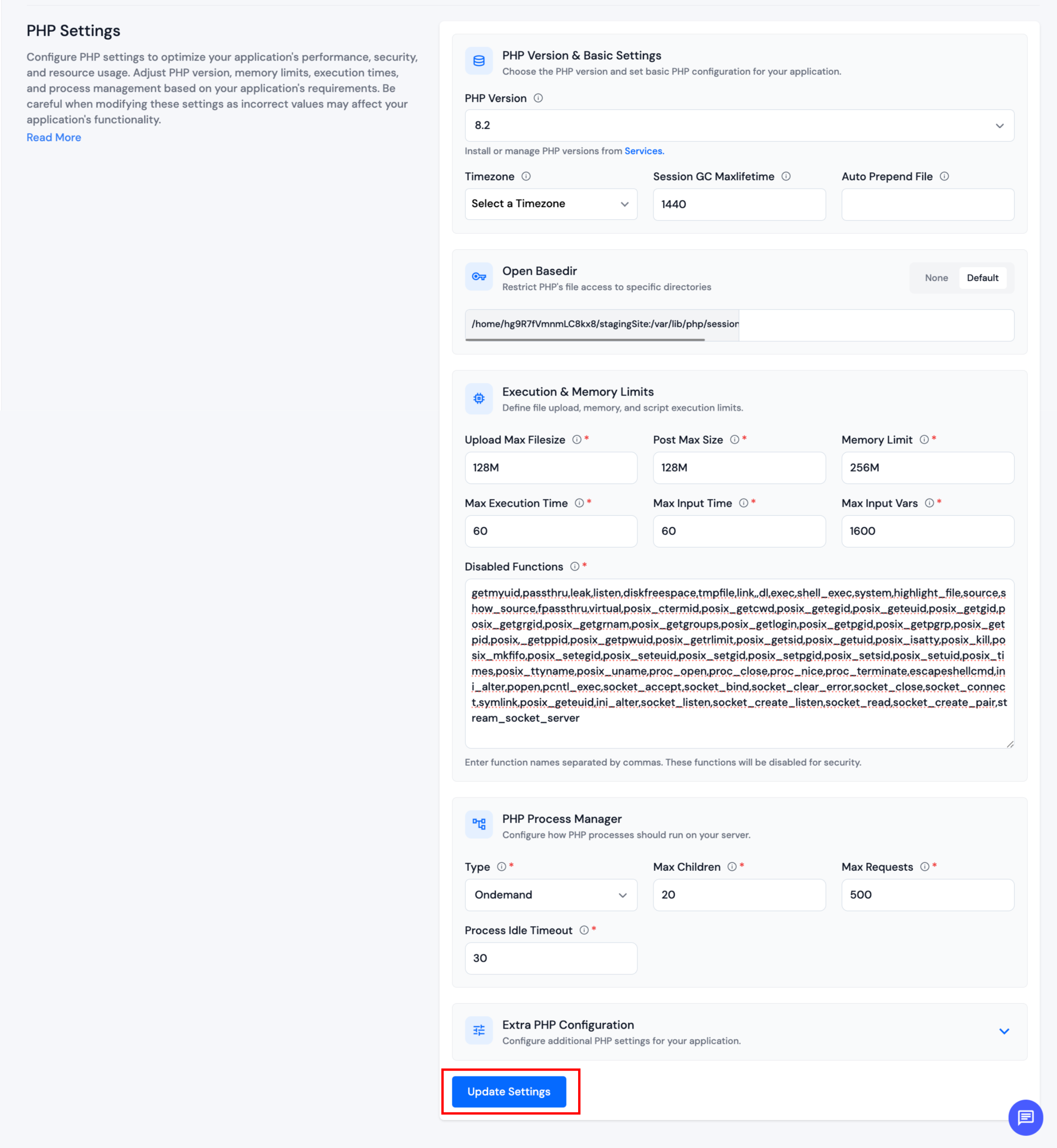
Disabled functions and security
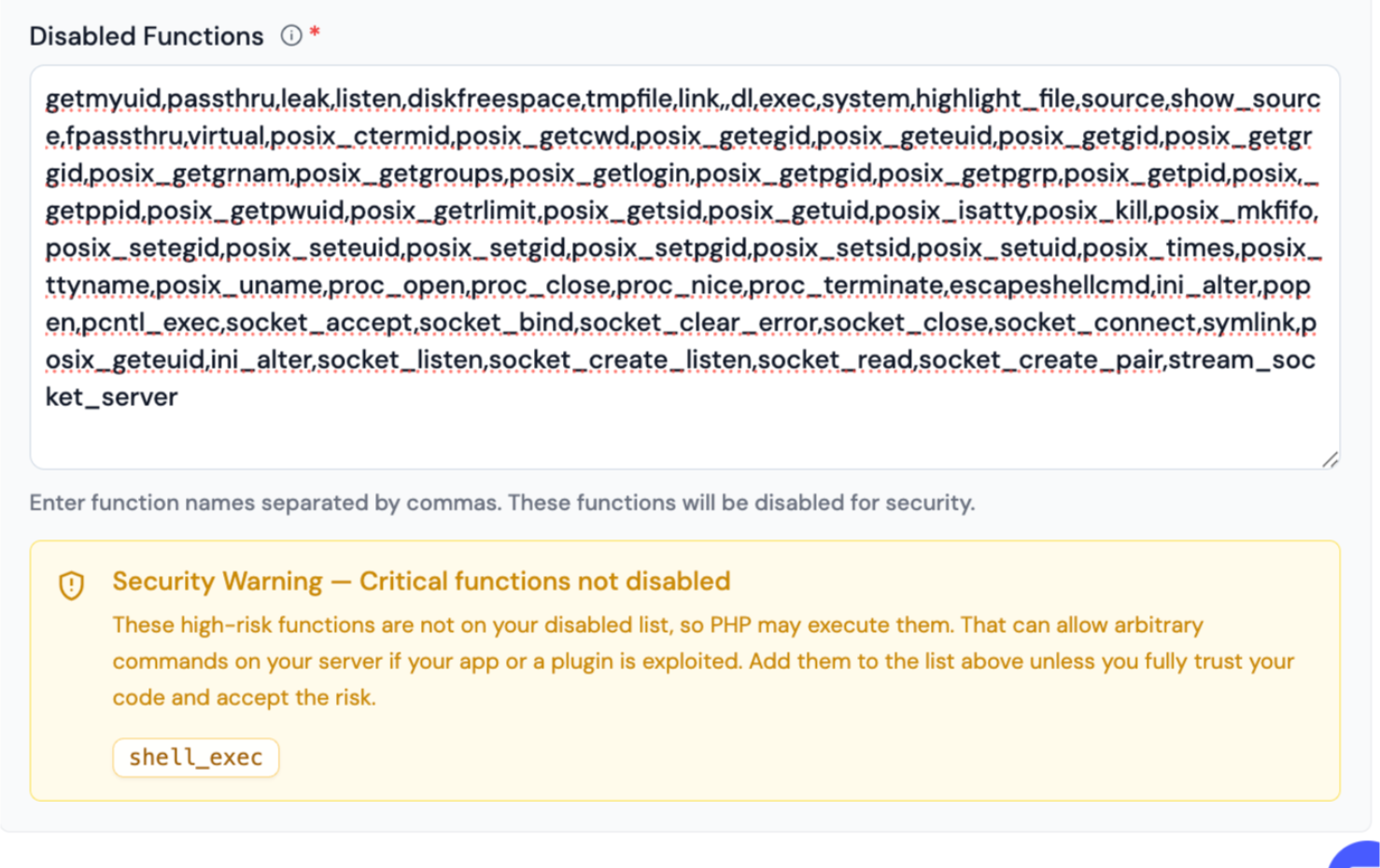
The Disabled Functions field lists PHP functions this application is not allowed to run. Keeping high-risk functions disabled helps limit damage if a plugin or theme is compromised.
Warning on the form
If important functions are still allowed, ServerAvatar shows a security notice under Disabled Functions with the function names (for example shell_exec). That notice is informational: add those names to the disabled list if you do not need them.
Confirmation when you re-enable dangerous functions
If you remove high-risk functions from the disabled list and click Update Settings, a confirmation dialog appears before changes are saved. It lists which functions would become available again.
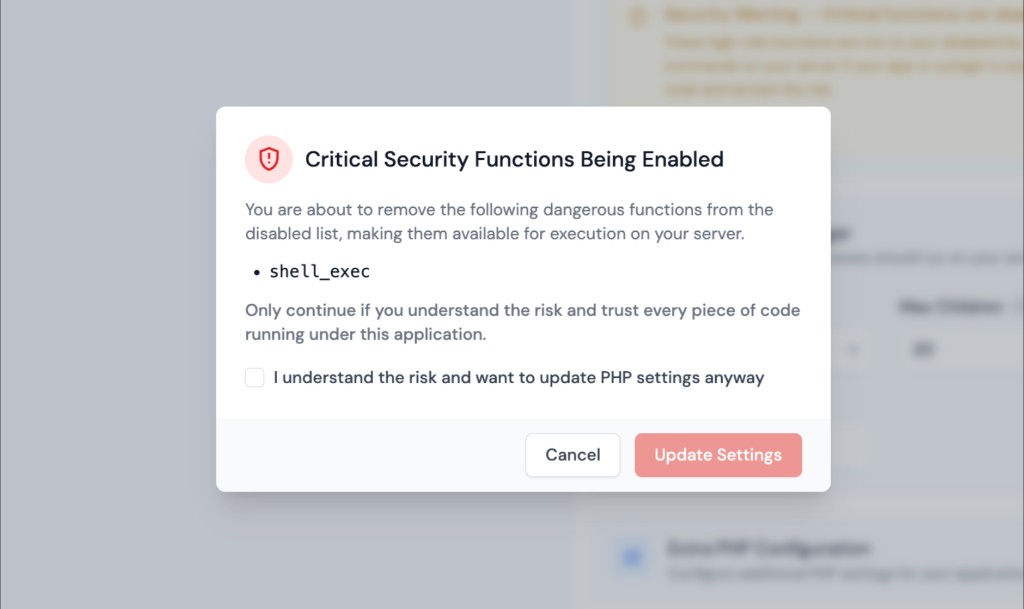
Acknowledge the risk and confirm only when a trusted plugin truly requires those functions and you accept the security impact. Otherwise cancel and leave them disabled.
ServerAvatar monitors these high-risk functions: exec, system, shell_exec, passthru, popen, proc_open, and pcntl_exec.
Allowing command-execution functions on a public site increases the impact of any PHP vulnerability. Default to keeping them disabled unless you have a specific, trusted need.